


Salesforce Voice with Telephony Providers Implementation Guide
 j
jHow to Use Salesforce Lambda Functions
To learn more about Lambda functions, see Amazon’s AWS Lambda Developer Guide. When fine-tuning your contact flows, you often access contact attributes using Amazon’s JSONPath syntax. Be sure to review Amazon documentation on how to reference these attributes.
Salesforce occasionally updates the Lambda functions. To learn how to update these functions, see Update Your Contact Center in Salesforce Help.
For functions with multiple actions (InvokeTelephonyIntegrationAPI and InvokeSalesforceRestApiFunction), you must specify the action name in an input parameter named methodName. Create an attribute for the methodName key, as documented with each function. Additional parameters may be necessary for each method.
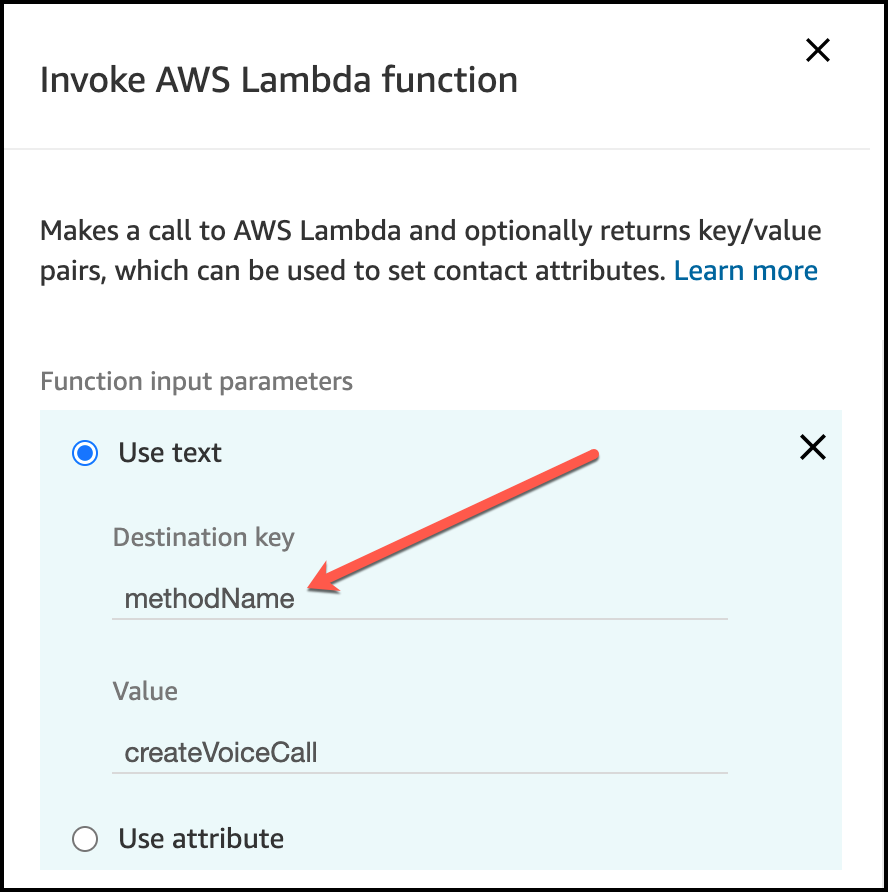
After calling a Lambda function, be sure to store the output value using a Set contact attributes block. If you don’t store the output, subsequent calls can overwrite this value.
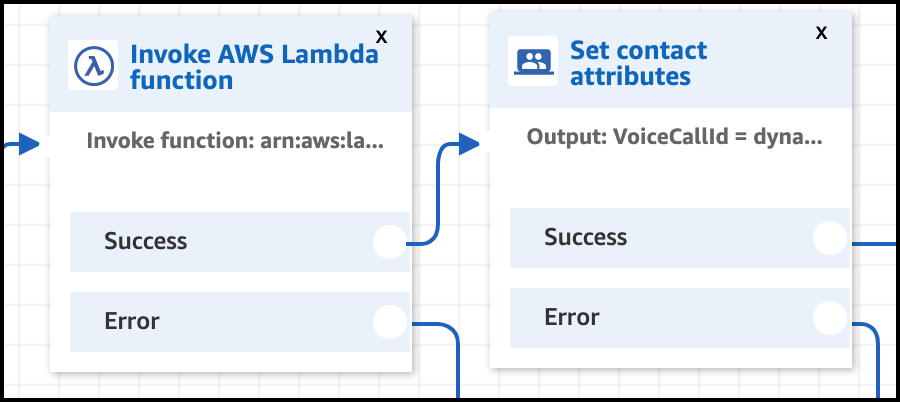
In the Set contact attributes block, the Attribute must match the output variable and the type must be External.
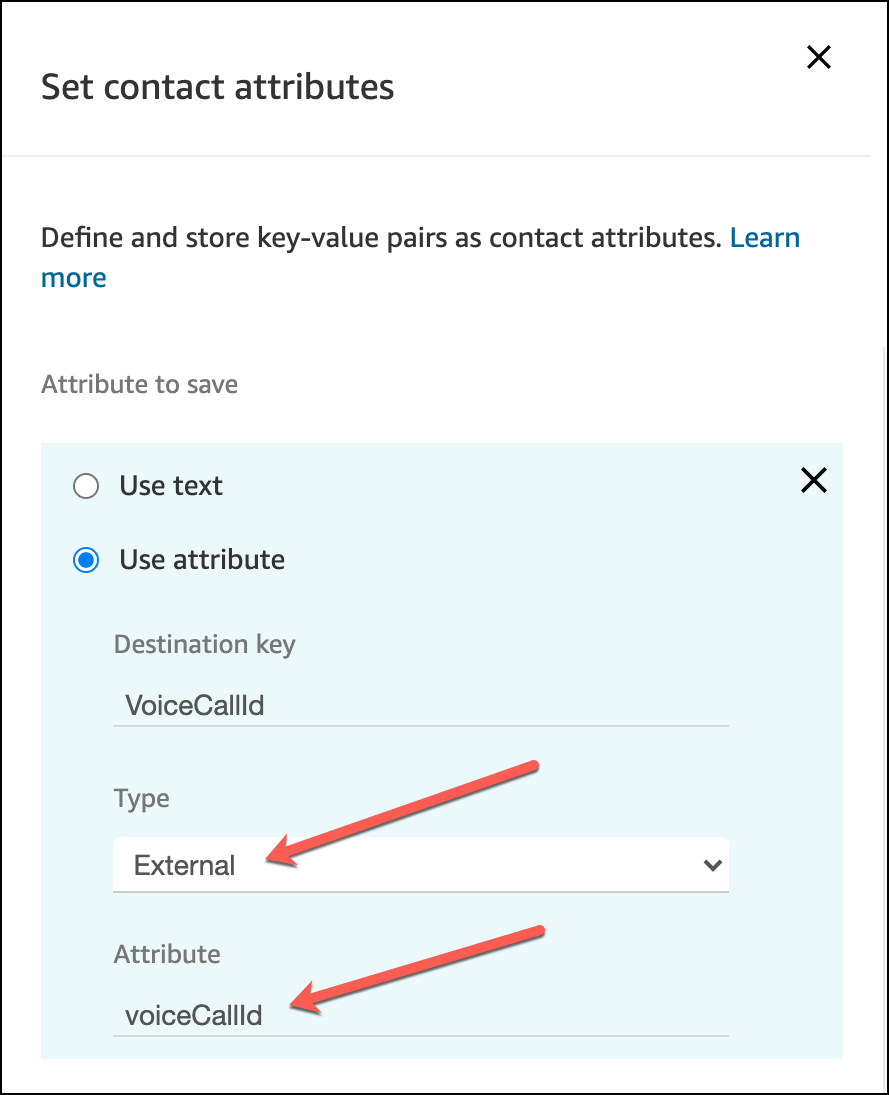
The Destination key can be whatever value you want to use as a variable later in your contact flow.