


Analytics SAQL Developer Guide
 j
jregr_slope()
1regr_slope(field_y, field_x)field_y is a grouped dependent numeric expression and field_x is a grouped independent numeric expression. regr_slope(field_y, field_x) uses simple linear regression to calculate the trend line. The input fields (field_y, field_x) must contain at least two pairs of non-null values. This function works with simple grouped values but not with cogroups.
Example - Calculate the Relationship Between Number of Activities and Deal Amount
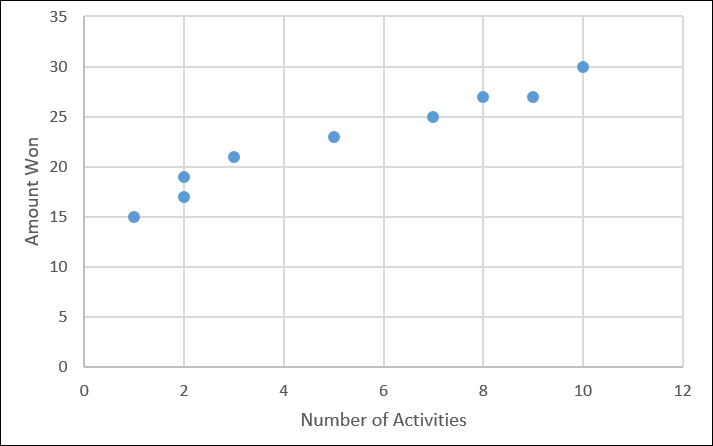
Suppose that you have a dataset that includes the number of activities (such as meetings) and the won opportunity amount.
1q = load "data/sales";
2q = group q by all;
3
4--trunc() truncates the result to two decimal places
5q = foreach q generate trunc(regr_slope('Amount', 'NumActivities'),2) as 'Gain per Activity';
Based on your existing data, every extra activity that you have tends to increase the deal size by $1.45 million, on average.
