


 j
jAnnouncements
Limit Access to a Storefront Under Development
Default Security Rules on On-Demand Sandbox (ODS) Instances
CLI Reference
B2C Commerce Release Notes
Ask the Community
To limit access to a storefront under development so that only users from your organization can view it, enable Protected Storefronts in Business Manager for the associated site. The protected storefront’s environment requires a basic auth password that organization users provide.
Protected Storefront is enabled by default for new Managed Runtime environments.
Important
(Optional) For storefronts not created in Business Manager or through storefront export & import, connect them to Business Manager.
Before connecting, make sure the correct B2C Commerce instance and site IDs are configured for the MRT environment. To verify these settings in Runtime Admin, go to the project and environment, and then click Environment Settings.
For connection steps, see Connect an Existing Storefront to B2C Commerce.
Set the site status and options.
a. In Administration > Sites > Manage Sites, click the site, and then click the Site Status tab.
b. For the Site Status, select Online (Protected).
c. Select Access using shared password.
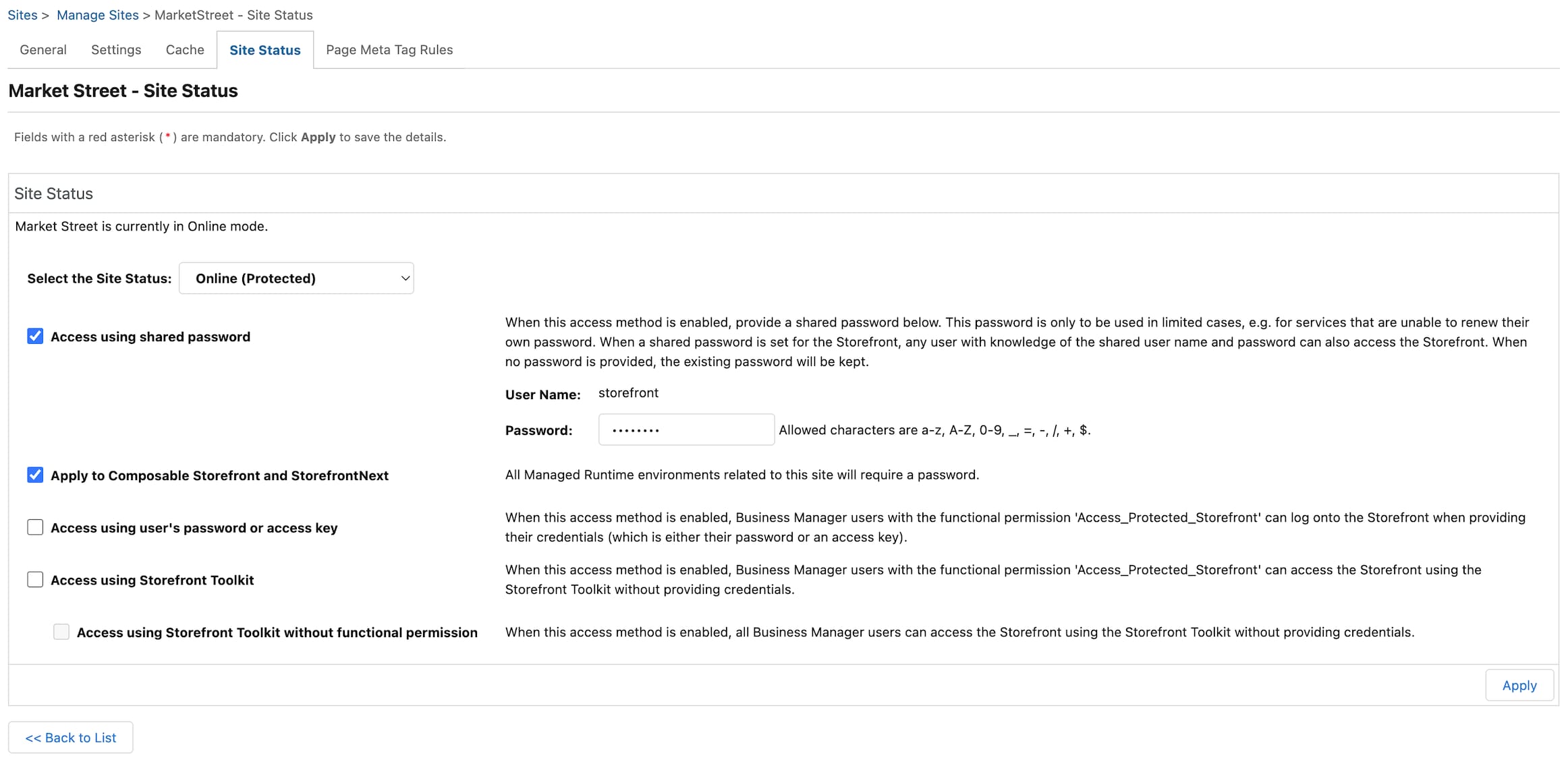
d. Enter a shared password.
e. Select Apply to Composable Storefront and StorefrontNext. This ensures all environments associated with the site require a password.
This option is available starting with release 26.8. On earlier releases, this checkbox doesn’t appear.
f. Deselect Access using user’s password or access key and Access using Storefront Toolkit — these options don’t apply to PWA Kit storefronts or Storefront Next. Click Apply.
Changes can take up to 5 minutes to take effect.
j