Configure and set up single-use promotion codes (SUPC) in Point of Sale CMS.
Salesforce supports SUPC validation outside the Point of Sale Promotion Engine through an SPI. If a code is entered in the Point of Sale app, the code is first checked in the Point of Sale system. If the code isn’t found, it is checked in the merchant’s external system. See Create Promotions in Point of Sale CMS in Salesforce Help.
Prerequisites
Modern POS App Build: 10.3.1 or greater
Platform Support: iPad & iPhone
Offline Support: no
Configure Point of Sale CMS for SPI SUPC
In CMS, go to Integrations | Custom Connectors.
Click Create.
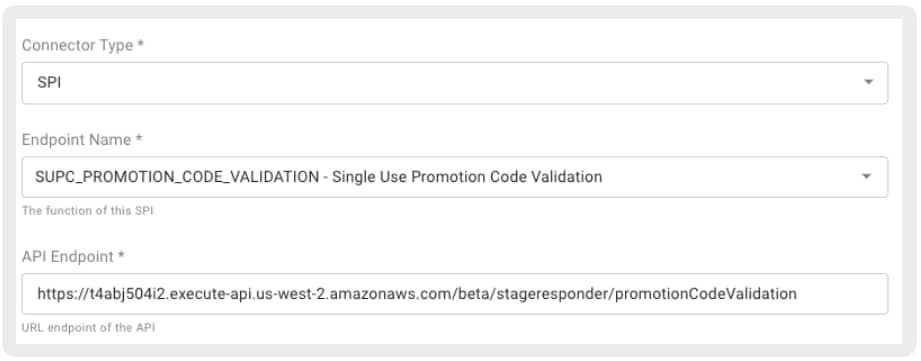
For Connector Type, select SPI.
For Endpoint Name, select SUPC_PROMOTION_CODE_VALIDATION.
For API Endpoint, provide the external endpoint for validating SUPCs.


 j
j