Manage the Storefront Development Workflow in Business Manager (Beta)
Manage storefronts in one place with the Developer Workspace beta. Handle storefront environments, environment variables, redirects, and bundle deployments from the storefront’s page in Business Manager. Manage these Managed Runtime resources in Business Manager instead of Runtime Admin as part of the storefront development lifecycle. Monitor the performance of staging and production environments for real-world usage, including Core Web Vitals. Admins assign read, write, and delete permissions for each storefront’s resources, such as environments, environment variables, deployments, and redirects. On the Management Interface page, admins select the user interface and the API for that storefront. Admins select the legacy Runtime Admin interface or the new Business Manager interface.
Developer Workspace is a pilot or beta service that is subject to the Beta Services Terms at Agreements - Salesforce.com or a written Unified Pilot Agreement if executed by Customer, and applicable terms in the Product Terms Directory. Use of this pilot or beta service is at the Customer’s sole discretion.
Important
Manage Environments from the Storefront
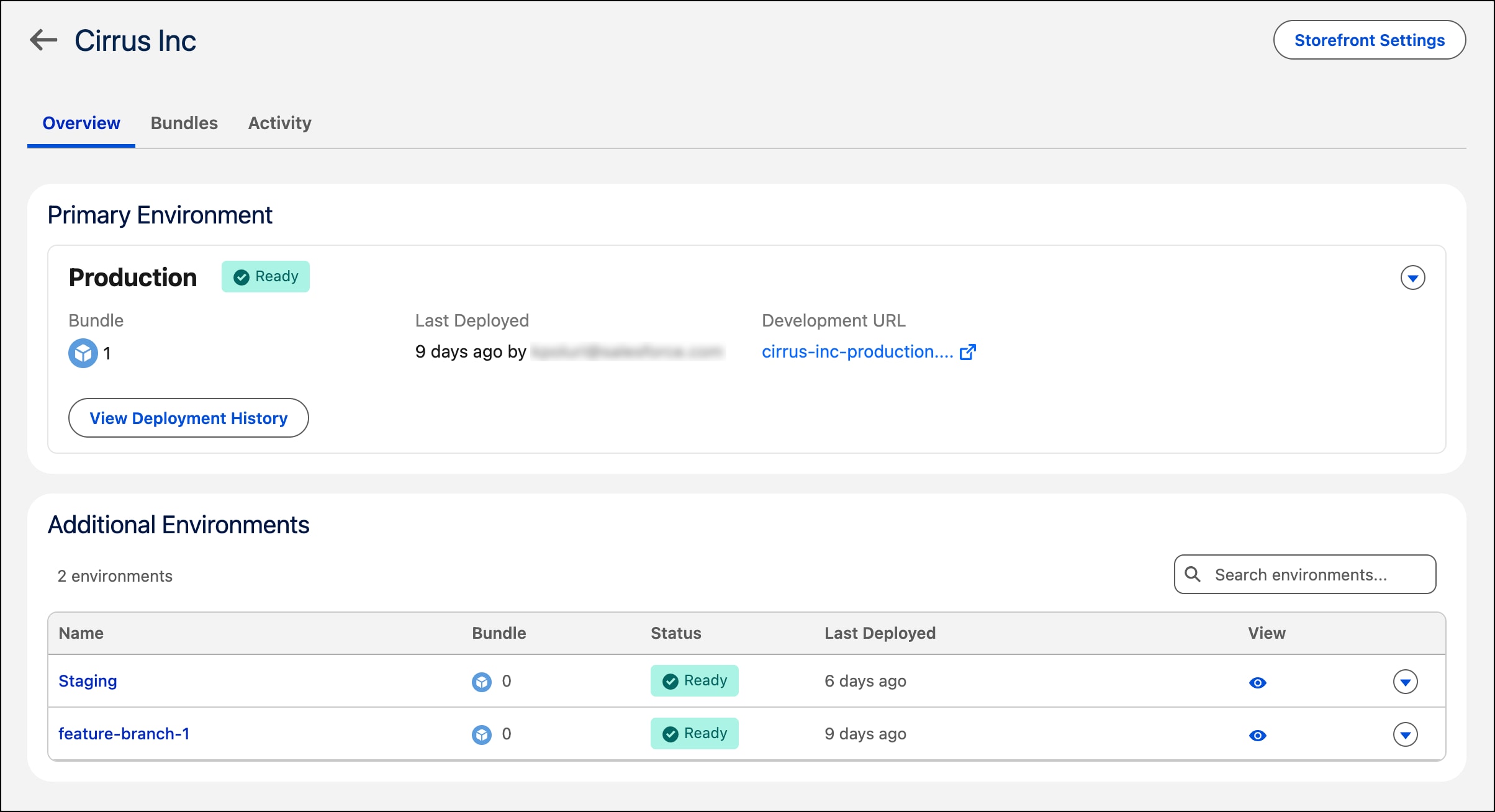
View the environments for your storefront in Administration > Sites > Storefronts > Your Storefront. Create, update, and delete environments in your B2C Commerce instance. Update settings for each environment. View and manage environment variables for your deployed storefronts.
Manage Deployments
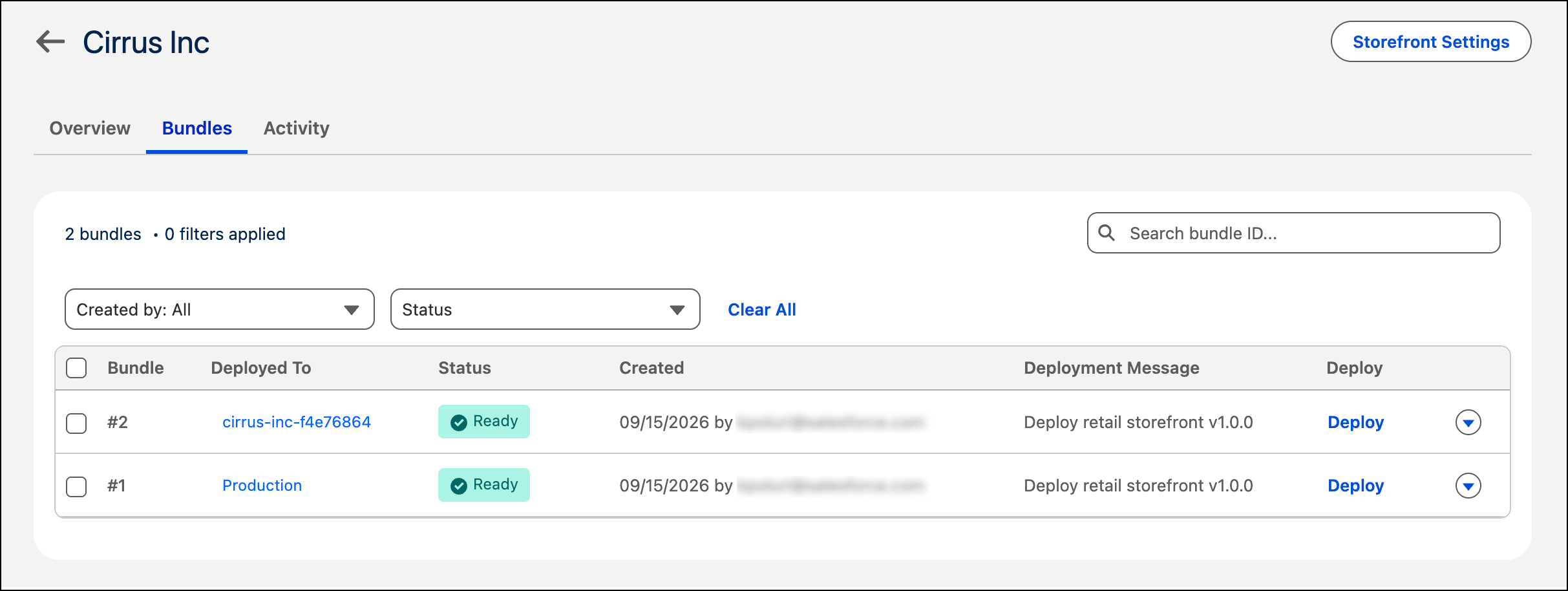
View uploaded bundles in the storefront’s Bundles tab, start deployments, track deployment progress, and review deployment history.
Monitor Storefront Performance
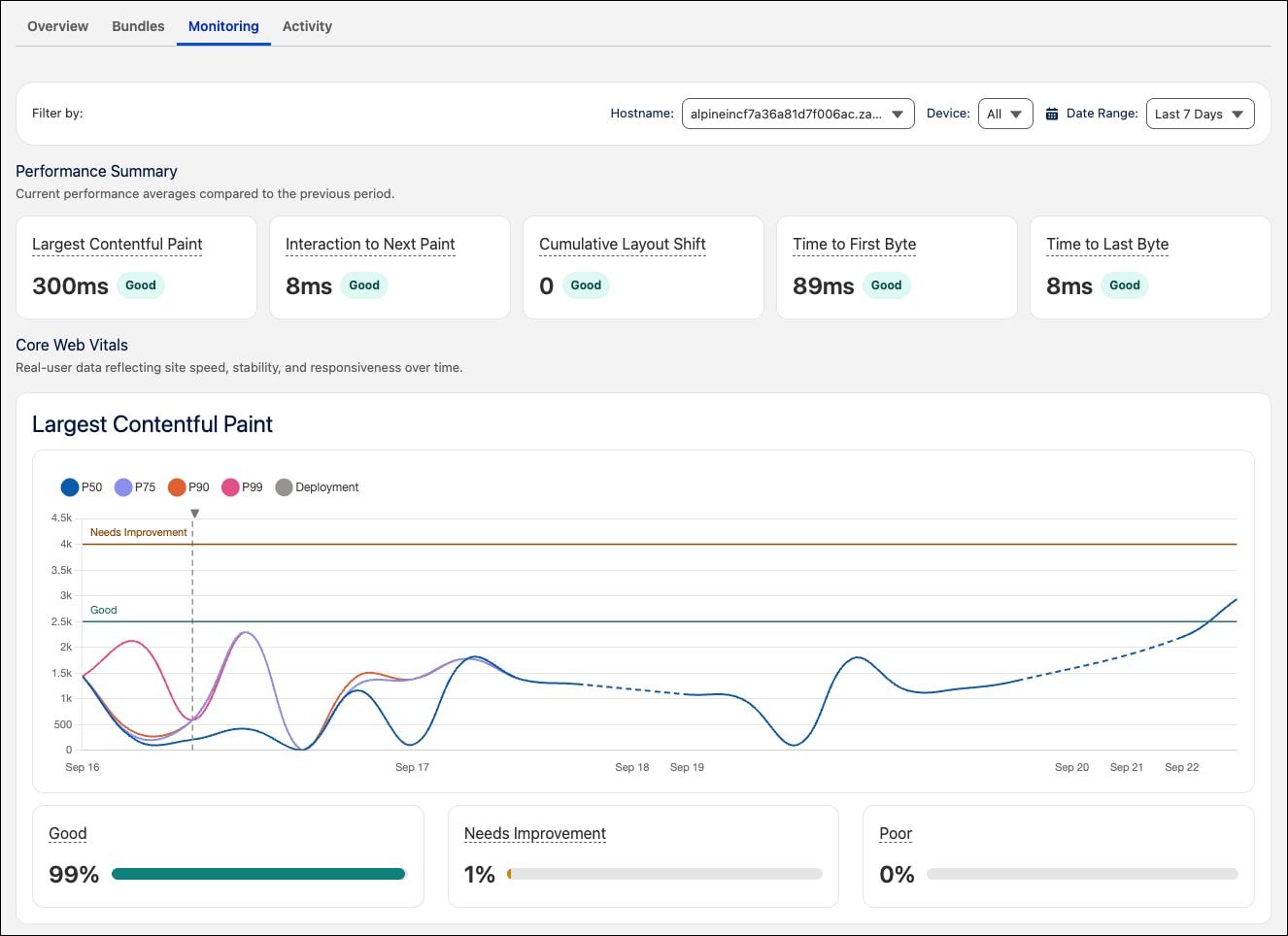
For an environment that’s marked as production, analyze Core Web Vitals and identify bottlenecks and ways to improve storefront performance. To view performance metrics, add a zone and a hostname. See Production Environments.
User Roles and Permissions
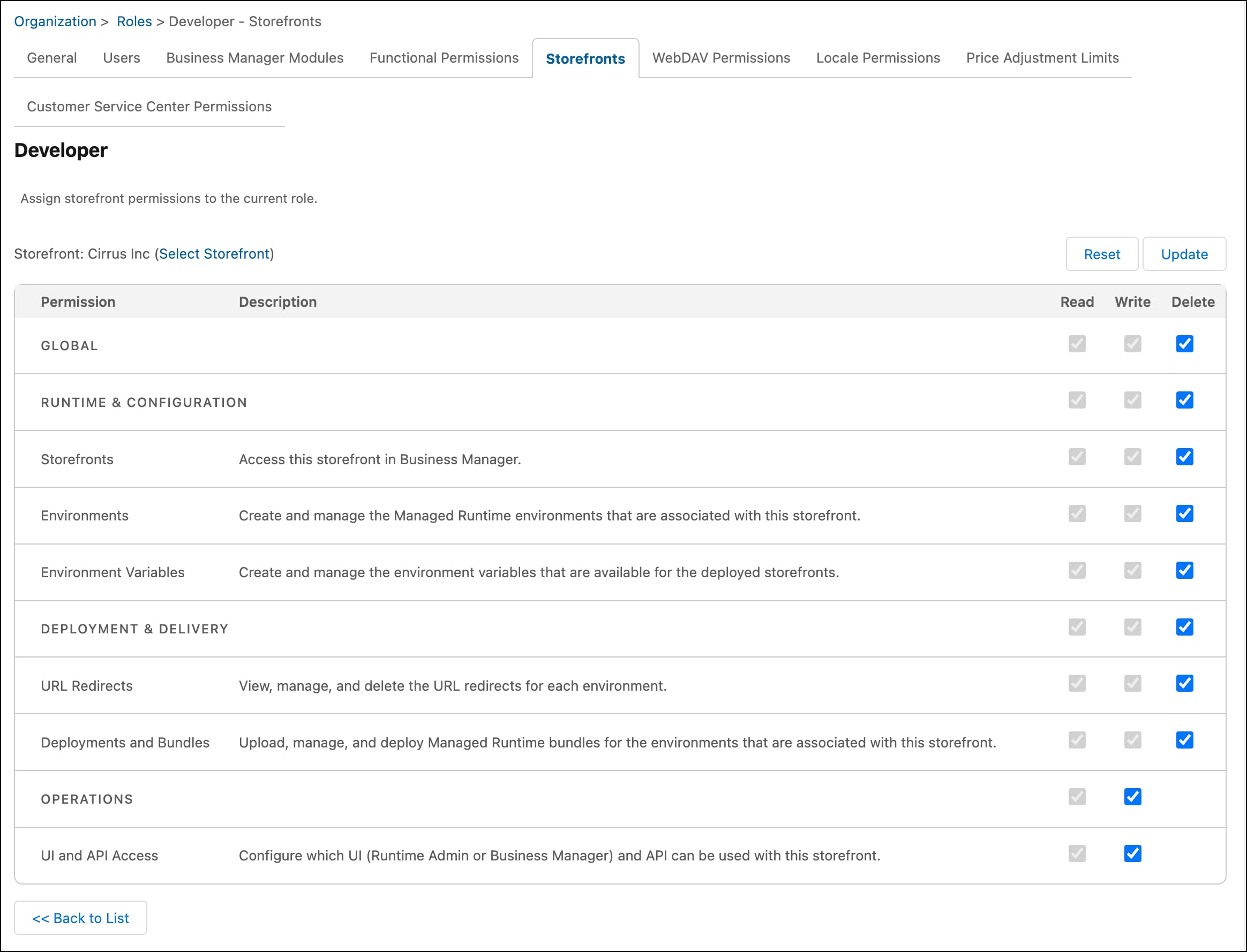
In Business Manager, go to Administration > Organization > Roles & Permissions and set permissions for a role and one or more storefronts. These permissions specify the actions that a role can take. Permissions apply to environments, environment variables, bundle deployments, URL redirects, and UI and API selection.
Access to Runtime Admin
During the beta, Developer Workspace in Business Manager and Runtime Admin are both available. Use either interface to manage storefront operations, such as environments and deployments. Runtime Admin will be deprecated in a future release.


 j
j