To make sure that the setup is complete, you must provide a scope for custom code execution and also a scope for API administration:
Functional scopes (c_ prefix): These custom scopes authorize the execution of your specific business logic. They handle the request authorization for the code itself.
Diagnostic/Administrative Scope (sfcc.custom-apis and sfcc.custom-apis.rw): This scope is required to access the DX API. While your c_ scope runs your custom code, the sfcc.custom-apis scope provides the necessary visibility into the registration status and scaffolding of the Custom API framework.
Custom APIs must be secured by a security scheme which includes exactly one functional scope. Custom API clients must obtain a token with the required scope. To secure your custom endpoints and make authorized requests to them, complete the following steps:
Choose a security scheme and custom scope for the endpoint.
Update your API client to include the custom scope in tokens.
The Custom APIs DX endpoint uses an Account Manager OAuth 2.0 bearer token for authentication and you must specify one of the following scopes to access this API endpoint:
AmOAuth2: For SCAPI Admin APIs to be used with backoffice apps. Use Account Manager to obtain tokens.
Association is either per operation or global, with the operation scheme taking precedence. The schemes are the same as those used for non-custom B2C Commerce APIs (SCAPI).
The scheme must set exactly one custom scope.
Schemes used in the contract must be defined in the components section, for example:
1components:2 securitySchemes:3 ShopperToken: {}4 AmOAuth2:5 type: oauth267# 👇 A global scheme applies to all operations in this file.8security:9 - AmOAuth2: ["c_loyalty_rw"]1011paths:12 /customer:13 get:14 operationId: getLoyaltyInfo15 parameters:16 - in: query17 name: siteId18 required: true19 schema:20 type: string21 minLength: 122 responses:23 200:24 description: OK25 # 👇 An operation scheme applies only to this operation and takes precedence over the global scheme.26 security:27 - ShopperToken: ["c_loyalty"]
Custom scopes must meet the following requirements:
The name must begin with c_.
The name must not contain characters other than alphanumeric, period, hyphen and underscore.
The name must not be more than 25 characters.
Endpoints without correct scheme or scope assignments are not registered.
You can review registration errors by searching in the Log Center for messages with a category that includes CustomApiRegistry.
Request Endpoints
ShopperLogin
Scopes for ShopperLogin can be assigned to a client in the SLAS Admin UI. For example:
To obtain a SLAS token, follow the steps in the Shopper Login overview.
AmOAuth2
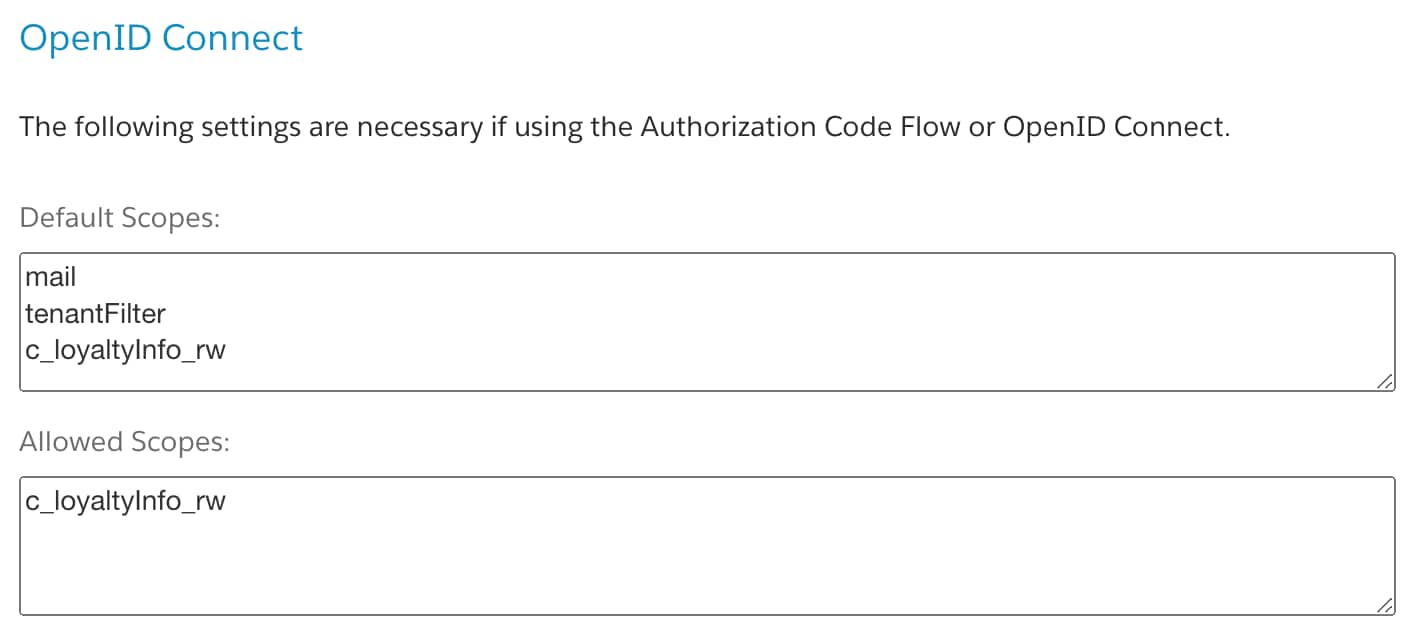
Custom scopes for AmOAuth2 can be assigned to a client in Account Manager. For example:
Unauthorized requests receive a 401 Unauthorized response.
Complete Security Scheme Definition
While endpoint registration does not require the complete definition of the security schemes, it can be useful to have a complete and valid scheme to enable the creation of documentation, tests and code stubs, and mock requests. The following code provides a complete example:



 j
j