A Commerce App is a packaged, installable solution that bundles frontend UI components, backend server-side code, admin configuration, and platform data into a single deployable unit called a Commerce App Package (CAP). Commerce Apps represent the evolution of the Commerce Cloud cartridge model into a marketplace-ready packaging format designed for plug-and-play installation.
For merchants, Commerce Apps are discoverable in Business Manager to provide a click-to-install experience. For ISV and SI developers, Commerce Apps can be managed through pro-code CLI solutions with automated local-to-cloud deployments and CI/CD integration. Both paths converge on the same platform framework, ensuring consistency regardless of how the app is installed.
The framework automates the orchestration of back-end extensions (cartridges, hooks) and frontend UI components for Storefront Next, significantly reducing implementation costs and time-to-value across the entire development lifecycle.
What Can a Commerce App Contain?
A Commerce App can include any combination of the following:
Storefront Next extensions: React components, React hooks, routes, and data providers that render in UI target locations across the storefront (PDP, PLP, Cart, Checkout, My Account, and so on).
Backend cartridges: Server-side scripts, controllers, and hooks that implement business logic. These include both site cartridges (storefront logic) and BM cartridges (admin functionality).
Domain-specific hook implementations: Script API implementations that fulfill platform-defined extension point contracts (for example, sfcc.app.tax.calculate).
Custom SCAPIs: Custom API endpoints for headless/API-driven backend functionality.
IMPEX data: Site-scoped XML for services, jobs, site preferences, custom object definitions, and metadata. Includes both install and uninstall payloads.
App configuration: A tasksList.json file that defines the post-install configuration wizard steps a merchant must complete to activate the app.
App manifest: A commerce-app.json file that defines the app’s identity, version, domain, and publisher information. See commerce-app.json Schema.
Depending on what you build, your app follows one of three architectures: UI-only (frontend extensions only), Backend-only (extension point hook implementations only), or Fullstack (both frontend and backend, with two sub-types: extension points or custom SCAPI). See The Three Architectures for Commerce Apps for details.
How Commerce Apps Differ from Cartridges
Commerce Cloud developers are familiar with cartridges as the primary unit of extensibility. Commerce Apps build on cartridges but add significant new capabilities:
Automated installation: No more manual cartridge uploads, path editing, or IMPEX imports. The platform handles all of this through a single install job.
Frontend orchestration: If your Commerce App includes Storefront Next components, the platform automatically creates a pull request that adds them to the merchant’s storefront repository. The UI Targets framework then renders these components in the appropriate locations.
Domain isolation: Commerce Apps introduce domain-specific extension points (for example, sfcc.app.tax.calculate instead of the shared dw.order.calculateTax) that eliminate code conflicts between integrations.
State tracking: The platform tracks installation status, configuration progress, and activation state per-site through the CommerceFeatureState system.
Marketplace distribution: Apps are published to the centralized Commerce App Registry for discovery and installation.
Quick Start with Claude Code
Use Claude Code’s /scaffold-app skill to scaffold a new Commerce App in seconds. The skill generates a complete app directory structure with templates for commerce-app.json, tasksList.json, and starter IMPEX files. Additional skills for IMPEX generation (/generate-service-impex, /generate-site-preferences-impex), validation (/validate-app), and packaging (/package-app) are also available. See Development Environment Setup for the full list.
Commerce App Development Lifecycle
Building and publishing a Commerce App follows this lifecycle:


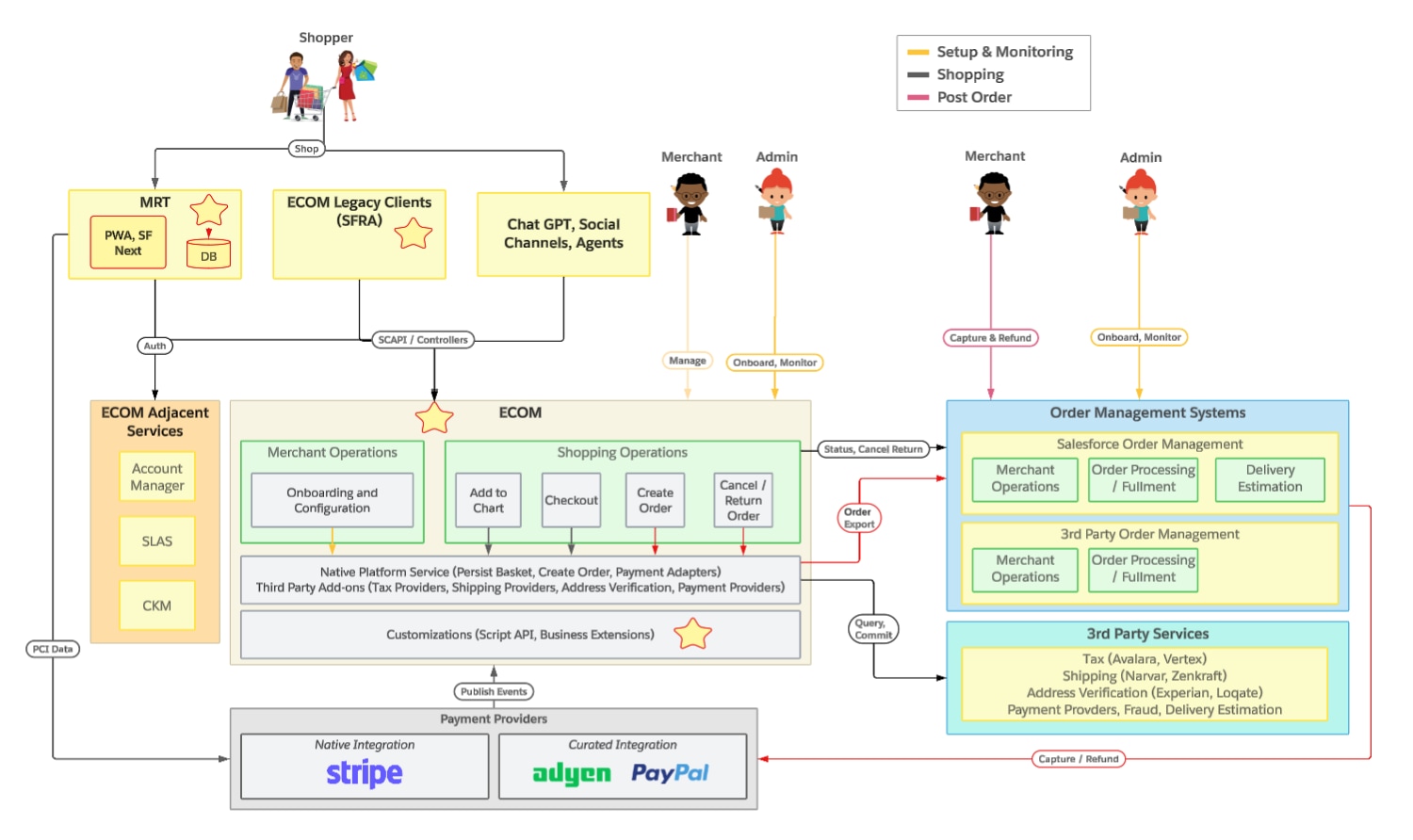
 j
j