1// Some simple string fields
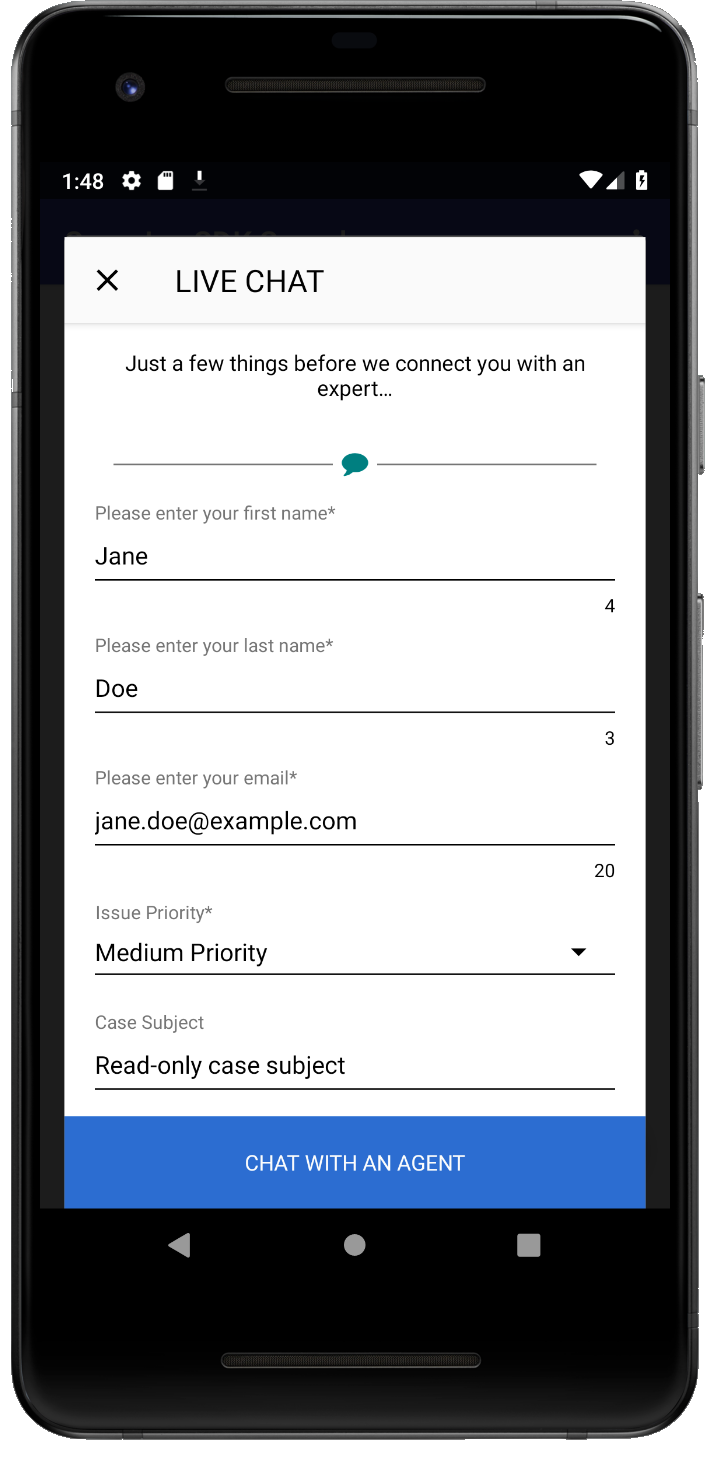
2PreChatTextInputField firstName = new PreChatTextInputField.Builder()
3  .required(true)
4  .build("Please enter your first name", "First Name");
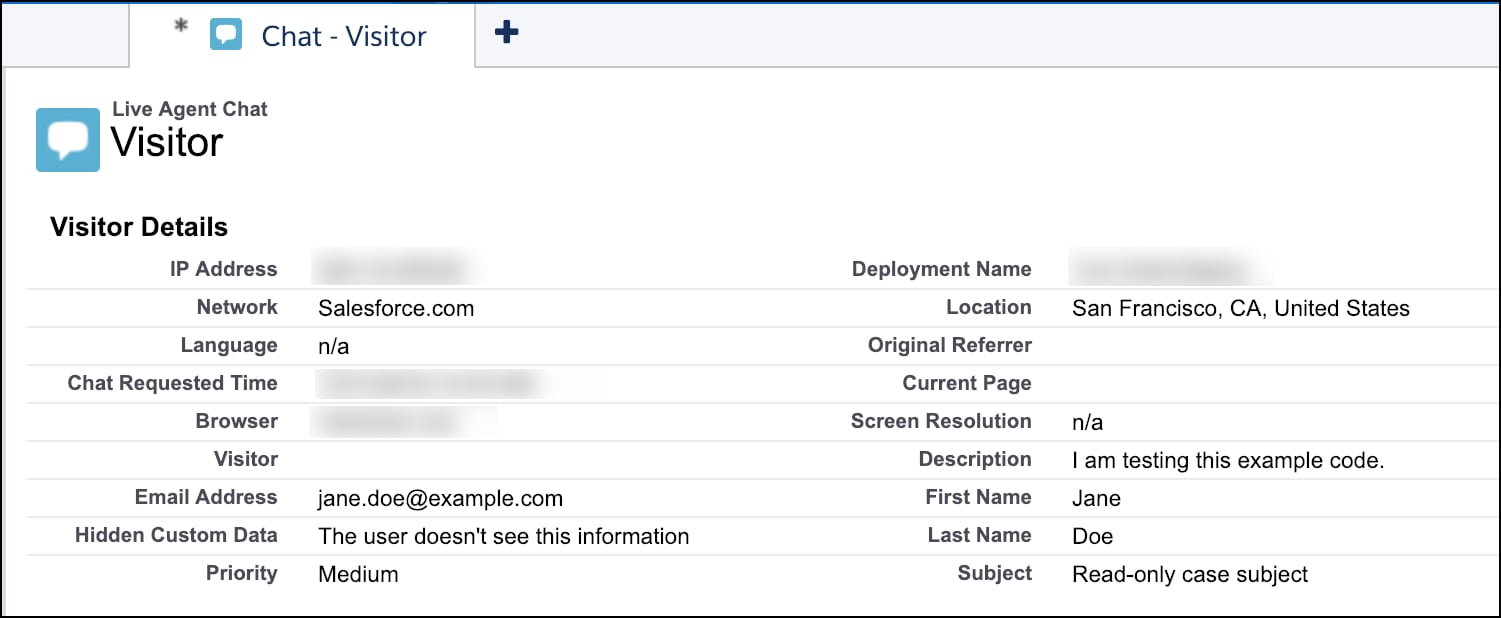
5  // First string in build() is what the user sees on the device,
6  // the second string is what the agent sees in the transcript...
7PreChatTextInputField lastName = new PreChatTextInputField.Builder()
8  .required(true)
9  .build("Please enter your last name", "Last Name");
10
11// An email field
12PreChatTextInputField email = new PreChatTextInputField.Builder()
13  .required(true)
14  .inputType(EditorInfo.TYPE_TEXT_VARIATION_EMAIL_ADDRESS)
15  .mapToChatTranscriptFieldName("Email__c")
16  .build("Please enter your email", "Email Address");
17
18// A phone number field (that isn't displayed to agent)
19PreChatTextInputField phoneNumber = new PreChatTextInputField.Builder()
20  .displayedToAgent(false)
21  .inputType(InputType.TYPE_CLASS_PHONE)
22  .build("Phone number (Agent can't see this)", "Phone");
23
24// A read-only field
25PreChatTextInputField subject = new PreChatTextInputField.Builder()
26  .readOnly(true)
27  .initialValue("Read-only case subject")
28  .build("Case Subject", "Subject");
29
30// A long message field
31PreChatTextInputField description = new PreChatTextInputField.Builder()
32  .inputType(EditorInfo.TYPE_TEXT_VARIATION_LONG_MESSAGE)
33  .maxValueLength(200)
34  .build("Please describe your problem", "Description");
35
36// A picklist field
37PreChatPickListField priority = new PreChatPickListField.Builder()
38  .required(true)
39  .addOption(new PreChatPickListField.Option("Low Priority", "Low"))
40  .addOption(new PreChatPickListField.Option("Medium Priority", "Medium"))
41  .addOption(new PreChatPickListField.Option("High Priority", "High"))
42  .addOption(new PreChatPickListField.Option("AHHHHHHHH!!!", "Critical"))
43  .build("Issue Priority", "Priority");
44
45// You can also create hidden fields that the user doesn't see, but
46// still gets passed along to the agent using ChatUserData...
47ChatUserData hiddenField = new ChatUserData(
48  "Hidden Custom Data",
49  "The user doesn't see this information",
50  true);


 j
j