Shifty the Bot - Manage Your Workforce Through SMS Bot Interactions When your agents aren’t at work, they don’t always have access to their schedule in Salesforce. With SMS bots you can update a schedule without needing to access Salesforce.
Ease of Implementation: EasyEstimated Time to Implement: 15 minutes
Prerequisites
Digital Engagement Licenses
SMS Messaging Setup (Get Started)
User phone numbers must be in a User Record to be recognized by Shifty
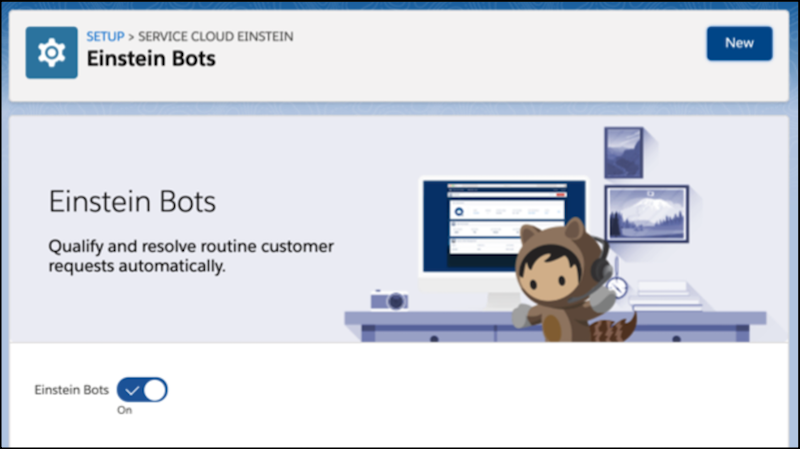
Step 1: Turn on Einstein Bots
To install the package, turn on bots.
From Setup, in the Quick Find box, enter Einstein Bots, and then select Einstein Bots .
Step 2: Install Package
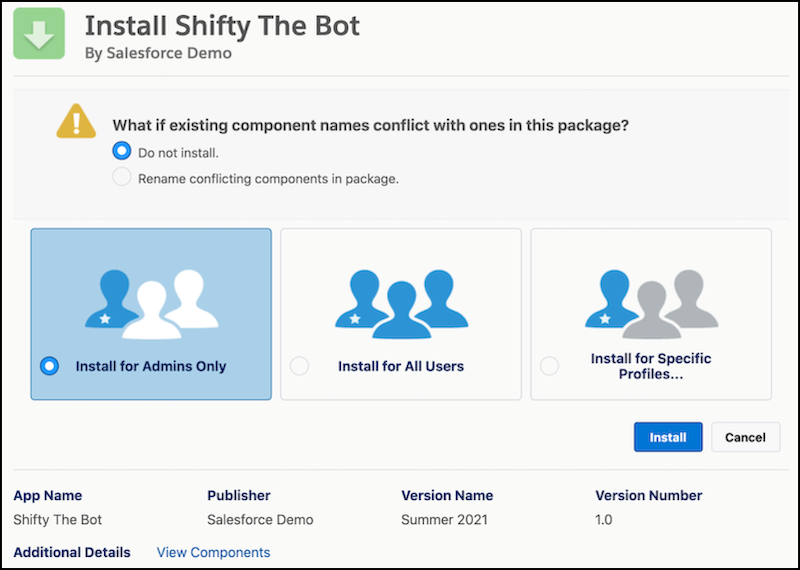
Install Shifty the bot in Salesforce.
Go to the following link: https://login.salesforce.com/packaging/installPackage.apexp?p0=04t5e000000W0ao
Log in as a Salesforce Admin.
Select Install for Admins only .
Step 3: Deploy Shifty the Bot to Your SMS Channel.
To allow users to start interacting with Shifty, deploy your bot to SMS.
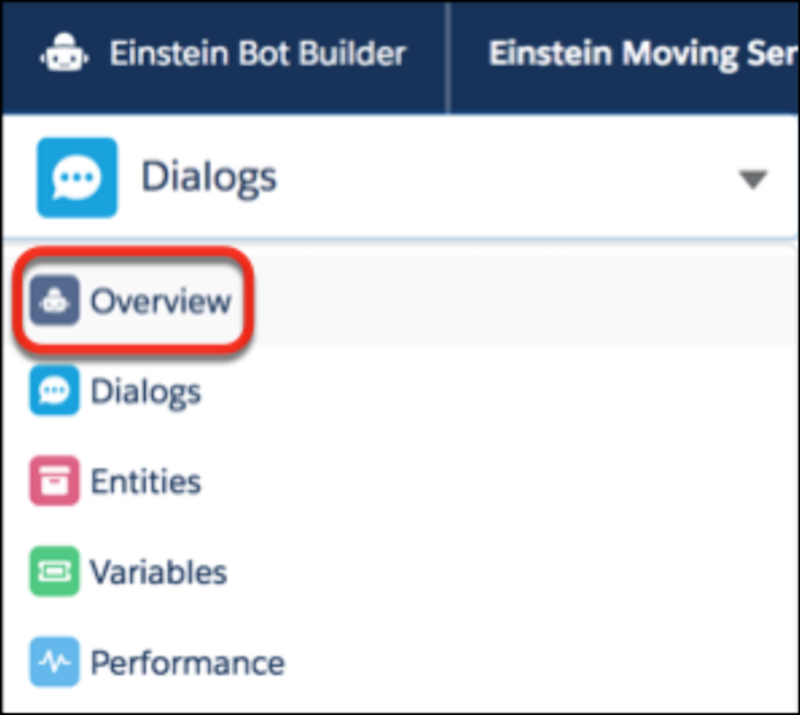
From the Bot Builder menu, click Overview.
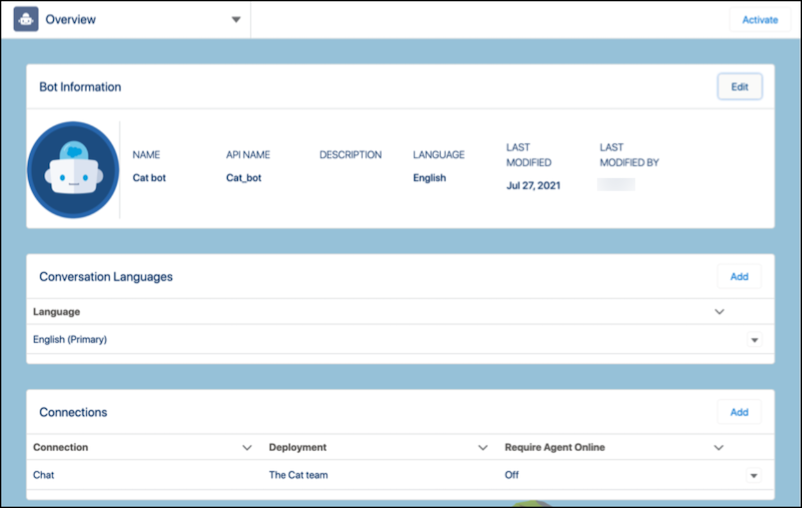
In the Connections section, click Add .
Select the channel and search for the deployment for your bot.
To find your SMS Channel name, from Setup, in the Quick Find box, enter Messaging Settings, and then select Message Settings .
Test This Example
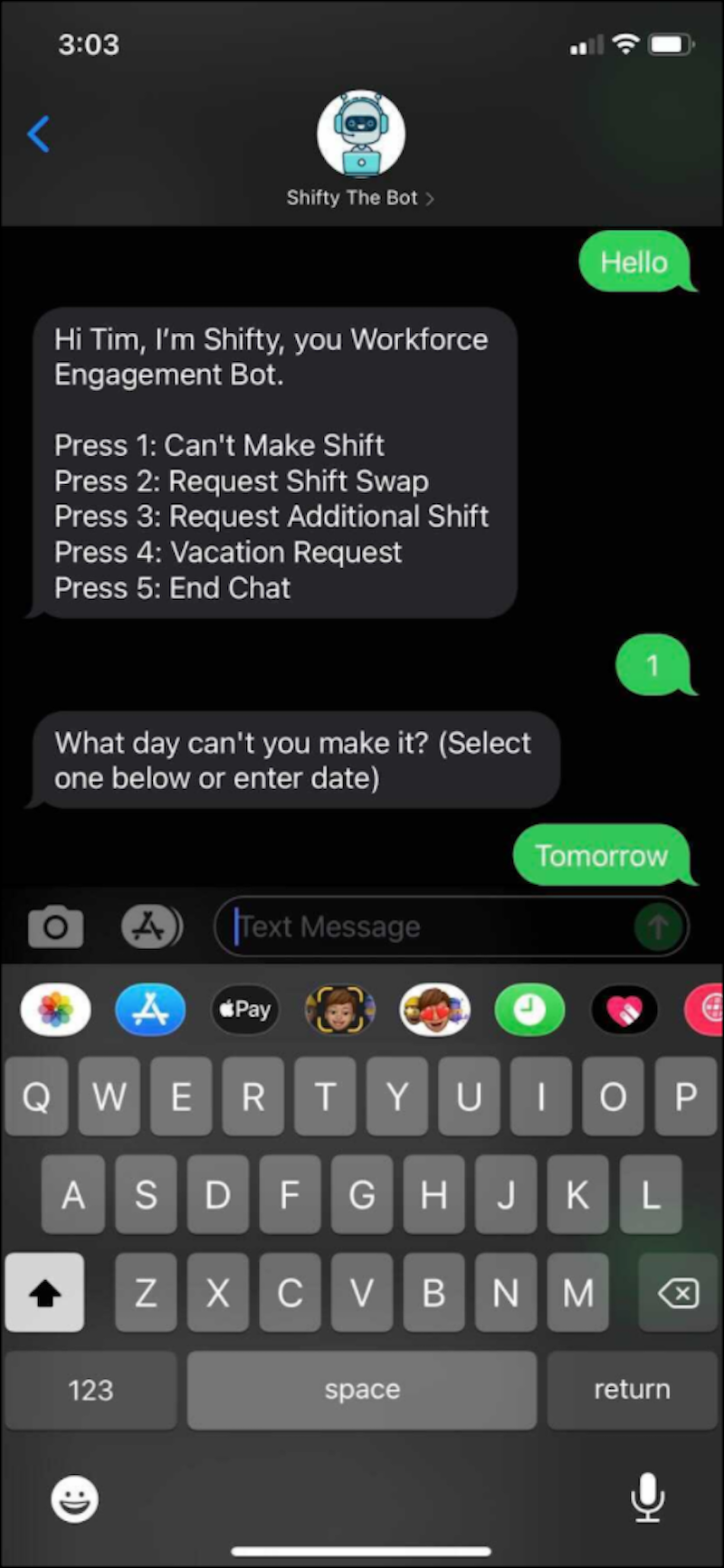
To test this example: Text from a phone number that has an associated user record. Shifty answers and offers options.


 j
j