Automate Time Sheet Creation, Capture Omni Status Change, and Calculate Shrinkage
Set up basic time sheet automation. Log agents’ Omni-Channel status changes throughout the day and use that information to calculate the shrinkage percentage within a shift.
Ease of Implementation: Easy
Estimated Time to Implement: 60 minutes
Prerequisites
This example requires Omni Channel and Workforce Engagement to be turned on.
Step 1: Create Custom Fields on the Time Sheet Object
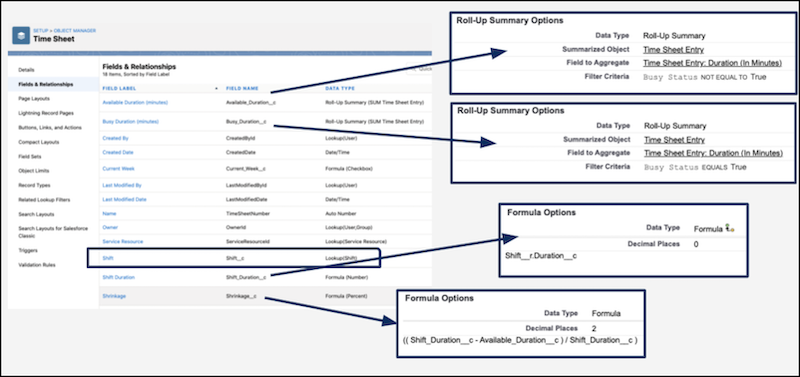
Create custom fields on the Time Sheet object in Salesforce to correspond to the data that you use to calculate shrinkage.
From Setup, select Object Manager.
In the Quick Find box, enter Time Sheet, and then select the Time Sheet object.
Select Fields & Relationships from the left pane.
To create a field, select New.
To create a custom field to hold the data, follow the steps. To learn more about creating custom fields, see Create Custom Fields.
Create these fields.
Make sure to add these fields to the layout for testing and deployment.
Step 2: Create Custom Fields on the Time Sheet Entry Object
Create custom fields on the Time Sheet object in Salesforce to correspond to the data that you use to calculate shrinkage.
From Setup, at the top of the page, select Object Manager.
In the Quick Find box, enter Time Sheet Entry, and then select the Time Sheet Entry object.
Select Fields & Relationships from the left pane.
To create a field, select New.
To create a custom field to hold the data, follow the steps. To learn more about creating custom fields, see Create Custom Fields.
Create these fields.
Make sure to add these fields to the layout for testing and deployment.
Step 3: Introduce Automation Using Salesforce Flow
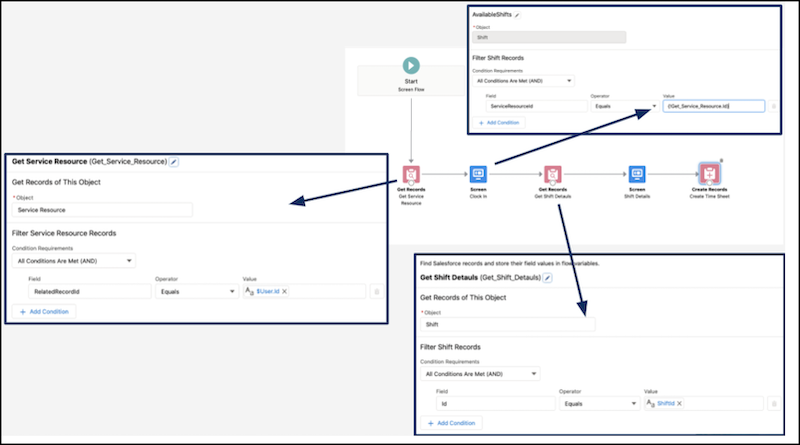
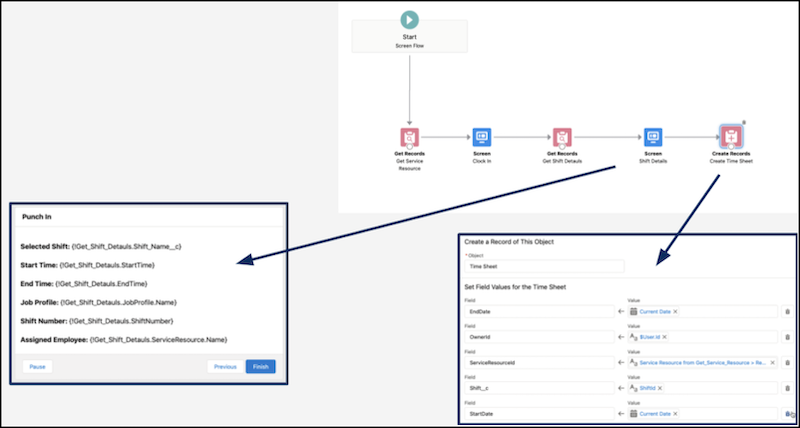
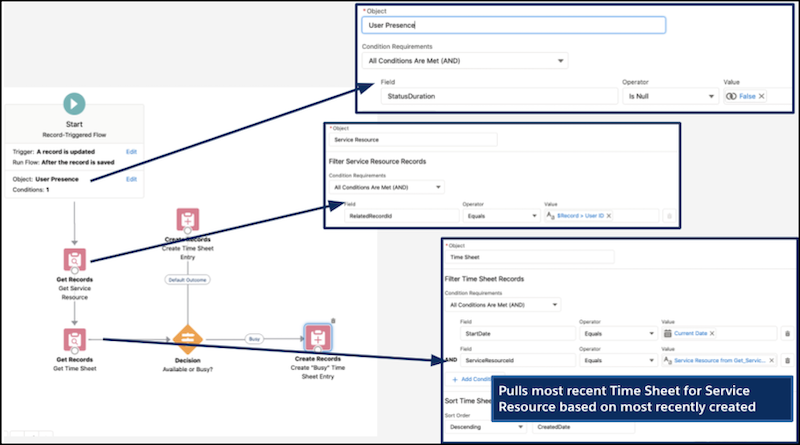
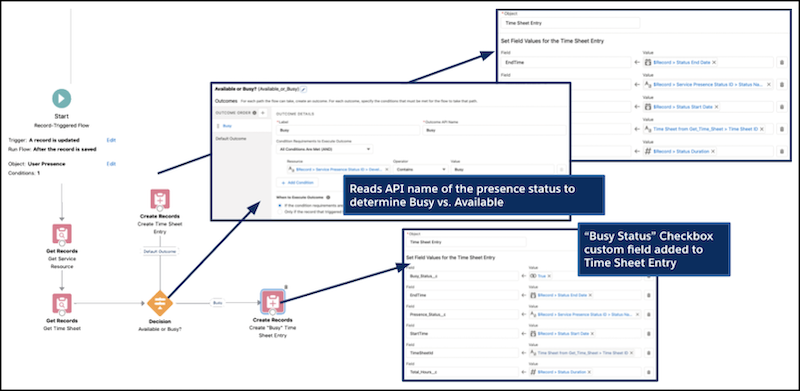
Two flows are used to allow agents to clock in, generate a Time Sheet, and capture Omni Channel status changes throughout the day.
From Setup, in the Quick Find box, enter Flows, and then select Flows.


 j
j