The Connect API endpoints for Testing API focus on executing test cases, polling for results, and programmatically retrieving detailed test results.
The Testing Connect API has three endpoints:
Start Test: Starts an asynchronous test on an agent. The test evaluates predesigned test cases that are deployed via Metadata API or the Testing Center.
Get Test Status: Retrieves the operational status of a specific test. We designed this endpoint to poll to monitor the progress of a test.
Get Test Results: Retrieves a detailed report of a test, including information on each test case and the results of all predetermined expectations.
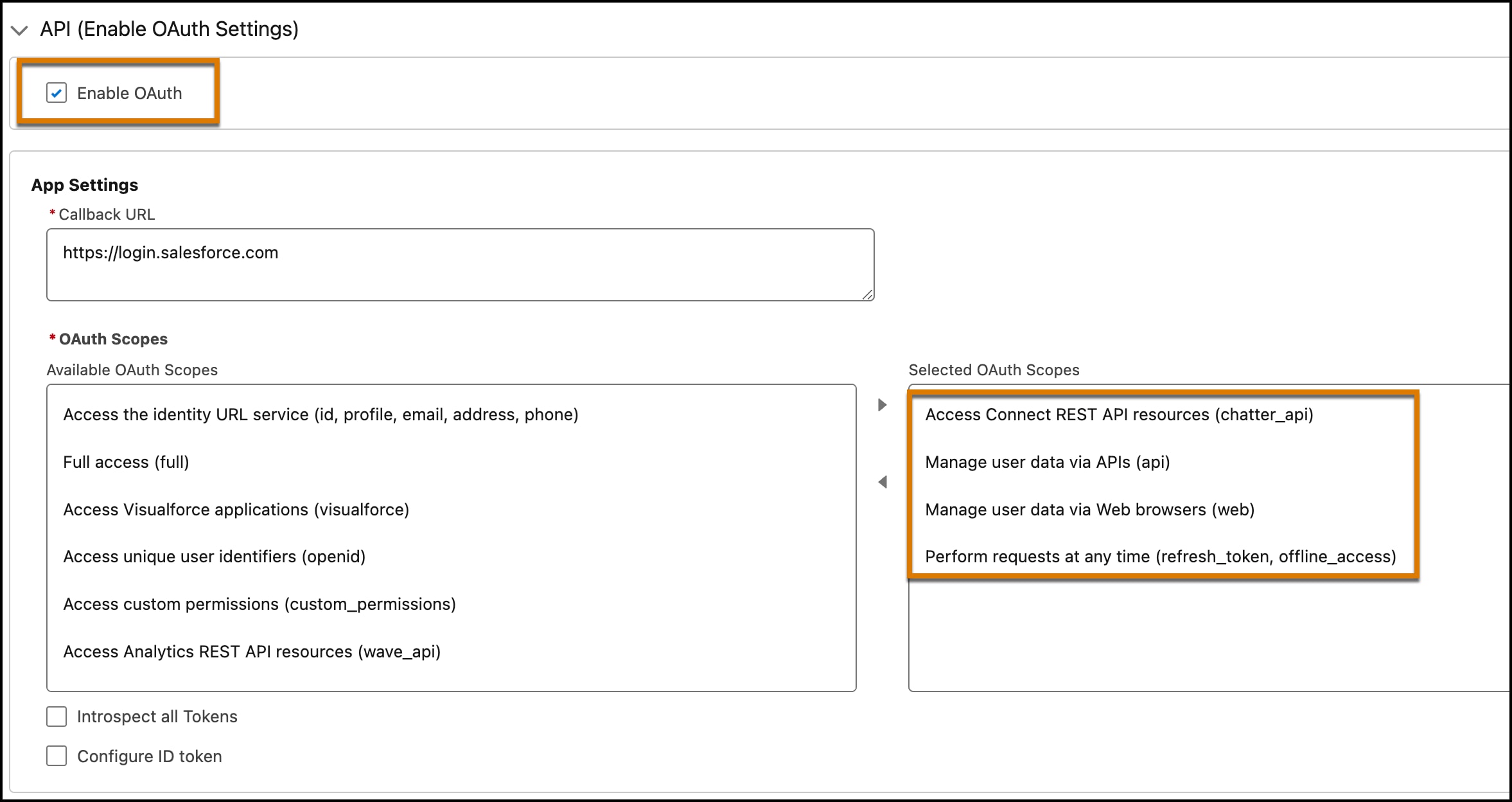
To successfully test your agents, you need predefined test cases in metadata files or generated tests from the Testing Center. Review Metadata API test definitions in Metadata API Reference. To call Testing API endpoints in Connect API, you first need to create a connected app and create a token.
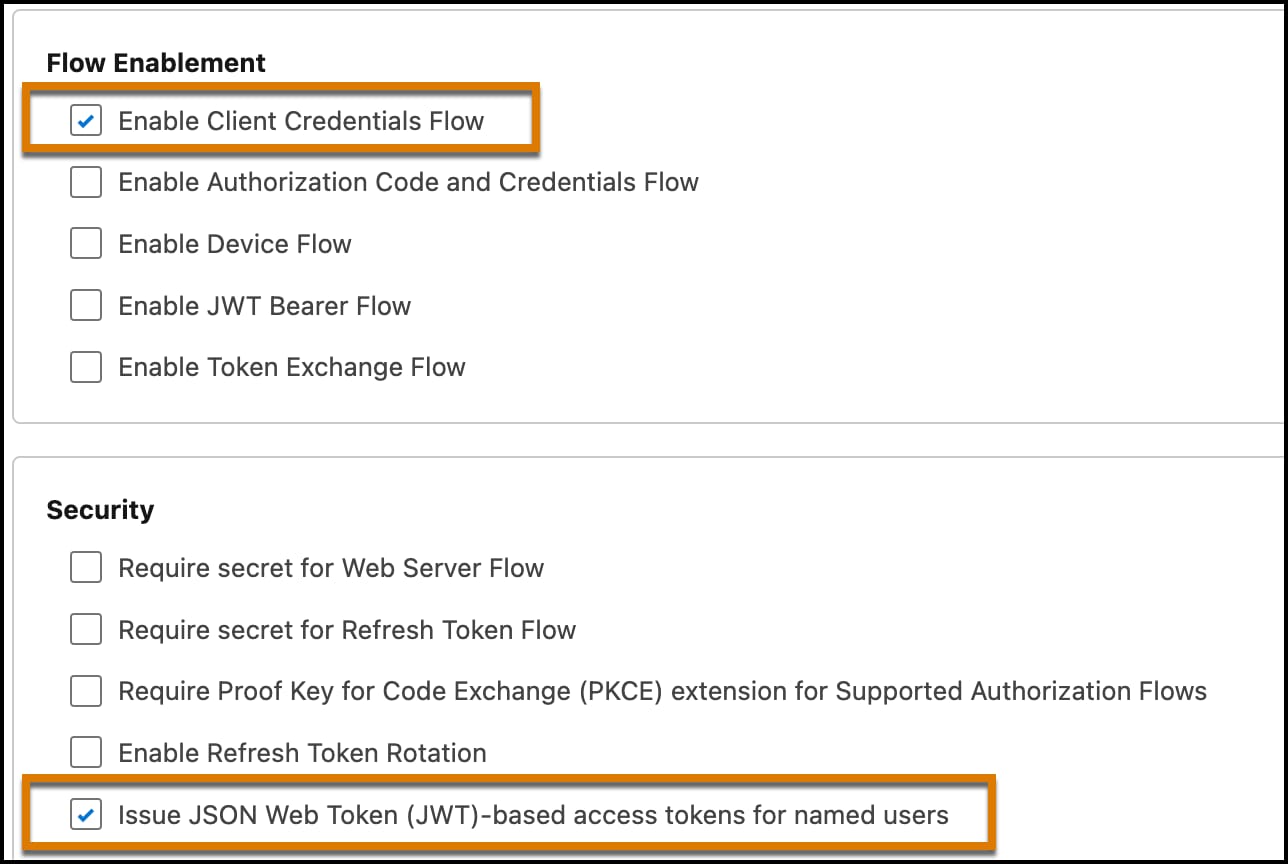
After creating the app, ensure that the API caller has the correct client credentials and that the client can issue JWT-based access tokens.
Click the Policies tab for the app, and then click Edit.
Select the Enable Client Credentials Flow checkbox.
Specify the client user in the Run As field.
Select the Issue JSON Web Token (JWT)-based access tokens checkbox. By default, this token expires in 30 minutes. You can change this value to less than 30 minutes.
Obtain Credentials
To create a token, you need the consumer key and the consumer secret from your ECA.
From Setup, find and select External Client Apps.
Select your app and click the Settings tab.
Expand the OAuth Settings section.
Click the Consumer Key and Consumer Secret button, and copy your secrets. You need these values to mint this token.
Store your consumer secret in a secure location.
Important
From Setup, in the Quick Find box, enter My Domain, and then select My Domain.
Copy the value shown in the Current My Domain URL field.
Request a JWT from Salesforce using a POST request, specifying the values for your consumer key, consumer secret, and domain name.
Create a Token
All calls to Testing API require a token. Create a token by using the consumer key, the consumer secret, and your domain name.
1curl -X POST https://{MY_DOMAIN_URL}/services/oauth2/token2-d 'grant_type=client_credentials'3-d 'client_id={CONSUMER_KEY}'4-d 'client_secret={CONSUMER_SECRET}'
MY_DOMAIN_URL: Get the domain from Setup by searching for My Domain. Copy the value shown in the Current My Domain URL field.
CONSUMER_KEY, CONSUMER_SECRET: Get the consumer key and secret by following the instructions in Obtain Credentials.
The previous cURL request returns a JSON payload similar to this response.
Copy the access token specified in the access_token property. This token is required when you make requests to the API. Congratulations! The Testing Connect API is now ready for use. Review Connect API Reference to familiarize yourself with required headers, parameters, and response objects.
Call the API
After you complete the setup steps and use Metadata API to deploy your tests, run your tests by using these three Connect API endpoints:
Start Test: POST …/einstein/ai-evaluations/runs
Get Test Status: GET …/einstein/ai-evaluations/runs/:runId
Get Test Results: GET …/einstein/ai-evaluations/runs/:runId/results
To start a test, make a POST request to /services/data/v63.0/einstein/ai-evaluations/runs. Provide the name of the test definition (specified in the metadata component) in the body of the request. See Start Test.


 j
j