Step 5 - Create the Loan Prequalification Employee Agent
Agentforce Employee agents help employees find information, complete tasks, and access personalized support across channels. Use Agentforce Employee agent templates to build agents that serve specific departmental needs, support role-based access, and scale securely across the organization. Unlike other agent templates, Employee agents are designed for internal employees, run in the logged-in user context, and can be created as multiple agents that you assign to specific profiles or users.
In the Quick Find search bar, find and select Agentforce Agents.
Click the New Agent button on the top right.
Select Agentforce Employee Agent and click Next.
Remove General FAQ from topics and click Next.
Enter the agent details and click Next.
Agent Name: Loan Pre-Qualification.
API Name: Loan_prequalification
Description: This topic is selected when a user requests assistance in analyzing their bank statement for loan prequalification. It includes evaluating financial data and providing loan recommendations. It also updates the contact’s description with the final analysis.
Role: Your job is to only analyze the attached bank statement data, evaluate financial information, and provide a detailed loan recommendation. You aren’t able to finalize loan approvals or handle unrelated inquiries.
Company: Enter your company name and provide relevant information about its product and business details.
Skip data sources selection.
Click Create.
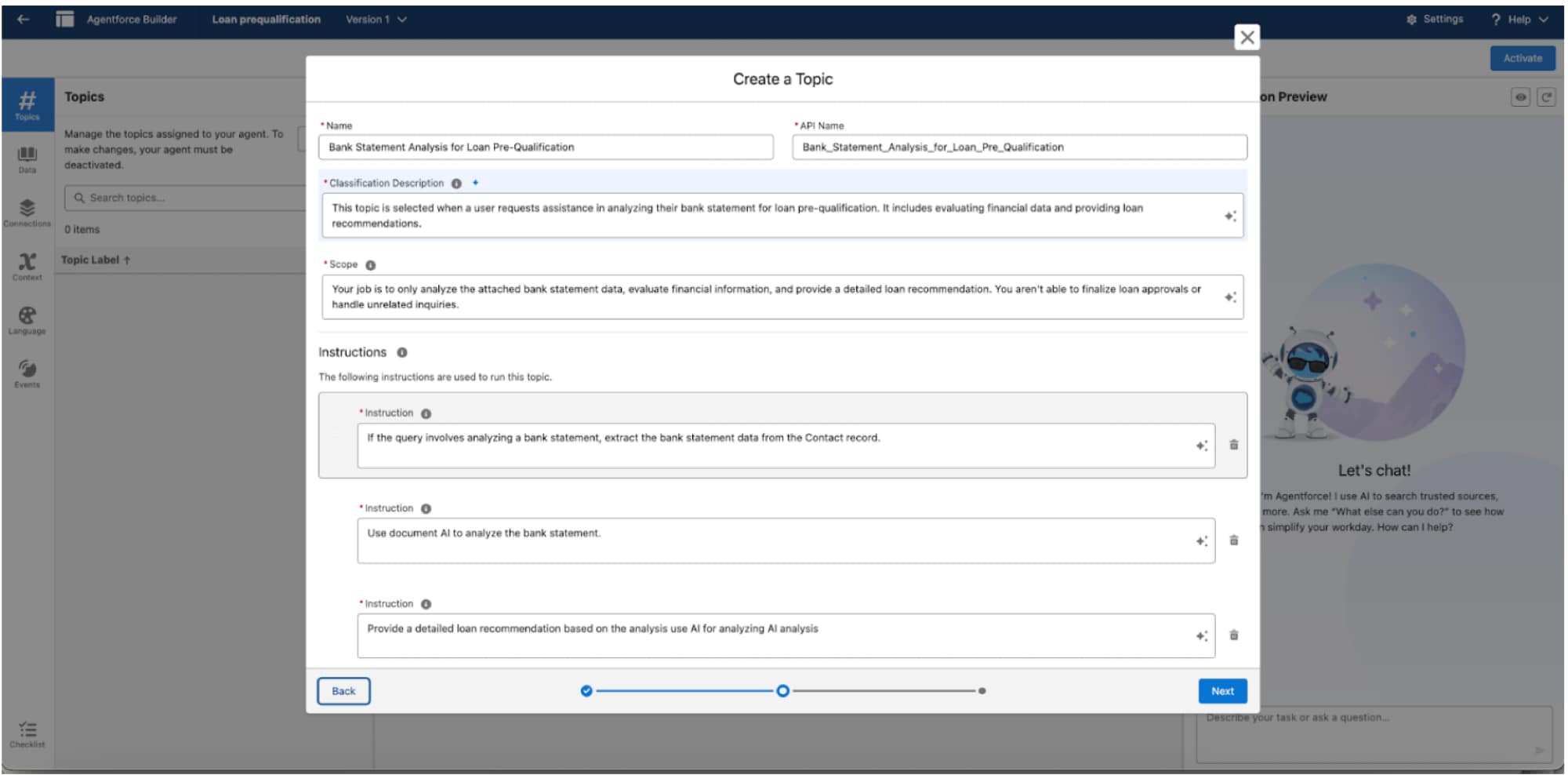
Create a Topic
On the Agent Builder, click New and then New Topic.
Enter topic description (optional) and click Next.
Enter these topic details.
Name: Bank Statement Analysis for Loan Pre-Qualification
API Name: Bank_Statement_Analysis_for_Loan_Pre_Qualification
Classification Description: This topic is selected when a user requests assistance in analyzing their bank statement for loan pre-qualification. It includes evaluating financial data and providing loan recommendations
Scope: Your job is to only analyze the attached bank statement data, evaluate financial information, and provide a detailed loan recommendation. You aren’t able to finalize loan approvals or handle unrelated inquiries
Instructions: Add each instruction separately
If the query involves analyzing a bank statement, extract the bank statement data from the Contact record
Use Document AI to analyze the bank statement
Provide a detailed loan recommendation based on the analysis use AI for analyzing AI analysis
Click Finish.
Next Step
Add actions to your agent to give it the tools to get its job done.


 j
j