


 j
jAnnouncements
Agentforce Commerce Vibes
Install the Extension
Get Started with Agentforce Commerce Vibes
Chat with the Agent
Telemetry
Settings
Troubleshooting
B2C Commerce Release Notes
Ask the Community
Learn how to access Agentforce Commerce Vibes settings in VS Code, and configure agent permissions, session mode, and logging.
To access the Agentforce Commerce Vibes settings:
Open the Agentforce Commerce Vibes panel by clicking the Agentforce Commerce Vibes icon in the Activity Bar.
In the Agentforce Commerce Vibes panel, click the settings icon (⚙) at the top right corner of the panel.
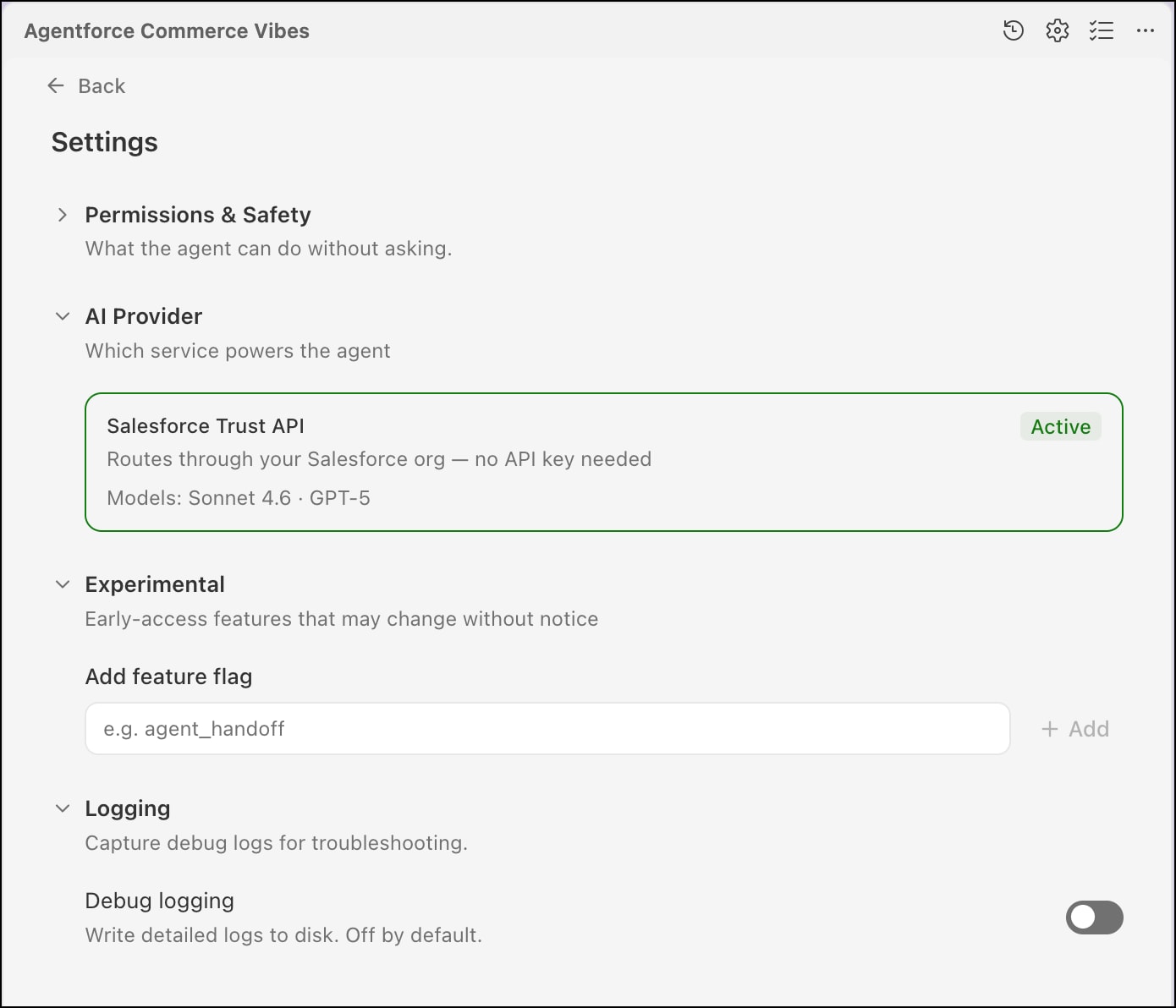
Alternatively, access the Settings from the Command Palette. Open the Command Palette by pressing Cmd+Shift+P, and then entering Agentforce Commerce Vibes in the search field. A list of commands that match your search appear. Select Agentforce Commerce Vibes: Settings.
Tip
Manage various settings about permissions, safety, and logging, among others. For example, under “Default session mode”, choose whether you want to allow the agent to run all actions without asking for approval, only run trusted actions without approval, or always ask for permission.
j