Find Another Action
Sometimes a customer interaction requires a step that doesn’t appear in the Actions & Recommendations component. When an agent clicks Add, they can search for an action and start it. You can help users narrow their search by configuring a subset of actions.
For example, Maria, the Salesforce admin at Awesome Bank, wants her agents to see only the actions that they use for loan processing.
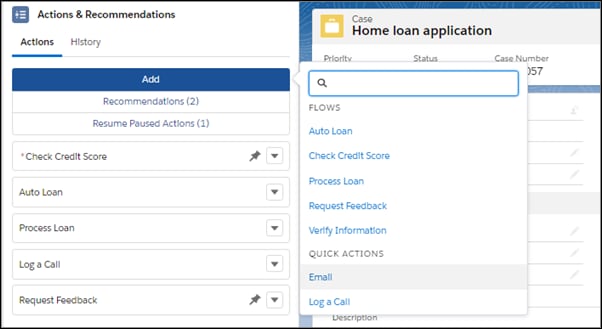
Maria configures the set of actions available to her agents.
- When Maria configures an Actions & Recommendations deployment in Setup, she selects which actions her agents see when they click Add.
- If Maria uses Metadata API to define a deployment, she can define which actions appear for her agents.
When a user adds an action, it starts, and is added to the list above the actions pinned at the bottom.


 j
j