Remind Users to Complete Mandatory Steps
Highlight required steps by configuring them as mandatory actions. When agents try to close a flow that’s mandatory, they see a reminder that the step is required.
Maria, the Salesforce admin at Awesome Bank, wants to make sure that agents complete the Check Credit Score step. This step is required for every loan application. To help agents remember to complete this step, Maria defines this screen flow as a mandatory action.
The reminder appears for screen flows and field service mobile flows. We don’t show the reminder for quick actions or autolaunched flows that are marked as mandatory.
Maria can set up an action as mandatory in several ways. Which method Maria uses depends on how she creates the RecordActions that display in the component.
- When Maria configures channel defaults in an Actions & Recommendations deployment, she can select an action in the preview area and mark it as mandatory.
- If Maria uses Process Builder to create RecordActions, she can set the Is Mandatory attribute to True.
- If Maria uses an API to define RecordActions, she can set the mandatory field for the action to True.
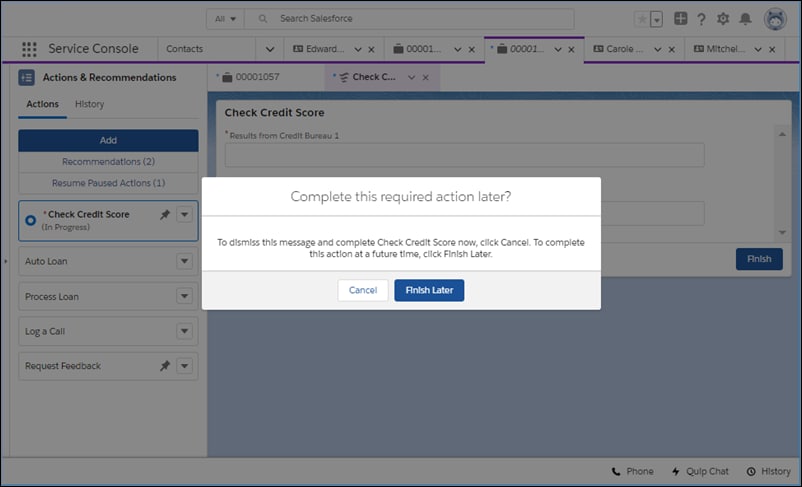
For example, when an agent tries to close a mandatory screen flow before completing it, a message reminds the agent that the flow is required. Clicking Cancel dismisses the warning and continues the flow. Or, the agent can click Finish Later, which closes the tab or window. The agent can start a new instance of the flow later.
See Also


 j
j