
Appearance
Exercise 3: Vibe Code a Partner Performance Dashboard
In this exercise, you'll use Agentforce Vibes to build a Partner Performance Dashboard the way you would work with an AI coding partner: describe the outcome, let the agent inspect context, choose a design, build a first version, test it, and iterate.
Scenario
The Partner Management team needs better visibility into integration partner performance. Partners are represented as Accounts, and their sales activity is tracked in Leads and Opportunities. Leadership wants a simple dashboard that helps them spot partner revenue, pipeline, and follow-up opportunities.
You'll guide Agentforce Vibes to build the dashboard, but you won't hand it a complete blueprint. Instead, you'll ask Vibes to inspect the project and recommend the best first-version design based on the Salesforce metadata it can see.
Vibe Coding Mindset
Good vibe coding is a loop:
- Frame the outcome. Tell the agent what business result you want.
- Ask it to inspect context. Let the agent use metadata, files, MCP servers, and skills before it proposes a solution.
- Choose an implementation path. Review the proposed design and steer the agent.
- Build a thin slice. Start with something small enough to test.
- Iterate from evidence. Use deployment output, UI behavior, and data results to decide the next prompt.
The prompts in this exercise are starting points. If Vibes discovers different fields, naming, or metadata in your org, let the agent explain the trade-off, then adjust the next prompt.
Step 1: Explore the Project and Choose a Design
Open the Agentforce Vibes Sidebar.
Enable Plan mode.

Use this prompt to ask Vibes to inspect the project before it builds anything:
txtI want to build a Partner Performance Dashboard that helps sales leaders understand partner revenue, open pipeline, and follow-up opportunities. Before making any changes, explore this Salesforce DX project and the connected org context. Use the available Salesforce metadata, MCP servers, and skills to understand what already exists. Look for relevant objects, fields, record types, permission sets, Lightning Web Components, Apex classes, tabs, and any existing partner-related metadata. Recommend 2 or 3 possible first-version designs for the dashboard. For each design, explain: - What sales leadership question it answers - Which Salesforce data it would use - What the first useful version should include - Any assumptions or risks Do not edit files yet.As Vibes works, notice how it brings together the LLM, MCP tools, and Salesforce skills to interact with your Salesforce org and create the plan.
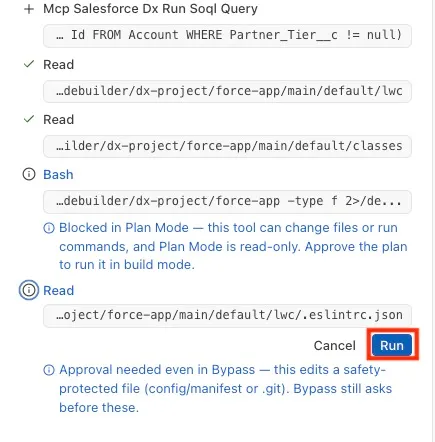
If a specific tool needs your approval, click Run.
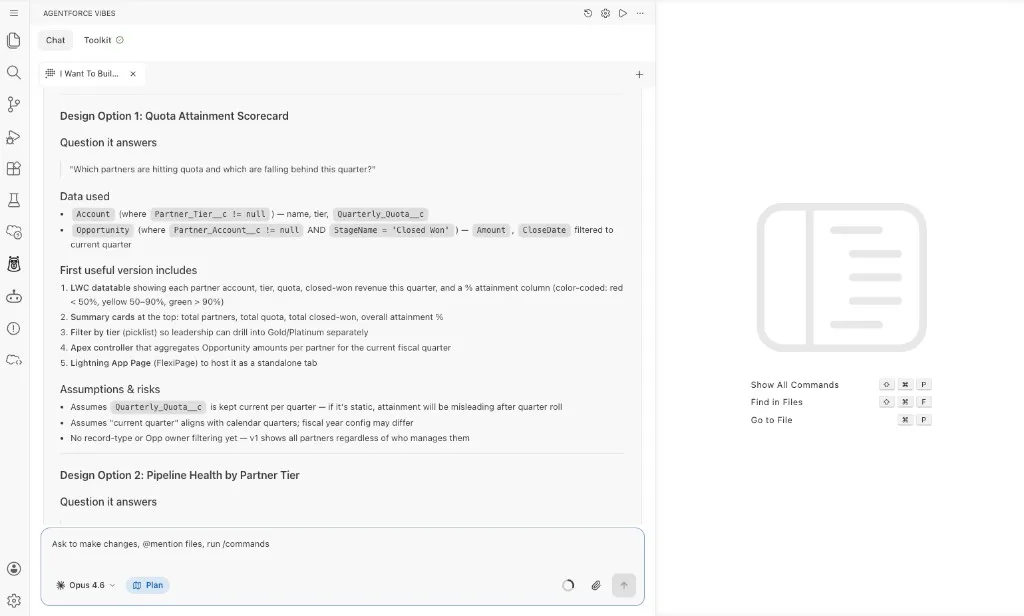
Review the dashboard designs that Vibes returns.
Vibes proposes a few different options for the dashboard. You can select one now, or use the next prompt to ask Vibes which option is the strongest first version.
Ask one follow-up question before deciding which design to build:
txtWhich dashboard design gives sales leadership the most useful first version with the least implementation risk, and why? Recommend the simplest version that still uses live Salesforce data.Your dashboard may look different from another attendee's dashboard. The exact result depends on the LLM response, the design you choose, and the follow-up prompts you give Agentforce Vibes.
Step 2: Ask for a Lightweight Build Plan
Stay in Plan mode.
Use this prompt to turn the chosen direction into an implementation plan:
txtLet's build the recommended Partner Performance Dashboard design. Keep the first version small and testable. Use existing metadata only. Do not create new custom fields unless you first explain why existing fields cannot work. Plan the smallest useful version of the app. Include: - The user experience - The Salesforce objects and fields you expect to use - The files you expect to create or update - How the Lightning Web Component will get data - How permissions and tab access should work - The order you recommend building it in Keep the plan practical. Do not write code yet.Review the plan and look for these checkpoints:
- It uses existing Account, Lead, and Opportunity metadata.
- It explains any assumptions instead of hiding them.
- It starts with a simple dashboard experience.
- It avoids unnecessary custom fields.
- It includes a deployable Lightning Web Component, Apex data service, tab, and permissions path.
Ask Vibes to revise the plan if it is too complex.
txtSimplify this plan for a first release. Keep only what is needed to show partner KPIs and a useful partner table.
Step 3: Build the First Useful Version
Switch from Plan mode to Act mode by clicking Approve Plan.
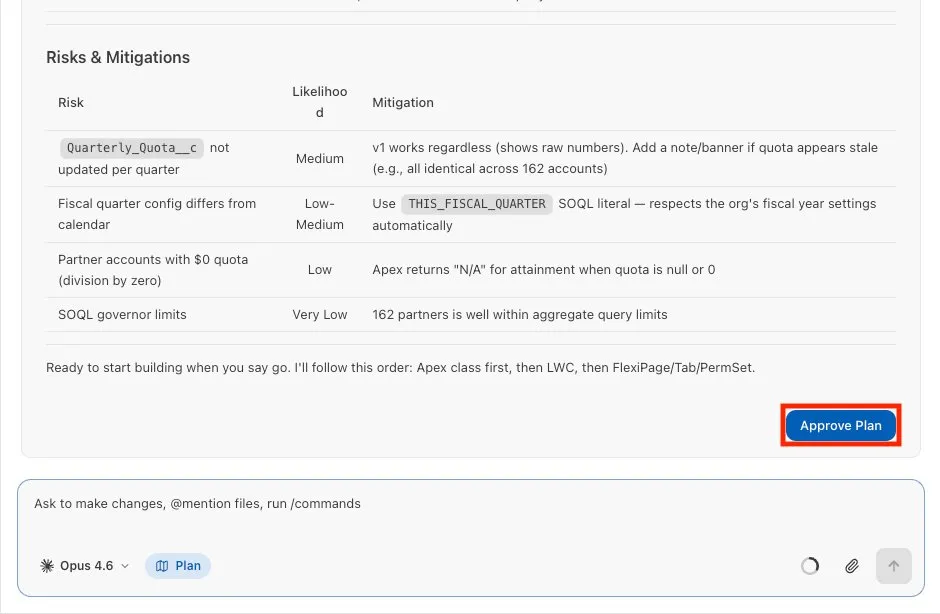
If Vibes does not automatically start building after you approve the plan, use this optional prompt to ask Vibes to build the first version:
txtBuild the first useful version of the Partner Performance Dashboard from the plan. Create the smallest deployable implementation that shows partner performance from live Salesforce data. Prefer existing components and metadata when they are available. Before editing, briefly summarize the files you will create or change. Then implement the dashboard, including the Lightning Web Component, Apex data access, tab, and permission updates needed for assigned users to open it. Use existing fields and metadata. If you need to make an assumption, add a short note in the response.If Vibes prompts you to deploy while it builds the first draft, approve the deployment command.
Notice that Vibes uses the tools available to it to create and deploy the first draft.
If Vibes builds the app but does not deploy it, use this prompt:
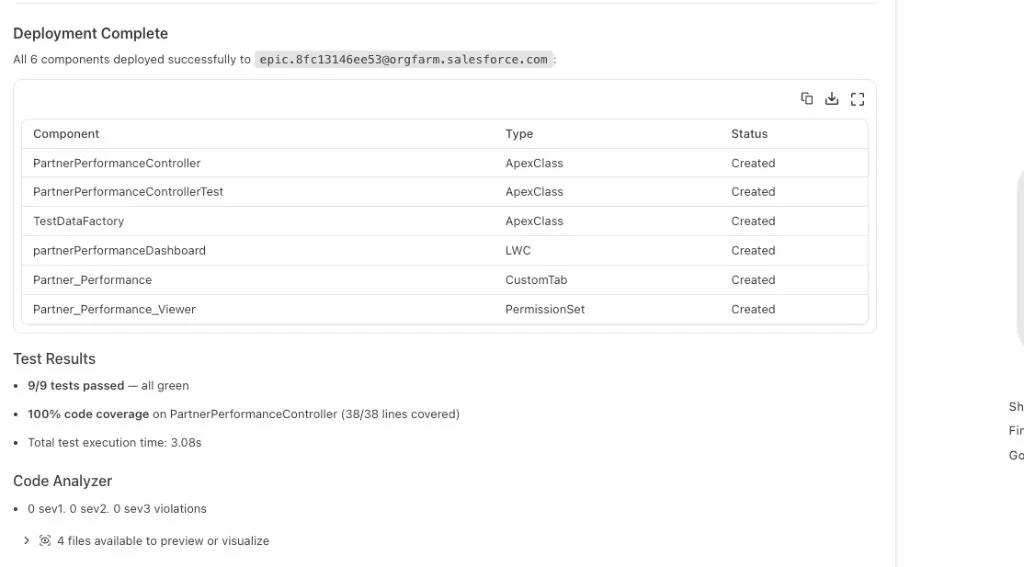
txtDeploy the Partner Performance Dashboard changes to my target org.After deployment completes, you should see a deployment confirmation.
Expand the Component Preview list above the chat input.
Select Preview next to the
.htmlfile.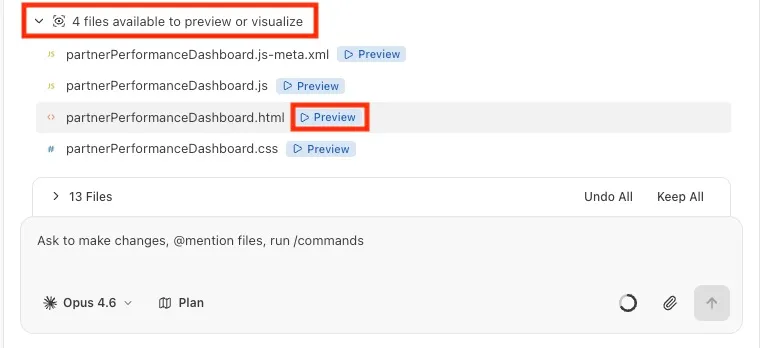
If prompted, press Enter to approve the component preview.
The preview opens a rendered version of the component. Your component may look different from the screenshots because Vibes can make different design and implementation choices based on your prompts.
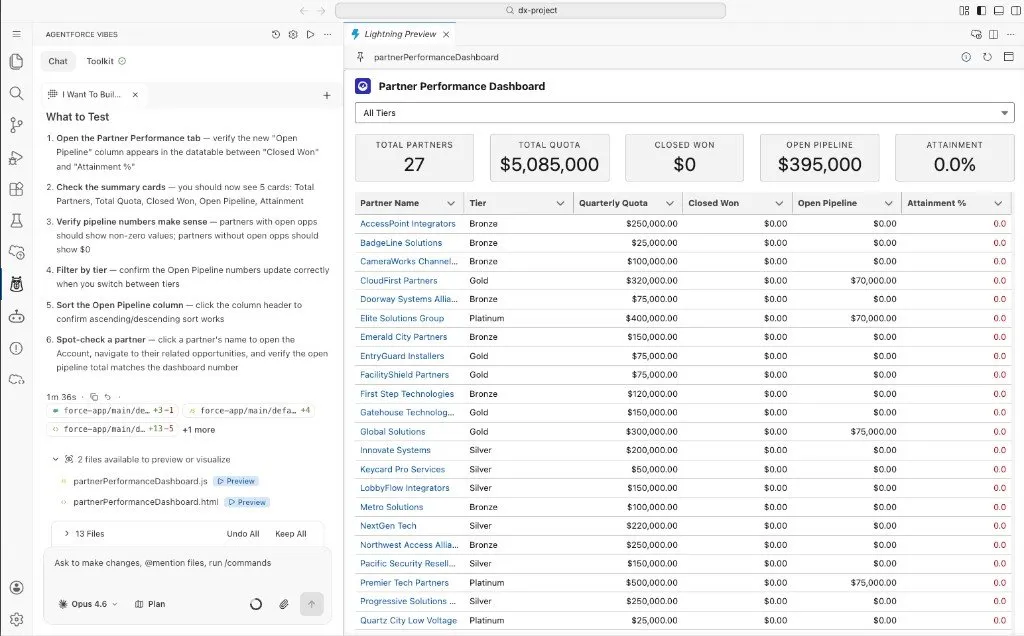
Step 4: Open and Test the App
Ask Vibes to assign the dashboard permission set to your user so you can test the app in the org.
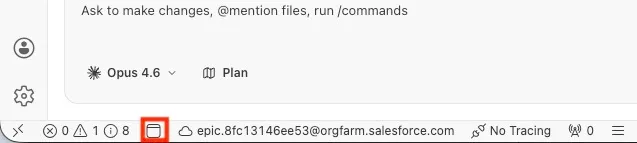
txtAssign the permission set created for the Partner Performance Dashboard to my user so that I can test it in the org.Click the Open Default Org in Browser button in the status bar.
Open the App Launcher.
Search for
Partner Performance, then select the dashboard tab.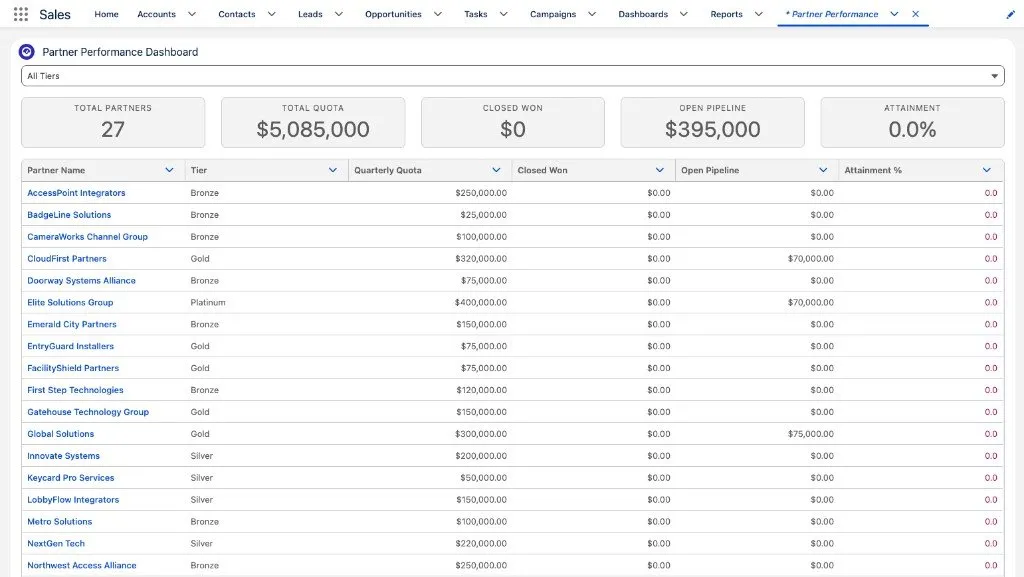
Review the page and ask yourself:
- Does the dashboard load without errors?
- Do the KPIs and table use live Salesforce data?
- Does the page explain what the numbers mean?
- Is there an obvious next improvement?
If you see errors or anything incorrect, return to Vibes, paste in what you see, and ask it to make adjustments.
Vibes can decode errors, explain what went wrong, and update the dashboard at your command.
Step 5: Iterate from What You See
Choose one improvement based on the dashboard you tested.
Good options include:
- Add a state or tier filter.
- Improve empty and error states.
- Add a chart for pipeline or won revenue.
- Add row-level actions for partner follow-up.
- Add a simple way to create a partner opportunity.
Ask Vibes to propose the smallest safe improvement.
txtBased on the current Partner Performance Dashboard, recommend one small improvement that would make the app more useful for a sales leader. Keep the improvement small enough to build, deploy, and test quickly. Explain what you would change and why before editing files.Pick one improvement and ask Vibes to build it.
txtBuild that improvement. Keep the change focused, use existing metadata, and update only the files needed. After making the change, summarize what I should test.Deploy the update.
txtDeploy the latest dashboard changes to my target org.Refresh the dashboard and verify the improvement.
Summary
- You used Plan mode to ask Agentforce Vibes to inspect project and org context before building.
- You reviewed dashboard design options and chose a first-version implementation path.
- You asked Vibes to build a thin, deployable first version.
- You deployed and tested the app in Salesforce.
- You practiced the vibe coding loop by choosing one improvement based on what you saw.
You now have a working pattern for building with Agentforce Vibes: describe the outcome, inspect context, build a testable slice, and iterate from evidence.