
Appearance
Exercise 2: Explore Sales Cloud with Salesforce Hosted MCPs
In this exercise, you'll connect your org to the Headless 360 Playground and use Salesforce Hosted MCPs to investigate live Sales Cloud data across accounts, leads, opportunities, campaigns, and tasks.
Step 1: Connect Your Org to the Playground
Open the Headless 360 Playground.
The Headless 360 Playground is a custom chat client built for hands-on workshops. It works like ChatGPT, Claude, or Gemini, but does not require learners to bring a separate AI subscription.
In your Salesforce org, open Setup.
In Quick Find, enter
My Domain, then select My Domain.Copy your current My Domain URL.
Use the full URL, such as
https://your-domain.my.salesforce.com.Return to the Headless 360 Playground.
From the Setup tab, fill out the connection fields:
Field Value My Domain URL Your Salesforce My Domain URL. Consumer Key (client_id) The Consumer Key from Exercise 1. Consumer Secret (client_secret) The Consumer Secret from Exercise 1. Click Connect Org and authorize the app.
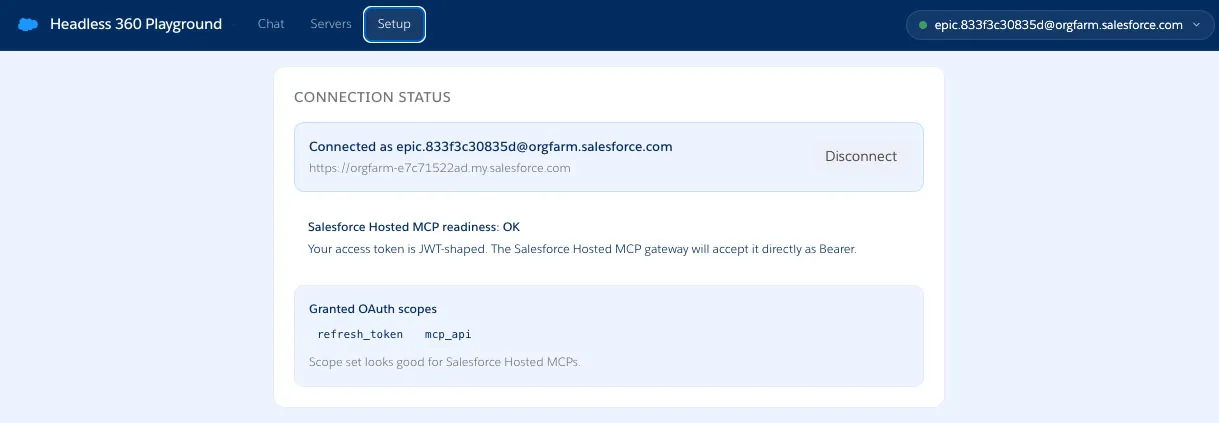
The Connection Status section should display something similar to this:
TIP
If authentication fails with an
invalid_client_iderror, wait a few minutes for the External Client App to become available, then try again.
Step 2: Add the Salesforce MCP Servers
Navigate to the Servers tab.
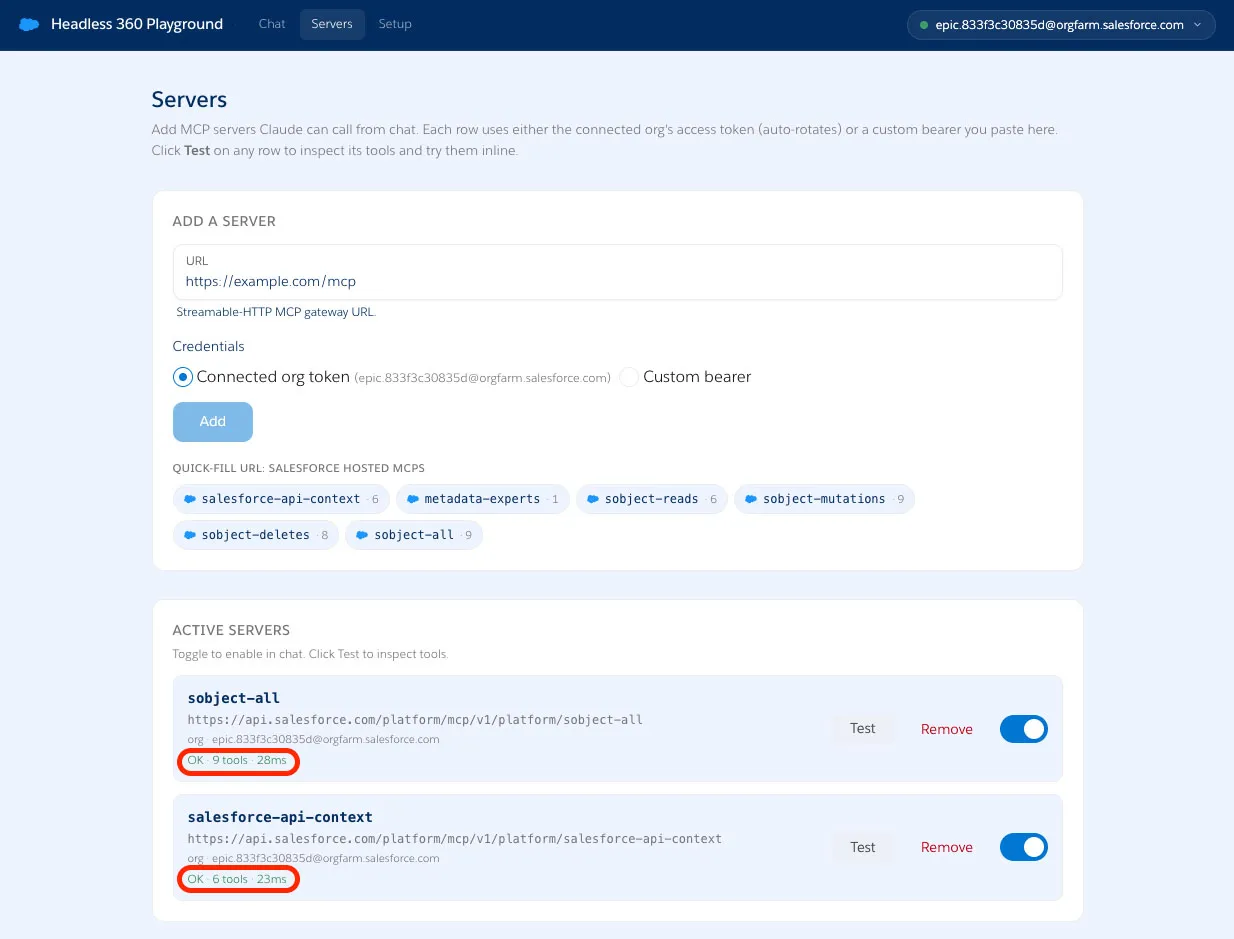
Click the sobject-all pill under Quick-fill URL: Salesforce Hosted MCPs.
Click Add.
Click the salesforce-api-context pill under Quick-fill URL: Salesforce Hosted MCPs.
Click Add.
After each server shows as active, click Test to inspect its tools and verify the connection.
Step 3: Inspect the Sales Cloud Data Model
Navigate to the Chat tab.
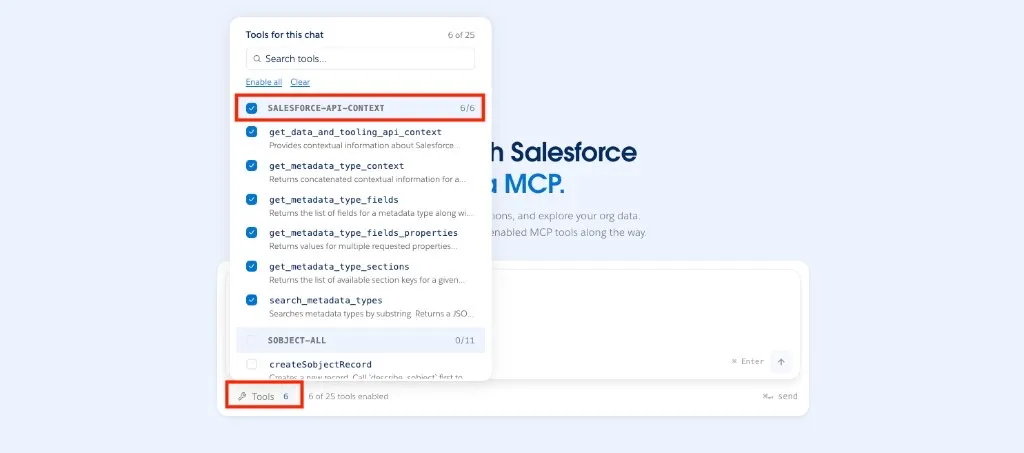
Click Tools and select the salesforce-api-context MCP server.
The salesforce-api-context server exposes your org's metadata, so the LLM can reason about objects, fields, and relationships before it queries records.
Try this prompt to identify the Sales Cloud objects and fields that matter most for sales analysis:
txtWhat Salesforce objects and fields are most relevant for understanding Sales Cloud activity in this org? Focus on Account, Lead, Opportunity, Campaign, CampaignMember, Task, and Contact.Try this prompt to understand which fields can explain partner attribution, pipeline health, and follow-up activity:
txtDescribe the key fields on Account, Lead, Opportunity, Campaign, CampaignMember, and Task. Call out fields that help explain partner attribution, pipeline health, campaign follow-up, or sales activity.Review the response and note which fields the LLM chooses for the next investigation.
Step 4: Find Account and Pipeline Signals
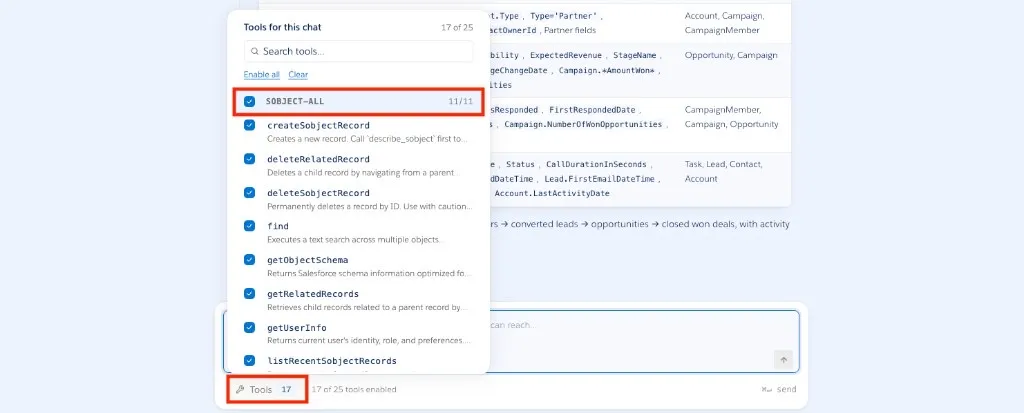
Click Tools and select the sobject-all MCP server.
The sobject-all server exposes Salesforce record operations. In this exercise, use it to read and summarize live data from your org.
Try this prompt to sample the account data before asking more targeted questions:
txtShow me a sample of Accounts by state, industry, type, and employee count.Try this prompt to find large Nevada accounts with active pipeline:
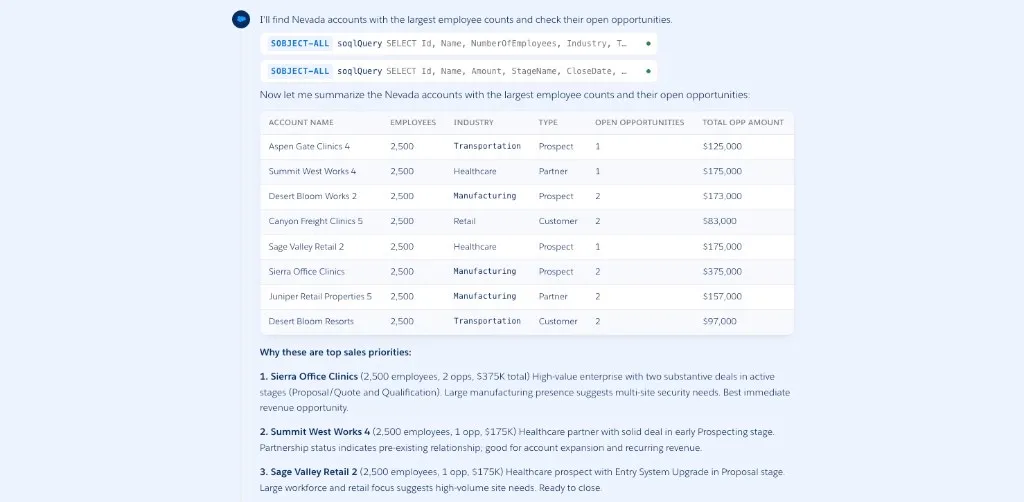
txtWhich Nevada accounts have the largest employee counts and active open opportunities? Summarize why each account may be a good sales priority.Try this prompt to find accounts that look like strong security-equipment prospects:
txtFind accounts in California, Nevada, Arizona, and Colorado that look like security equipment buyers. Use account fields, descriptions, and related opportunity context to explain your reasoning.Review the response and notice how the LLM combines metadata, record filters, and business language to explain the results.
Step 5: Create Cases Using Related Records
Keep the sobject-all MCP server selected in Tools.
Run this prompt to create a case:
txtCreate a case for account "Arroyo Medical Group" and contact "Alex Garcia". Subject is "Broken scanner". Set priority to High, status to Escalated and case origin to Phone.Note how the MCP tools are chained to retrieve related records (Account and Contact) then create the Case record.
TIP
We will need this case for the next exercise.
Step 6 (Optional): Turn Salesforce Data into Outputs
If you have time, ask the LLM to create a chart from the Salesforce data it queried.
txtCreate a bar chart that compares open pipeline by opportunity stage. Use the live opportunity data you can access through Salesforce MCP tools.Try a second chart prompt.
txtCreate a pie chart that shows hot and warm open leads by lead source.Try a trend-style prompt.
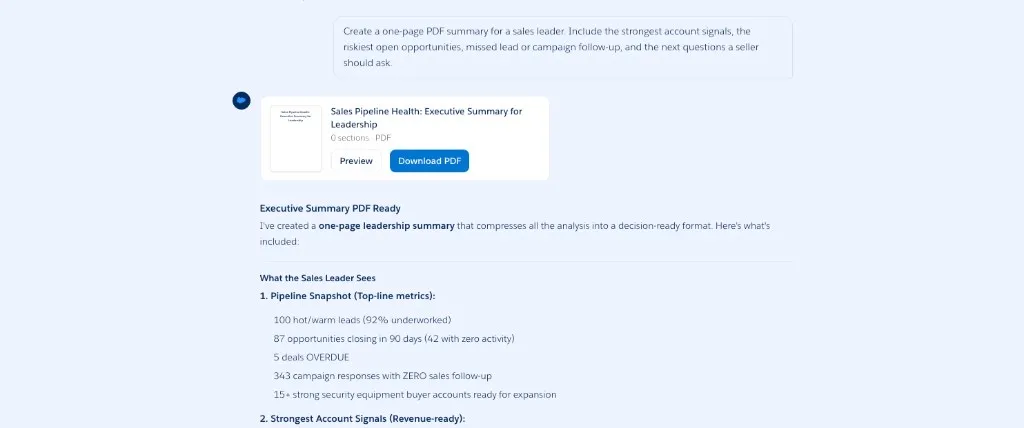
txtCreate a line chart or timeline that shows campaign response activity over time. Explain any spike or drop you see in the data.Ask the LLM to render a PDF-style executive summary.
txtCreate a one-page PDF summary for a sales leader. Include the strongest account signals, the riskiest open opportunities, missed lead or campaign follow-up, and the next questions a seller should ask.Review the chart or PDF output and confirm that it cites live Salesforce records rather than generic sales advice.
Summary
- You connected the Headless 360 Playground to your Salesforce org with your My Domain URL and External Client App credentials.
- You used salesforce-api-context to inspect the Sales Cloud data model before querying records.
- You used sobject-all to uncover high-potential accounts, stale opportunities, missed lead follow-up, and campaign follow-up gaps.
- You asked the LLM to turn Salesforce MCP results into charts and a PDF-style summary.
Next, you'll create your own custom MCP server for guided business actions.