This guide explains how to make and verify code changes in a hybrid storefront to:
Update a Progressive Web App (PWA) Kit project on version 2.8.4 or earlier to implement hybrid stability. This potentially improves the performance of baskets.
Upgrade from Plugin Shopper Login and API Access Service (Plugin SLAS) version 7.3.0 or later to version 7.4.0.
We recommend testing the steps in a non-production environment before deploying your changes to production.
The steps in this guide apply to a hybrid storefront that uses Plugin SLAS. With B2C Commerce version 25.3, hybrid authentication (auth) replaces Plugin SLAS. For more information, see Configure a Hybrid Storefront with Hybrid Auth.
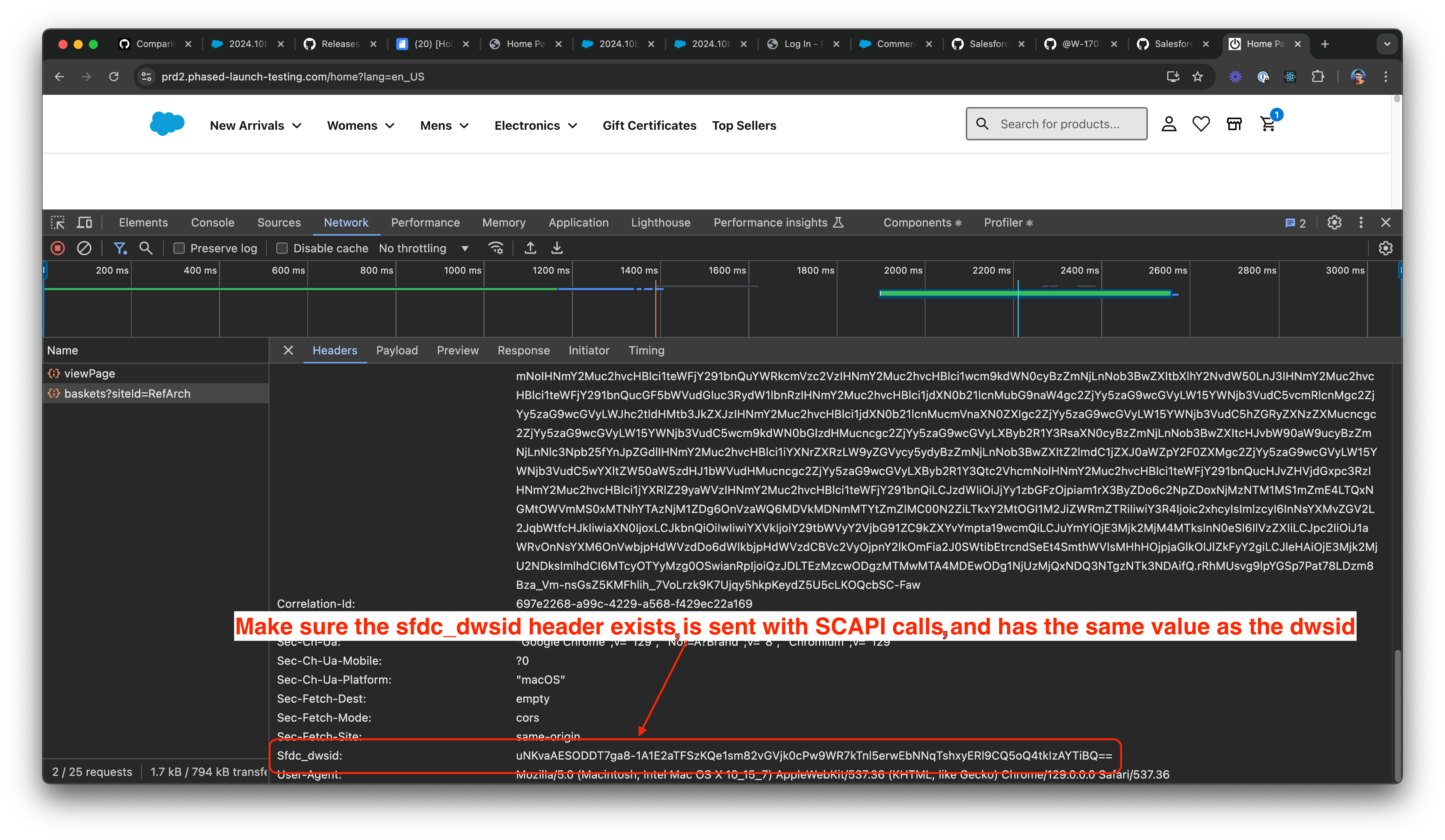
Added a header (sfdc_dwsid) to Salesforce Commerce API (SCAPI) calls to send the dwsid to SCAPI to ensure that requests from a given shopper session are routed to the same app server.
Removed the Open Commerce API (OCAPI) proxy from the PWA Kit configuration, which makes PWA Kit fully SCAPI-based.
Prerequisites
If you haven’t already done so, complete these steps.
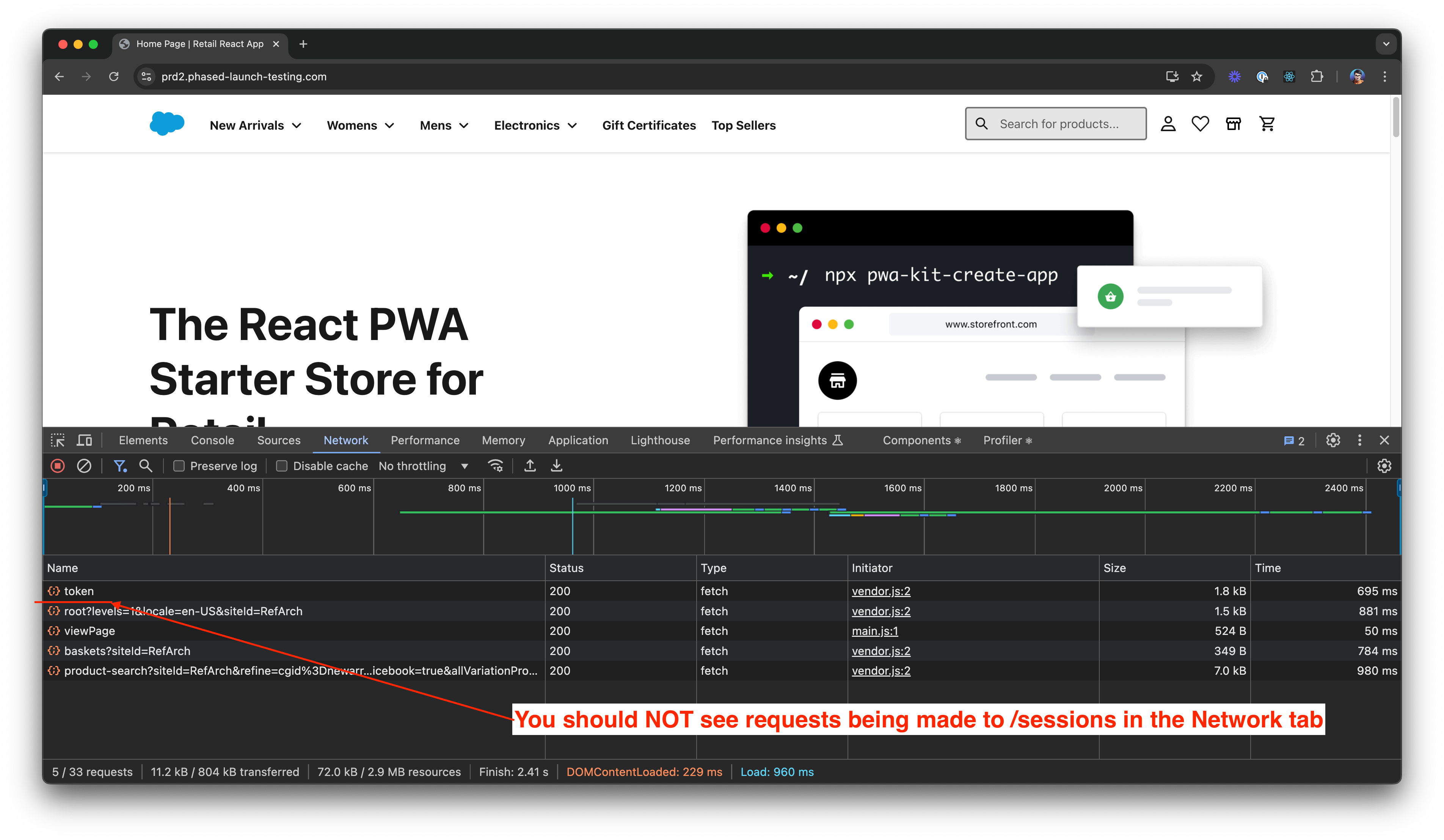
Refresh your storefront or go to any page that’s PWA Kit-based and inspect the Network Tab in Chrome DevTools. Confirm that you don’t see requests being made to dw/shop/<version>/sessions. See this example from Chrome DevTools.
Confirm that dwsid is sent with all SCAPI requests.
Go to your storefront. Visit any SFRA/SG-based page then go to a PWA Kit-based page.
If you’re using Chrome DevTools:
Open Cookie Storage and look for dwsid value in the cookies. See Open the Cookies pane.
Open the Network Tab and inspect any SCAPI request (for example, /baskets). In the Request Headers, confirm that you see the sfdc_dwsid header with the value same as the dwsid that you found in the previous step. See this example from Chrome DevTools.


 j
j