Perform a Blind Transfer
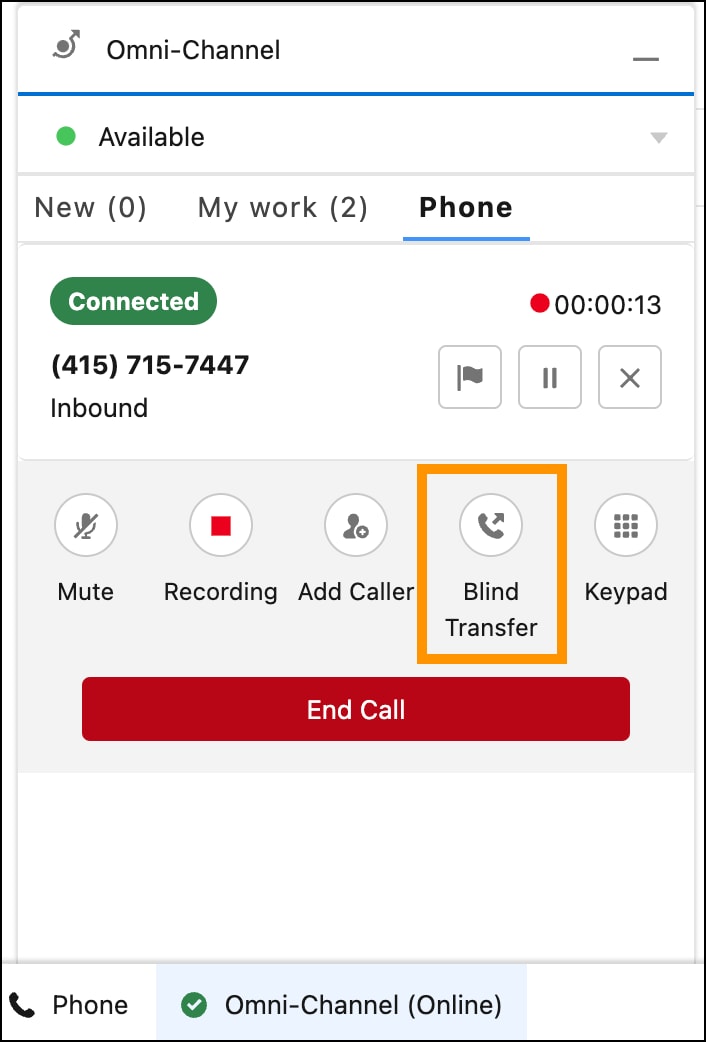
With the blind transfer feature, vendors can use the addParticipant Connector API method to hang up and transfer a call rather than add a caller to an existing conversation.
To enable blind transfer:
- Using the Connector API, set the value of
hasBlindTransferinCapabilitiesResulttotrue. SeegetCapabilities(). - Update the implementation of
addParticipant()to perform a blind transfer when theisBlindTransferargument is true. A sample blind transfer is implemented in the demo connector. - After a transfer voice call is created through
addParticipant(), Salesforce fires aHANGUPevent for the first call from the base connector. Do not publish aHANGUPevent for the first voice call from a partner connector. Wait until the second rep ends the transferred call to publish aHANGUPevent. Publishing a HANGUP event for the first voice call from a partner connector causes unintended issues.
To perform a blind transfer:
- Using a softphone, when the call is connected, a new button with the label “Blind Transfer” shows up. Click this button to call
addParticipant(contact, call, true). - Using a hardphone, perform a blind transfer and publish the
PARTICIPANT_ADDEDevent.
See Also