Get Service Territories

A service territory represents a branch or office location where your service resources (appointment attendees) operate from or meet customers. Show your users your available service territories on the next page on your website by retrieving a list of active service territories from your Salesforce instance. Your users can search for service territories based on user-entered name, city, postal code, or state. Users can also view the distance between two locations, such as between a service territory and the user’s current location.

  1. Create a page for users to search for service territories.

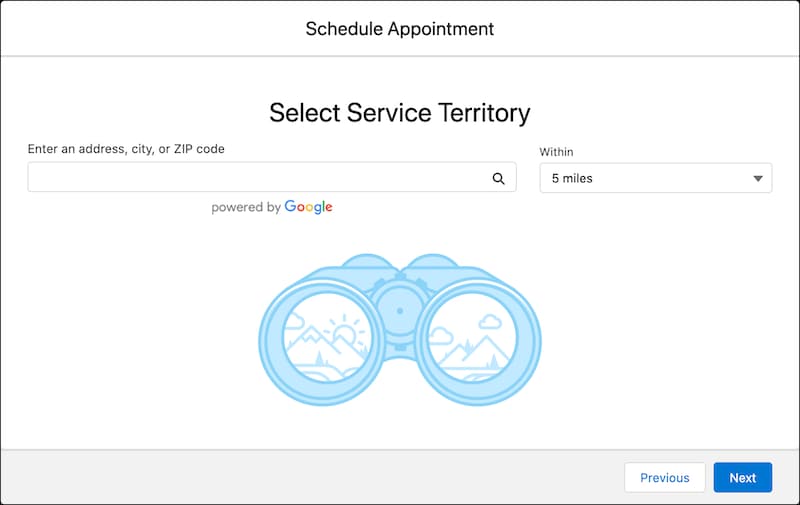
    Here’s how a Select Service Territory page can look.

    A representation of the Select Service Territory screen.

  2. To retrieve a list of active service territories from your Salesforce instance, use the service-territories Connect API request.

    Sample Request

    This sample REST API call uses the service-territories request to retrieve service territories within a range of 10 miles from your current location. The default value is 5 miles.

    1https://YOUR_INSTANCE.salesforce.com/services/data/v68.0/connect/scheduling​​​/service-territories?workTypeGroupId=0VSS700000000sVOAQ

    Where YOUR_INSTANCE is a variable.

    Sample Response

    The request returns the service territory records.

    1{
    2  "result": {
    3    "serviceTerritories": [
    4      {
    5        "city": "Charlotte",
    6        "country": "United States",
    7        "id": "0HhS700000001DYKAY",
    8        "name": "Spear Street Branch",
    9        "operatingHoursId": "0OHS700000001HlOAI",
    10        "postalCode": "05445",
    11        "state": "VT",
    12        "street": "121 Spear Street"
    13      }
    14    ]
    15  }
    16}
  3. Parse the JSON response, and show the available service territories on a page that you created.

Your users can select a service territory for the appointment from the page.