Get Service Territories
Get a service territory based on the work type group that is selected in the previous step. A service territory represents a branch or office location where your service resources (appointment attendees) operate from or meet customers.
Create a page where you can provide users an option to search for service territories. Here’s how a Select Service Territory page can look.
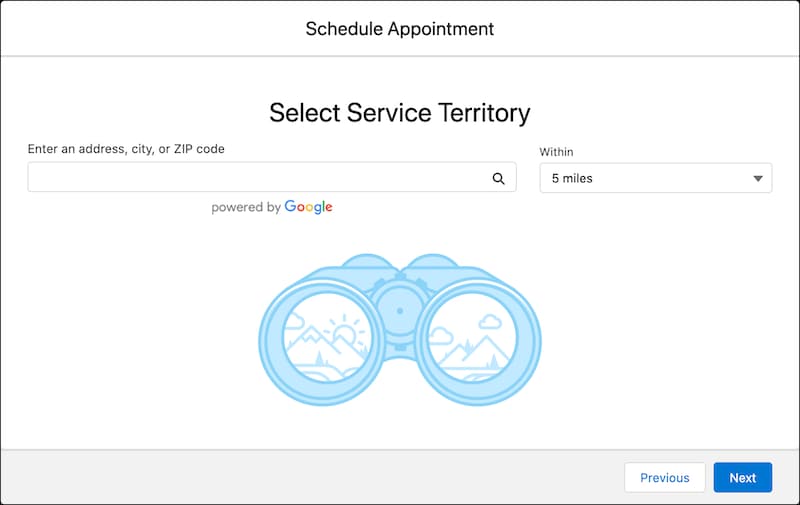
Make a GET request on the service-territories Connect API by passing the user-entered search values and the selected work type group ID as the input parameters in the query string. You can also use a combination of the radius, latitude, longitude, sortBy, and sortOrder parameters to filter and sort the service territories.
Resource URI
1https://yourInstance.salesforce.com/services/data/vXX.X/connect/scheduling/service-territories
Sample Request
Here’s a sample GET request with the query string on the service territories Connect API.
1https://yourInstance.salesforce.com/services/data/vXX.X/connect/scheduling/service-territories
2?workTypeGroupId=0VSB0000000TbhWOAS
Sample Response
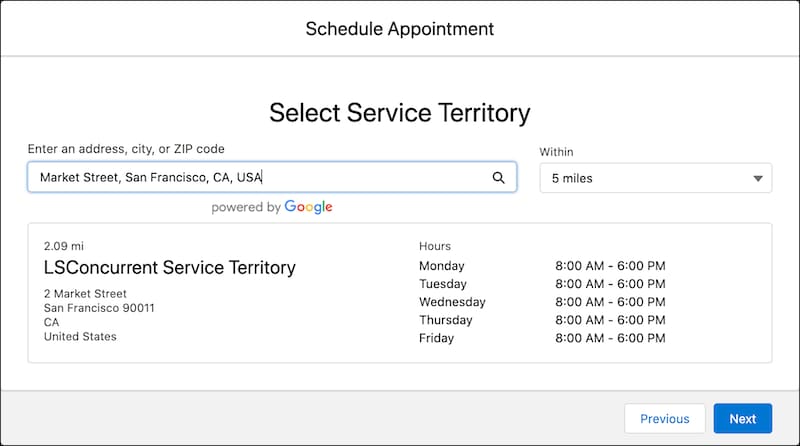
The API returns the available service territories based on the passed work type group ID and search criteria.
1{
2  "result" : {
3    "serviceTerritories" : [ {
4      "city" : "San Francisco",
5      "country" : "United States",
6      "id" : "0HhB00000001P0PKAU",
7      "latitude" : 37.794928,
8      "longitude" : -122.394514,
9      "name" : "LSConcurrent Service Territory",
10      "operatingHoursId" : "0OHB0000000LWkUOAW",
11      "postalCode" : "90011",
12      "state" : "CA",
13      "street" : "2 Market Street"
14    } ]
15  }
16}
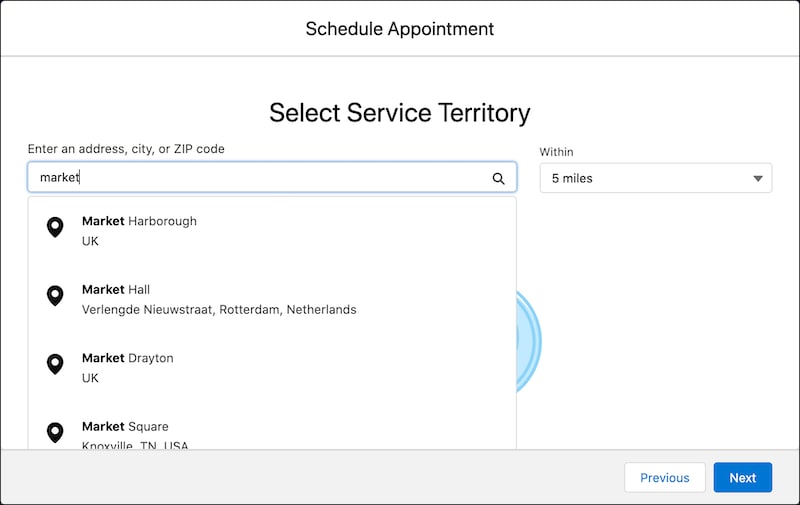
Parse the JSON response, and show the available service territories on the Select Service Territory page so that the user can select a service territory.
Here’s a Select Service Territory page showing the available service territories.
Here’s how the service territory details are displayed when the user selects a service territory.
After you get a work type group and service territory for the appointment, you must get a work type that is associated with both the work type group and service territory you have selected in the previous steps.


 j
j