Update Service Appointments

A service appointment represents an appointment booked through Salesforce Scheduler. Make a PATCH request on the service-appointments Connect API to update a multi-resource service appointment.

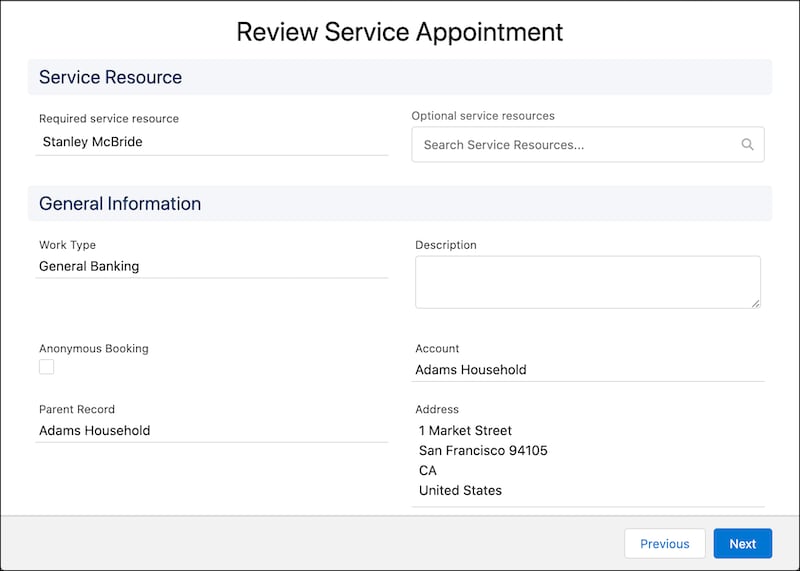
Create a page where the user can review the appointment details and create the appointment. Here’s how a Review Service Appointment page can look.

A representation of the Review Service Appointment screen.

Link the Next button to a PATCH request on the service-appointments Connect API to update the service appointment.

Resource URI

1https://YOUR_INSTANCE.salesforce.com/services/data/vXX.X/connect/scheduling/service-appointments

Where YOUR_INSTANCE is a variable.

Sample Request

Update Service Resource

1{
2  "serviceAppointmentId": "08pB0000000aJKhIAM",
3  "serviceAppointment": {
4    "schedStartTime": "2021-10-04T17:00:00.000+0000",
5    "schedEndTime": "2021-10-04T18:00:00.000+0000",
6    "serviceTerritoryId": "0HhB0000000TaHOKA0"
7  },
8  "assignedResources": [
9    {
10      "serviceResourceId": "0HnB0000000TavDKAS",
11      "isRequiredResource": true,
12      "isPrimaryResource": true
13    },
14    {
15      "serviceResourceId": "0HnB0000000DynTKAS",
16      "isRequiredResource": true,
17      "isPrimaryResource": false
18    }
19  ]
20}

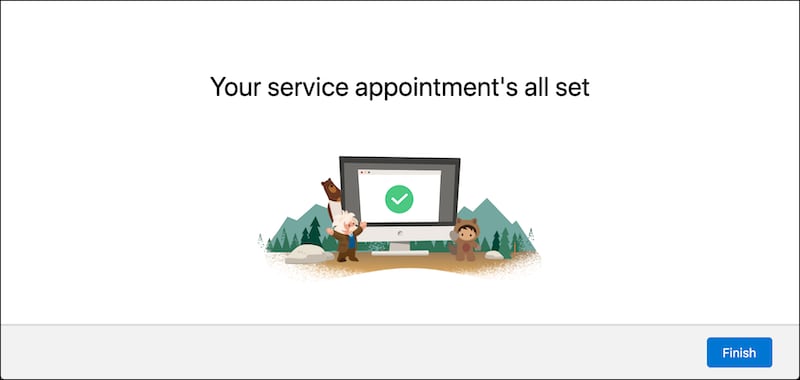
Create a page to show confirmation when the service appointment is modified successfully.

Here’s how a sample confirmation page can look.

A representation of the confirmation screen.