
Appearance
Exercise 2: Generate the Widget and Lightning Type
In this exercise, you'll use one prompt to generate everything Agentforce needs to render getStorefrontFromName as a card: display-ready fields on the Apex action, the storefrontProfileCard widget, and the storefrontProfileCardOutput Lightning Type that connects the two. The platform-lightning-type-widget-coordinate skill orchestrates the work. After you retrieve the Apex action, it prints a build plan, calls the leaf skills in dependency order, and runs validation gates before it reports back.
Step 1: Plan the Build
Approvals and timing
With Bypass (trust all), Vibes runs the retrieve, the deploys, and its validation commands without asking; your only click is Approve Plan. Expect about 1 minute for the retrieve, 1–2 minutes for the plan, and about 5 minutes for the build and deploys. If a deploy fails, Vibes fixes it on its own.
Open the Agentforce Vibes Sidebar. If the chat isn't empty, click + (New chat) to start a new conversation. If the sidebar shows Enable Agentforce, select I agree to the terms and click Enable Agentforce.
Click the Settings icon and set Default session mode to Bypass (trust all) if it isn't already; reopening Vibes can reset it. Click Back.
Plan mode can't retrieve from your org, so retrieve everything this module edits now, in one step. In Chat mode, use this prompt:
txtThe org has no source tracking, so retrieve with a manifest. Create manifest/package.xml with exactly these members and no <version> element: <?xml version="1.0" encoding="UTF-8"?> <Package xmlns="http://soap.sforce.com/2006/04/metadata"> <types> <members>GetStorefrontFromNameAction</members> <members>GetStorefrontFromNameActionTest</members> <name>ApexClass</name> </types> <types> <members>Employee_Assistant</members> <name>AiAuthoringBundle</name> </types> </Package> Then run this one command: sf project retrieve start --manifest manifest/package.xml && rm -r manifest Don't retrieve anything else, and don't open or change any other file.This also retrieves the
Employee_Assistantagent, which you edit in Exercise 3, so you don't retrieve again later.Open the Send mode menu (it shows Chat) and choose Plan.
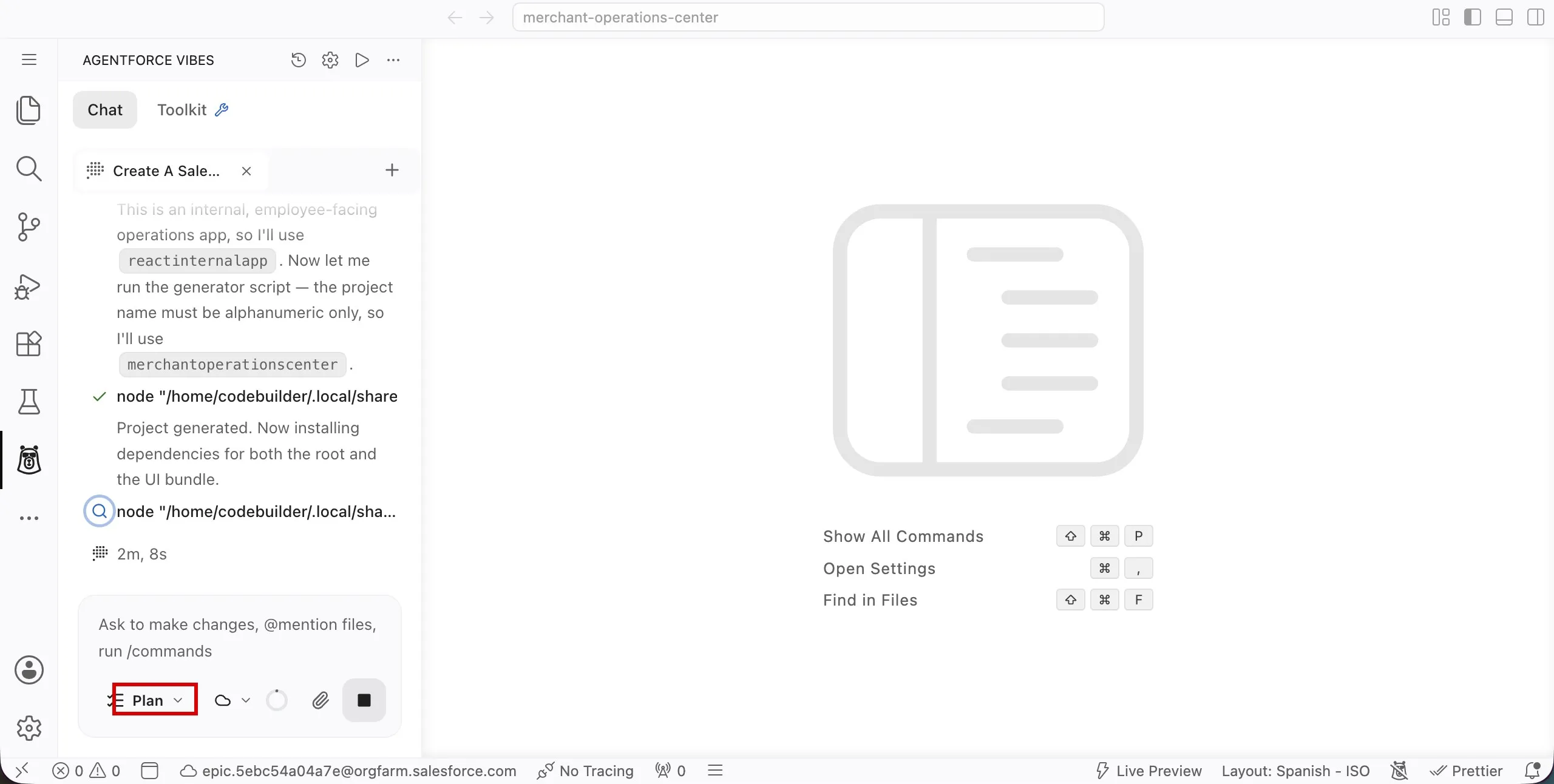
Use this prompt to describe the outcome. It names the skill and gives every file path, the fixed file shapes, and the pitfalls earlier runs hit, so Vibes only has to work out the mapping and the layout:
txtUse the platform-lightning-type-widget-coordinate skill. It and the skills it calls (platform-apex-generate, platform-widget-generate) are already installed, so don't search the workspace for skills, icon lists or examples. The Apex classes are already retrieved. Read only the files named below; don't explore the org or the rest of the project. Goal: an Apex-backed Lightning Type named storefrontProfileCardOutput and an HXL widget named storefrontProfileCard, so the Employee_Assistant agent can render the output of the GetStorefrontFromNameAction invocable action as a storefront profile card. Keep the whole plan to at most 10 bullets: the files to change or create, the validation gates by name, and the three deploys. Don't include file contents, code blocks, considerations or summary tables. Apex, force-app/main/default/classes/GetStorefrontFromNameAction.cls: - A JSON widget can't compute values, so change Output.storefront from Storefront__c to a new inner class, global class StorefrontDetails, with @AuraEnabled public String fields: name, cuisine, status, statusVariant, ratingLabel, address, phone. - StorefrontDetails has only those fields and no static members, because an inner class can't declare them. Put the logic in the outer class as @TestVisible private static methods: toDetails(Storefront__c record), toStatusVariant(String status), formatRatingLabel(Decimal score, Decimal reviewCount), formatAddress(String street, String city, String stateCode). - toStatusVariant: Active is success, Pending Activation is warning, Suspended is error, Inactive, Closed, and any other or blank status are secondary. - formatRatingLabel combines Average_Review_Score__c and Total_Reviews__c, for example "4.5 (120 reviews)", and returns an empty string if either is null. - formatAddress joins Address__Street__s, Address__City__s and Address__StateCode__s with ", ", skipping blank parts, for example "220 Market St, San Francisco, CA". - Keep the invocable method signature, Input, and the other outputs unchanged. Test, force-app/main/default/classes/GetStorefrontFromNameActionTest.cls: - Keep both existing tests. In the success test, set Status__c to Active and assert name, status, and statusVariant (success). - Don't set Average_Review_Score__c or Total_Reviews__c on any record; they aren't writeable. Test formatRatingLabel, formatAddress and toStatusVariant directly with parameters, including null and blank values. Lightning Type, force-app/main/default/lightningTypes/storefrontProfileCardOutput/: - schema.json: {"title":"Storefront Profile Card Output","description":"Display-ready storefront details returned by GetStorefrontFromNameAction","lightning:type":"@apexClassType/c__GetStorefrontFromNameAction$StorefrontDetails"} - renderer.json: {"renderer":{"componentOverrides":{"$":{"definition":"@widget/c/storefrontProfileCard","attributes":{...}}}}}, with one "<attribute>": "{!$attrs.<field>}" entry for each of the seven widget attributes. Widget, force-app/main/default/uiWidgets/storefrontProfileCard/: - storefrontProfileCard.uiwidget-meta.xml: root element <UiWidgetBundle xmlns="http://soap.sforce.com/2006/04/metadata"> with <masterLabel>Storefront Profile Card</masterLabel>, a <description>, and <widgetType>JSON</widgetType>. - schema.json: {"title":...,"description":...,"type":"object","properties":{"attributes":{"lightning:type":"lightning__objectType","properties":{...}}}}, with one {"title","description","lightning:type":"lightning__textType"} entry for each of name, cuisine, status, statusVariant, ratingLabel, address and phone. - storefrontProfileCard.json: {"type":"lightning__agentforceWidget","contentBody":{"widgetBody":{"definition":"tile/widget","children":[...]}}}. Use only tile/column, tile/row, tile/text, tile/badge, tile/icon and tile/button. On tile/row, use align and justify, never alignItems. - Attribute keys: tile/icon takes name (for example {"name":"building"}), tile/text takes text, tile/badge takes label and variant, and tile/button takes label, variant, iconName and actions. Only tile/button has iconName. - Header row, in this order: a tile/icon named building, the name as tile/text, a tile/icon named activity for status, and a tile/badge with label {!$attrs.status} and variant {!$attrs.statusVariant}. - Body: rows for cuisine (icon tag), rating (icon star), address (icon map-pin) and phone (icon phone). Each row is a tile/icon, a label tile/text and a value tile/text. - Footer: a primary "View Menu" tile/button with iconName list, and a secondary "Check Hours" tile/button with iconName clock. In each button's attributes, actions.click is one action/sendMessage whose content attribute is "{!'Show me the menu for ' & $attrs.name}" or "{!'What are the hours for ' & $attrs.name & '?'}". - Use only these icon names: building, activity, tag, star, map-pin, phone, list, clock. Deploy rules: - Deploy three times, once each, in this order: (1) both Apex classes, running only GetStorefrontFromNameActionTest; (2) the widget folder; (3) the Lightning Type folder. Deploy each by the paths above, never the whole force-app folder, and don't deploy the Employee_Assistant agent bundle. - After a failed deploy, treat every component in it as not deployed. If a deploy rejects a value, replace only that value. Never remove other requested elements, and tell me exactly which values the server rejected. - Don't change sfdx-project.json, don't run sf update or install anything, and don't retrieve again. Run the widget's self-validation gates before deploy (2). Final summary: list every file you created or changed, and every validation gate from the plan by name with pass, warn, fail or skipped. Say that the real deploys replaced deploy-check.Review the build plan Vibes proposes. It should be short. Check that it includes:
- An explicit change to the existing
GetStorefrontFromNameActionclass. The skill never edits existing Apex silently. - A
storefrontProfileCardOutputLightning Type whoselightning:typeis@apexClassType/c__GetStorefrontFromNameAction$StorefrontDetails. - The three widget bundle files under
uiWidgets/storefrontProfileCard/, plus arenderer.jsonin the Lightning Type that wires it to the widget. - The validations it will run after generation, such as
renderer-wires-widgetandfield-trace. - Three deploys in order: Apex, then the widget, then the Lightning Type. These are real deploys, not check-only.
If something is off, reply with a correction and let Vibes revise the plan.
- An explicit change to the existing
Approve the plan to switch back to Chat mode and let Vibes build.
When Vibes finishes, review the summary. It lists every file it generated and reports each validation gate by name. If a gate reports
fail, ask Vibes to fix it before you continue.
Step 2: Understand What Was Generated
You didn't write these files, but you should be able to explain them. Open each one in the Explorer. The Explorer shows uiWidgets/storefrontProfileCard as one row; click it again to expand it, or open a file by name with Ctrl+P.
| File | What to look for |
|---|---|
classes/GetStorefrontFromNameAction.cls | The StorefrontDetails inner class and the helpers that set statusVariant, ratingLabel, and address. A widget has no JavaScript, so anything computed happens here. |
uiWidgets/storefrontProfileCard/storefrontProfileCard.json | The tile/* tree. Every value that varies by storefront is a {!$attrs.<name>} placeholder, the badge's variant is bound to statusVariant, and the buttons trigger action/sendMessage. |
uiWidgets/storefrontProfileCard/schema.json | The type of each widget attribute. It holds no values. Tooling uses it to validate bindings at design time. |
uiWidgets/storefrontProfileCard/storefrontProfileCard.uiwidget-meta.xml | <widgetType>JSON</widgetType>, which marks this as a declarative widget rather than a compiled component. |
lightningTypes/storefrontProfileCardOutput/schema.json | @apexClassType/c__GetStorefrontFromNameAction$StorefrontDetails, which types the Lightning Type directly to the Apex class. Agentforce doesn't wrap the output in an envelope. |
lightningTypes/storefrontProfileCardOutput/renderer.json | componentOverrides.$.definition set to @widget/c/storefrontProfileCard, with one {!$attrs.<field>} mapping per widget attribute. |
Two details in renderer.json are easy to get wrong by hand, which is why the skill validates them:
"$"is the key, not the Lightning Type's name. It tells the platform this Lightning Type renders as a widget instead of falling back to a default renderer.- The
@widget/prefix makes the platform resolvestorefrontProfileCardas aUiWidgetBundle. Without it, the platform looks for an LWC with that name.
A mismatched attribute name doesn't throw an error: that one field silently renders blank. The renderer-wires-widget and field-trace gates exist to catch exactly that.
Step 3: Preview the Widget in the HXL Playground (Optional)
You don't have to deploy anything to see the widget. The HXL Playground renders a widget straight from its JSON.
Ask Vibes for sample data:
txtCreate sample data for previewing the storefrontProfileCard widget in the HXL Playground: a JSON object with $meta.env.orgUrl and an $attrs entry for every widget attribute. Use the Artisan's Edge Uptown storefront from my org for the values.Open the HXL Playground, paste the contents of
storefrontProfileCard.jsoninto the Structure tab, and paste the sample data into the Data tab.The card renders live. If you want to change the layout, describe the change to Vibes, for example
Make the rating row bold and move the phone row above the address row, and paste the updated JSON back into the Playground.
Step 4: Confirm the Deployment
Vibes deployed everything during the build. Before you go on, confirm that nothing is missing:
In the same chat, use this prompt:
txtConfirm that GetStorefrontFromNameAction, the storefrontProfileCard widget, and the storefrontProfileCardOutput Lightning Type are deployed to my target org. Check with one metadata list per type; don't search the workspace. Deploy any that are missing, in this order: the Apex classes, then the widget, then the Lightning Type.Confirm that all three are in the org. You need all three before you can bind the action's output to the widget in the next exercise.
If Vibes retrieves the widget or the Lightning Type to check it, the local files gain
idfields. That's expected.
Summary
With one prompt, you generated display-ready Apex output fields, the storefrontProfileCard widget, and the storefrontProfileCardOutput Lightning Type. You reviewed the build plan before any file was written and checked the validation gates afterward. You can now explain how the pieces connect: the widget binds {!$attrs.<name>} placeholders, and the Lightning Type's renderer.json maps the Apex output fields onto them through @widget/c/storefrontProfileCard.