Create Service Appointments
A service appointment represents an appointment booked through Salesforce Scheduler. To create an appointment, make a POST request on the service-appointments Connect API.
Create a page where the user can review the appointment details and create the appointment. Here’s how a Review Service Appointment page can look.
To keep the service resource private, hide the resource’s name on the review appointment page.
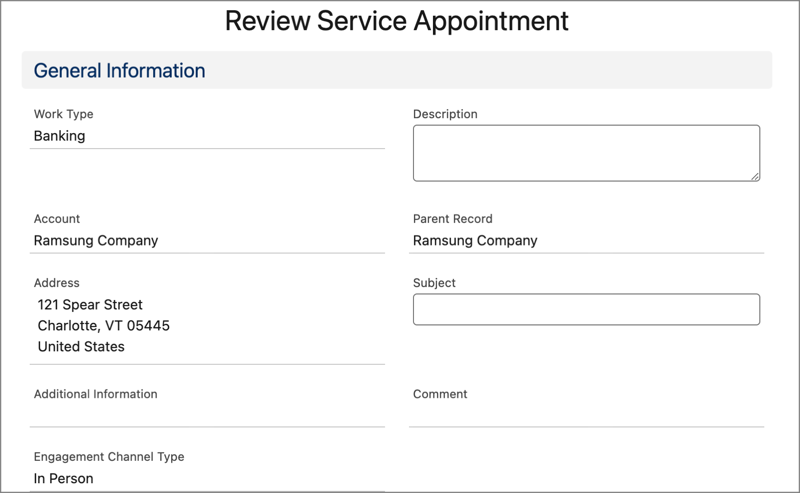
Link the Next button to a POST request on the service-appointments Connect API to create the service appointment.
Resource URI
1https://yourInstance.salesforce.com/services/data/vXX.X/connect/scheduling/service-appointments
For an Existing User (Account)
Sample Request
Pass the account ID as parentRecordId in the input request body.
Set IsAnonymousBooking to true to indicate that the appointment is anonymous.
1{
2   "serviceAppointment": {
3      "serviceTerritoryId": "0Hh2w000000XmoXCAS",
4      "parentRecordId" : "001B000001McLhMIAV", //accountId
5      "schedStartTime" : "2021-05-24T15:30:00:00.000+0000",
6      "schedEndTime": "2021-05-24T16:30:00.000+0000",
7      "street": "1 Market Street",
8      "city": "San Francisco",
9      "state": "CA",
10      "postalCode": "94105",
11      "country": "USA",
12      "extendedFields" : [ {
13        "name": "IsAnonymousBooking",
14        "value": "true"
15      } ]
16   },
17   "assignedResources": [
18      {
19        "serviceResourceId": "0HnB0000000LVbfKAG",
20        "extendedFields" : []
21      }
22   ]
23}
Sample Response
The API returns the service appointment ID and the assigned service resources.
1{
2   "result" : {
3      "assignedResourceIds" : [ "0HnB0000000LVbfKAG" ],
4      "serviceAppointmentId" : "08pB0000000hvR6IAI"
5   }
6}
For a Guest User (Lead)
Sample Request
Pass the required lead details in the input request body.
Set IsAnonymousBooking to true to indicate that the appointment is anonymous.
1{
2   "serviceAppointment": {
3      "serviceTerritoryId": "0Hh2w000000XmoXCAS",
4      "schedStartTime" : "2021-05-24T15:30:00:00.000+0000",
5      "schedEndTime": "2021-05-24T16:30:00.000+0000",
6      "street": "1 Market Street",
7      "city": "San Francisco",
8      "state": "CA",
9      "postalCode": "94105",
10      "country": "USA",
11      "extendedFields" : [ {
12        "name": "IsAnonymousBooking",
13        "value": "true"
14      } ]
15   },
16   "assignedResources": [
17      {
18        "serviceResourceId": "0HnB0000000LVbfKAG",
19        "isRequiredResource": true,
20        "isPrimaryResource": true,
21        "extendedFields" : []
22      }
23   ],
24   "lead": {
25        "firstName": "Mark",
26        "lastName": "Taylor",
27        "phone": "012-345-6789",
28        "email": "mtaylor@company.com",
29        "company": "Company1",
30        "extendedFields" : []
31   }
32}
Sample Response
The API returns the service appointment ID and the assigned service resources.
1{
2   "result" : {
3      "assignedResourceIds" : [ "0HnB0000000LVbfKAG" ],
4      "parentRecordId" : "00QB00000094lOZMAY",
5      "serviceAppointmentId" : "08pB0000000hvR1IAI"
6   }
7}
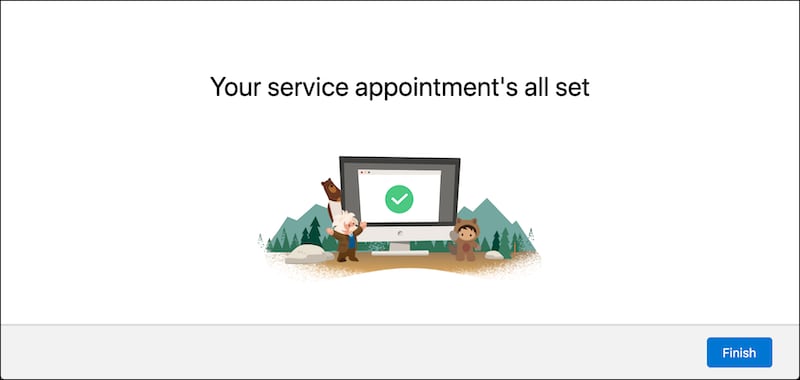
Create a page to show confirmation when the service appointment creation is completed.
Here’s how a sample confirmation page can look.


 j
j