
Appearance
Exercise 1: Set Up Salesforce in Claude
In this exercise, you'll upload the Sales Cloud in Claude plugin to Claude and connect it to your Salesforce org.
Complete the Salesforce Hosted MCPs module first
Before you start, complete Exercise 1: Configure Salesforce MCP Servers and Exercise 2a: Explore the Salesforce MCP Servers with Claude.
Step 1: Request Beta Access
Fill out the Sales Cloud in Claude beta access form.
When your access is approved, you receive the plugin as a ZIP file. Save it somewhere you can find it.
TIP
If you don't have access yet, skip to Exercise 2 to experience Sales Cloud in Claude in the AIforce Playground.
Step 2: Upload the Plugin
TIP
These steps are for a personal Claude account. If you use Claude Enterprise, your Claude admin sets up the plugin in your organization settings.
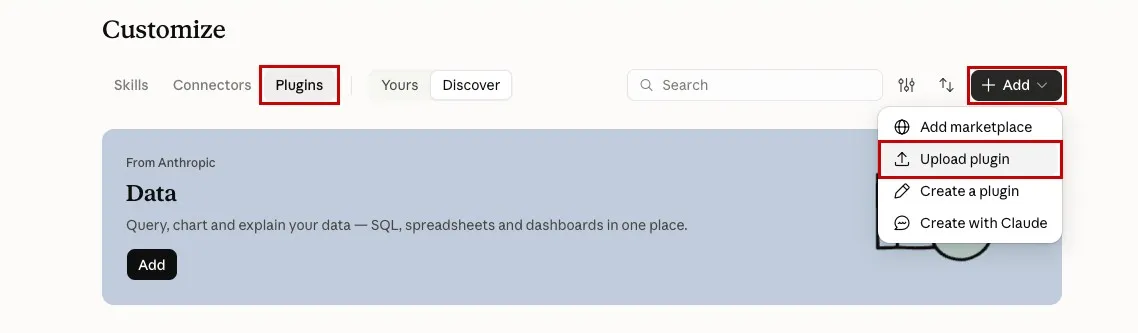
Open Claude. In the left sidebar, click Customize, then click Plugins.
Click Add, then click Upload plugin.
Under Plugin file, select the plugin ZIP file you received, such as
salesforce-for-sales-1.0.0-beta.2.1.claude-plugin.zip.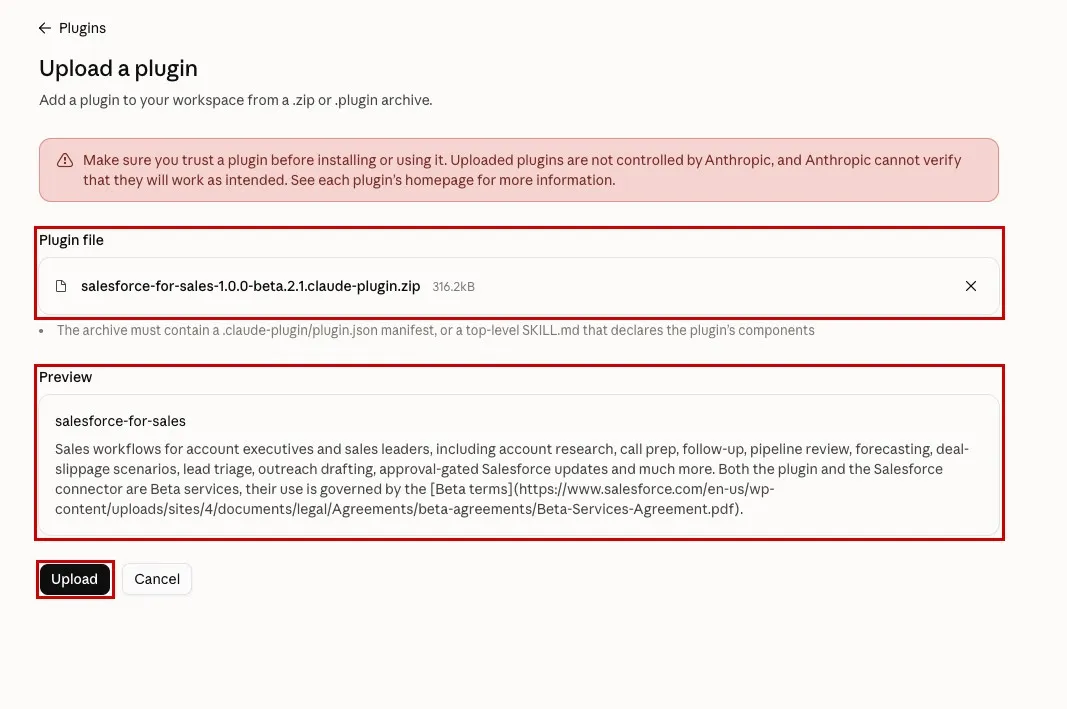
Under Preview, confirm that the plugin is
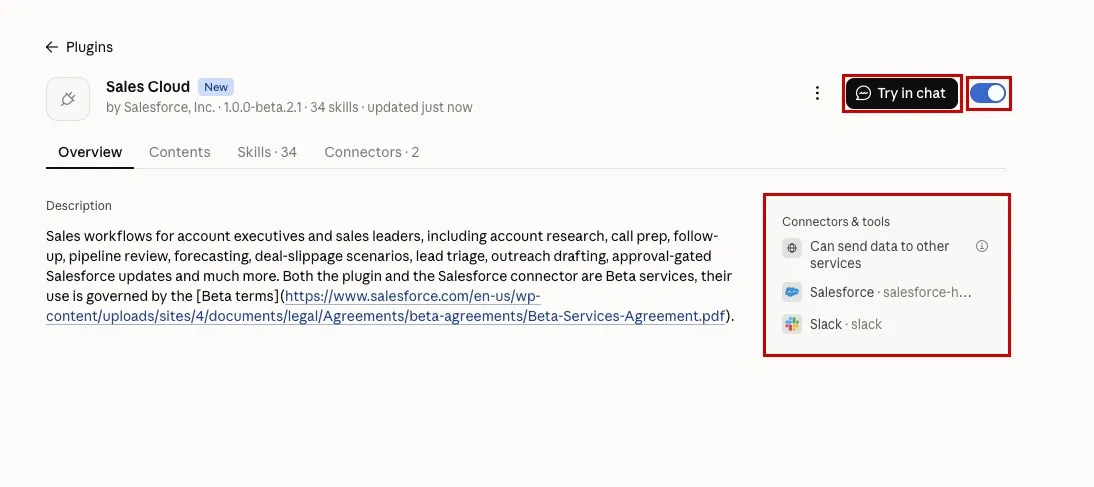
salesforce-for-sales, then click Upload.On the Sales Cloud plugin page, confirm that:
- The plugin toggle is on.
- Connectors & tools lists Salesforce.
Step 3: Ask About Your Pipeline
On the Sales Cloud plugin page, click Try in chat.
Enter this prompt:
txtCan you tell me about my team's pipeline?If Claude asks for permission to use a tool, click Always allow.
Watch Claude work. The plugin's skill orchestrates several calls to Salesforce to identify your team and find the right pipeline data.
Review the response. Claude returns a rich, interactive view of your team's pipeline that you can explore, along with suggested next actions. Pick one to let Claude help you with the next step in your sales process.
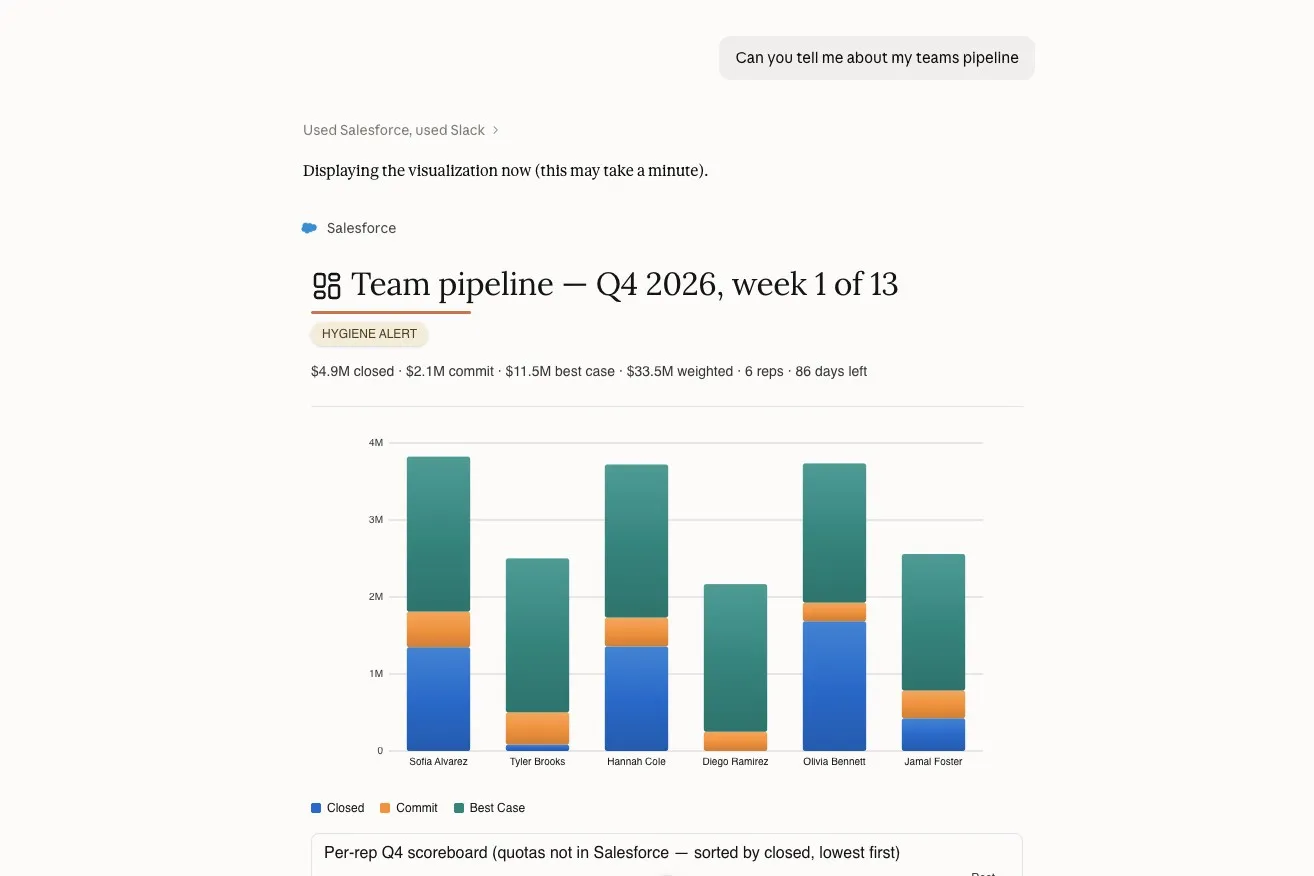
This card is rendered with the Headless Experience Layer (HXL), the same technology you used in Give Agents UI with the Headless Experience Layer (HXL) to render a widget in an agent conversation and through MCP.
Ask about your record hygiene:
txtCan you tell me about my record hygiene?Ask Claude to draft an account plan:
txtCan you draft an account plan for Harvest Table Hospitality?
Step 4 (Optional): Explore More Skills
The Sales Cloud plugin includes 34 skills, and each prompt below triggers a different one. Try any that match your sales workflow.
Draft an account plan (
account-context)txtDraft an account plan for Harvest Table Hospitality.Find expansion whitespace (
expansion-whitespace)txtWhere's the whitespace across the Harvest Table Hospitality family?Look for the response to point you to the Southeast division.
Map stakeholders (
stakeholder-map)txtMap the stakeholders at Harvest Table Hospitality.Review a deal and build a close plan (
deal-review,close-plan)txtReview the Harvest Table 180-location rollout and build a close plan.Prep for a call (
call-prep,deal-advance-gap)txtPrep me for today's Coastal Burger Co. security review.Look for the response to flag that the review is blocked and to name the competitor in the deal.
Check renewals and customer health (
renewal-radar,customer-health)txtWhich renewals are at risk?Or:
txtHow healthy is Metro Arena Concessions?Look for Sunrise Bakery Cafe as an at-risk renewal because of an escalated POS menu-sync case, and for Metro Arena Concessions as a healthy account worth about $2.0M.
Get your daily briefing (
daily-briefing)txtWhat's on my plate today?Track your team's quarter (
team-pipeline,rep-context)txtHow is my team tracking this quarter?Look for Diego to be ahead of target and Owen to be behind.
Triage leads (
lead-triage)txtTriage my open leads.
Summary
- You requested beta access to Salesforce in Claude.
- You uploaded the Sales Cloud in Claude plugin to Claude.
- You asked Claude about your team's pipeline and saw the plugin's skill orchestrate multiple Salesforce calls into an interactive response with suggested next actions.
- You asked Claude about your record hygiene and had it draft an account plan.
Next, you'll experience Sales Cloud in Claude in the AIforce Playground.