Address autocomplete streamlines checkout in your B2C Commerce Progressive Web App (PWA) Kit storefronts on First Party data centers. During checkout, shoppers can enter the first three characters of their shipping or billing address to instantly receive Google-powered recommendations. When a shopper selects an address from the list of recommendations, Google completes the remaining fields.
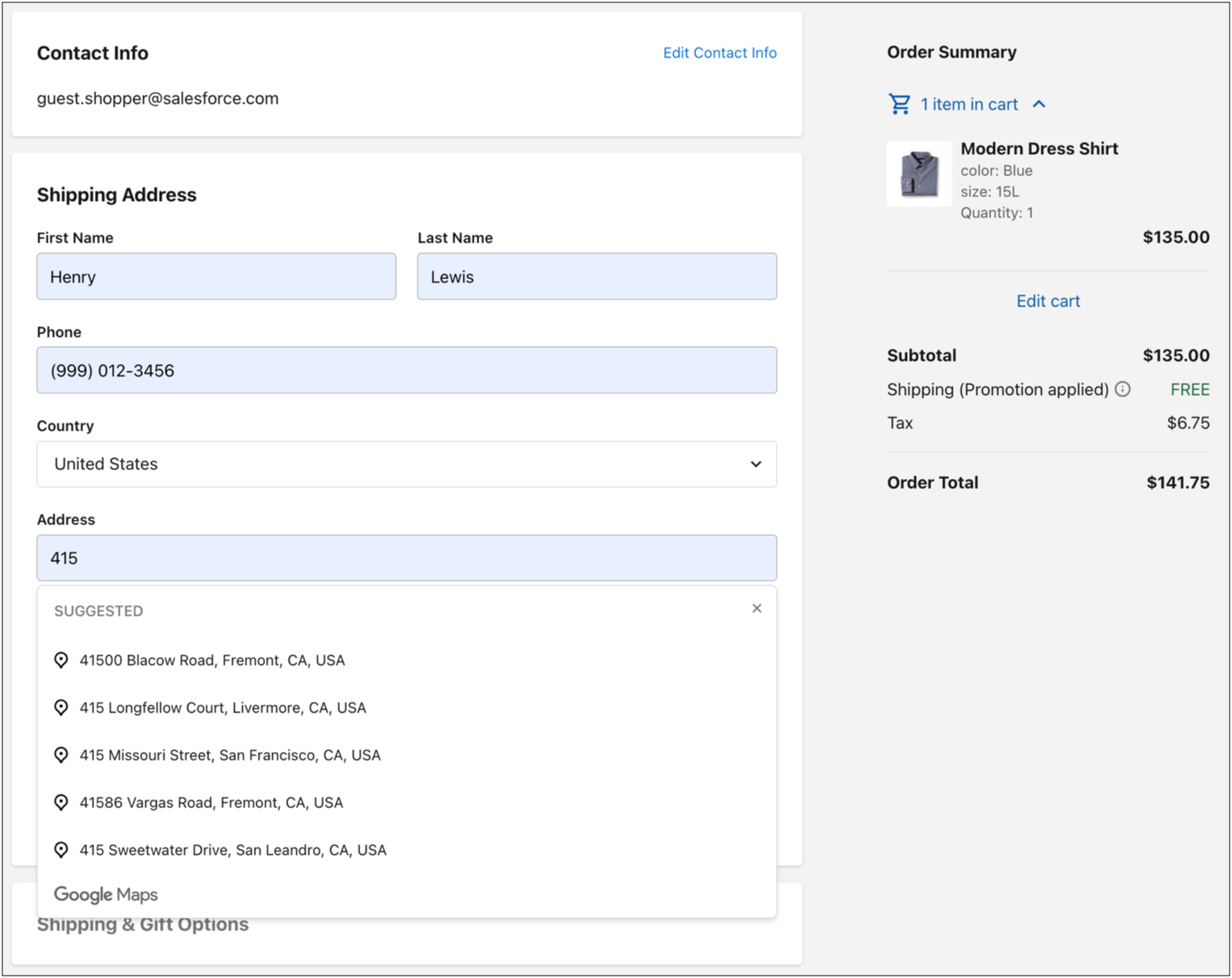
On production instances, address autocomplete uses a Salesforce-provided platform API Key by default, so no additional API Key setup is required.
On non-production environments, such as on-demand sandboxes (ODS), development, and staging instances, you must set up and use your own API Key. Set up your own Google Cloud Platform (GCP) project and billing, and your own API Key for the Google Maps Platform. Then, input the API Key as a new GOOGLE_CLOUD_API_KEY environment variable in your Managed Runtime (MRT) project. See Getting started with Google Maps Platform and Environment Variables. You can also configure a custom API Key on production instances if you don’t want to use the Salesforce-provided platform API Key.
-
If your PWA Kit isn’t version 3.15 or later, Upgrade to v3.
-
(Required only for production instances) To allow the Google API key to become available in your PWA Kit storefront, update the hostnames in your alias file.
a. In Business Manager, click App Launcher, and then select Merchant Tools | Site | SEO | Aliases.
b. Specify your hostnames in the alias file and save your changes.
If you’ve already specified your hostnames in the alias file, save the file again for the Google API key to become available.
See Hostname Aliases, Configure a Hostname Alias, and Configure MRT Routing Rules in Business Manager.
-
Add the sfcc.shopper-configurations security scope to the Shopper Configurations API for your PWA Kit SLAS client.
The Shopper Configuration API retrieves the configuration that PWA Kit uses to enable address autocomplete. See Authorization for Shopper APIs and Authorization Scopes Catalog.


 j
j