


Health Cloud Administration
 j
jInstall the Claims Data Model
The Health Cloud claims functionality is delivered as an unmanaged package containing
a set of external objects that you customize to fit your organization's specific
requirements.
|
Available in: Lightning Experience Available in: Enterprise and Unlimited Editions with Health Cloud |
Before installing the Claims package, make sure your organization has a Salesforce Connect license and that you’ve installed and configured Health Cloud. You also need the Health Cloud Platform permission set license. Assign the Health Cloud Utilization Management permission set to access the Health Cloud Platform permission set license.
-
Paste the URL for the Claims package into your browser navigation bar. If
you’re using Windows OS, press Enter. For MAC, press
Return.
The URL for this package is http://industries.force.com/healthcloudextensionclaims.
-
Select Install for All Users and then click
Install.
Installation may take a while. You can click Done now and check your email later for confirmation that installation was successful.
-
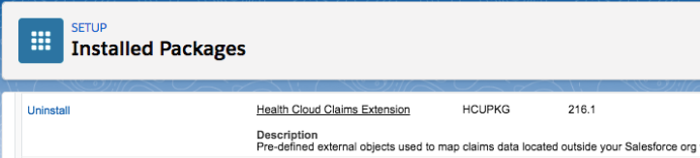
Verify installation of the unmanaged package.
-
In Setup, use Quick Find to find
Installed Packages.
Look for Health Cloud Claims Extension.
-
In Setup, use Quick Find to find
Installed Packages.