
Appearance
Explore Pronto
In this exercise, you’ll explore the Pronto Salesforce implementation to understand the data and workflows your agent will use throughout this chapter.
Before you begin, here’s a quick orientation to Pronto’s data model in Salesforce:
- Accounts represent merchant groups or businesses.
- Storefronts represent individual restaurants/stores that belong to a merchant.
- Contacts represent customers.
- Cases, Reviews, and Gift Certificates are customer-related records you’ll commonly reference during support interactions.
- Orders are stored in an external database (not in Salesforce). In this workshop, the agent retrieves and acts on order information through actions that query that external system.
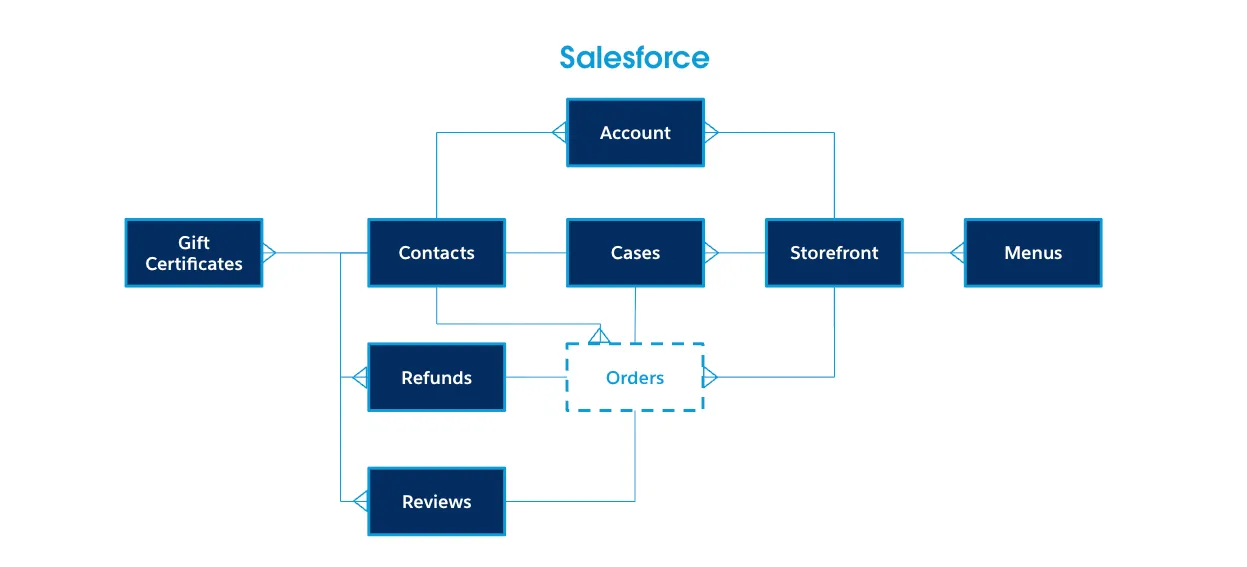
Step 1: Explore the Merchant Data Model
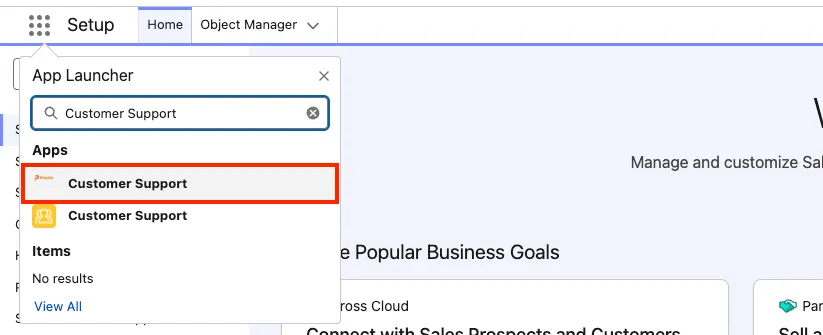
In the App Launcher, open the Customer Support app.
Open the Accounts tab.
Change the list view from Recently Viewed to Merchants.
Open the Urban Eats Collective account.
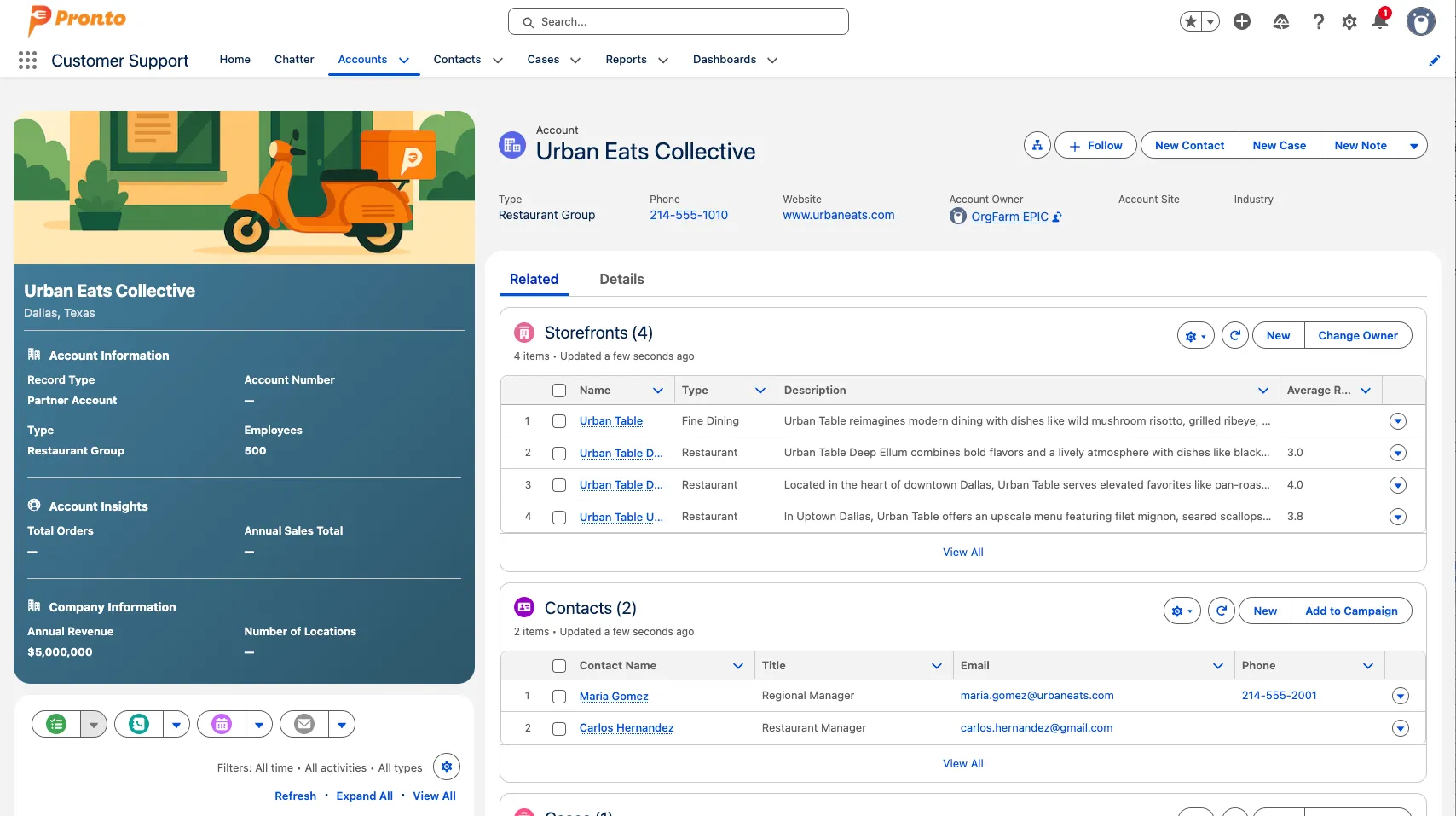
Review the related records. You’ll reference this data model throughout the exercises.
Click on the Urban Table Downtown Storefront. Storefronts represent each restaurant or store that might be part of a restaurant group.
Step 2: Explore the Customer Data Model
In addition to merchant and storefront data, Pronto also tracks customer profiles and their support history. This is the foundation for service workflows like identity verification, case handling, and refunds.
Use global search to find the contact Alex Morgan.
Click the Alex Morgan contact record in the search results to open it.
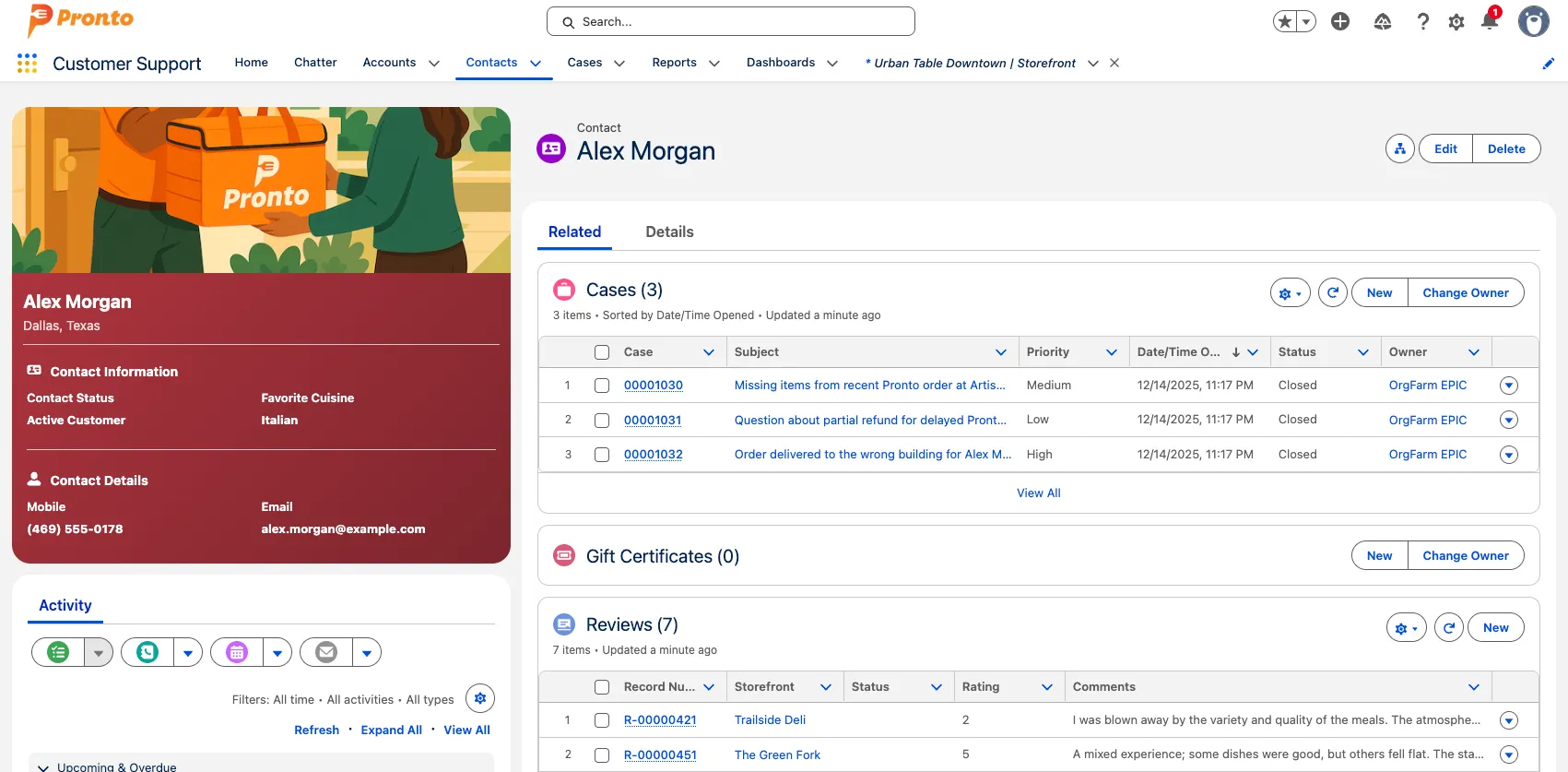
On the contact record, review the related lists and history (for example: Cases, Gift Certificates, and Reviews).
Note how this maps to real customer behavior:
- Cases represent the types of issues Pronto customers would file (missing items, late delivery, incorrect order, refunds, etc.).
- Reviews represent feedback customers leave about their experience.
- Gift Certificates represent credits and certificates that may impact resolution and refund scenarios.
Summary
You have explored Pronto’s merchant and customer data models and identified the key records and workflows your agent will use in the following exercises.