
Appearance
Exercise 2 (Optional): Create Another Field Generation Template (Storefront Review Summary)
In this exercise, you’ll use a Field Generation template to automatically generate a review summary for a Pronto storefront. You’ll ground the template with related list merge fields from Review__c records related to a Storefront__c.
Step 1: Create the Field Generation template
In Setup, search for Prompt Builder, and select Prompt Builder.
Click the New Prompt Template button.
Configure the prompt template as follows:
Parameter Value Prompt Template Type Field Generation Prompt Template Name Generate Storefront Review Summary API Name Keep default Template Description This template is used to generate a summary of customer reviews for a storefront Object Storefront Object Field Review Summary Click Next.
Paste the following text in the Prompt Template Workspace:
txtYou are summarizing customer reviews for a Pronto storefront. The summary should have between 80 and 120 words. Storefront Name: STOREFRONT_NAME List of customer reviews: STOREFRONT_REVIEWSReplace the placeholders below with the corresponding merge fields (click the Resource search box to access merge fields).
Placeholder Merge field STOREFRONT_NAME Storefront > Storefront Name STOREFRONT_REVIEWS Storefront > Reviews (Reviewr / Reviewc list) In the Preview panel, select a storefront record that has reviews.
Click Save & Preview.
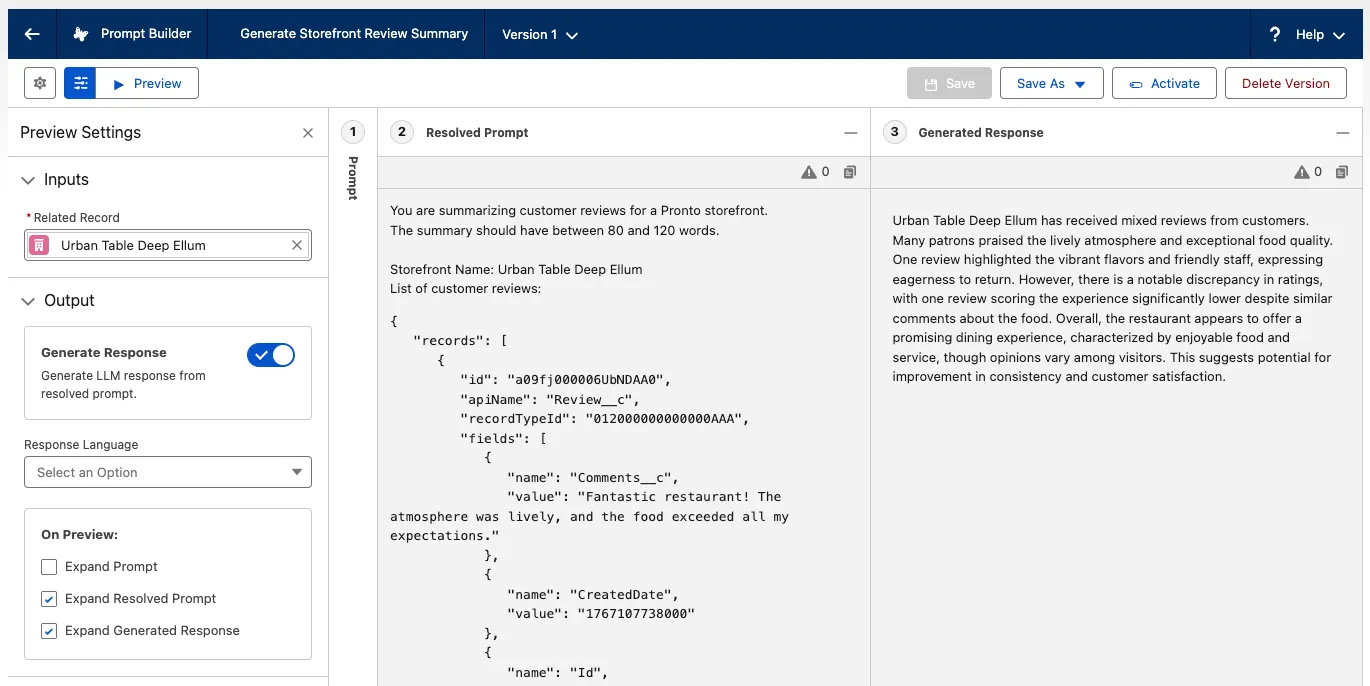
In the Resolved Prompt panel (bottom left), examine the prompt that was generated. Notice that the related list merge field has been replaced by the list of guest reviews.
In the Generated Response panel (bottom right), examine the summary of reviews that was generated by the LLM.
Click Activate when you are satisfied with your template.
Step 2: Bind the template to a Storefront field
In the Merchant Management app, click the Storefronts tab and open a storefront record.
Click the Setup icon and click Edit Page.
Select the Review Summary field (or another storefront field you want to generate).
In the right panel, select Generate Storefront Review Summary as the prompt template to be used to generate the review summary.
Click Save.
Click the back arrow button to leave App Builder and go back to the Storefront record.
Click the Edit button next to the field.
Click the Generate button (sparkles icon) next to the input field, and watch Einstein generate the summary.
Click Use to move the generated text to the field.
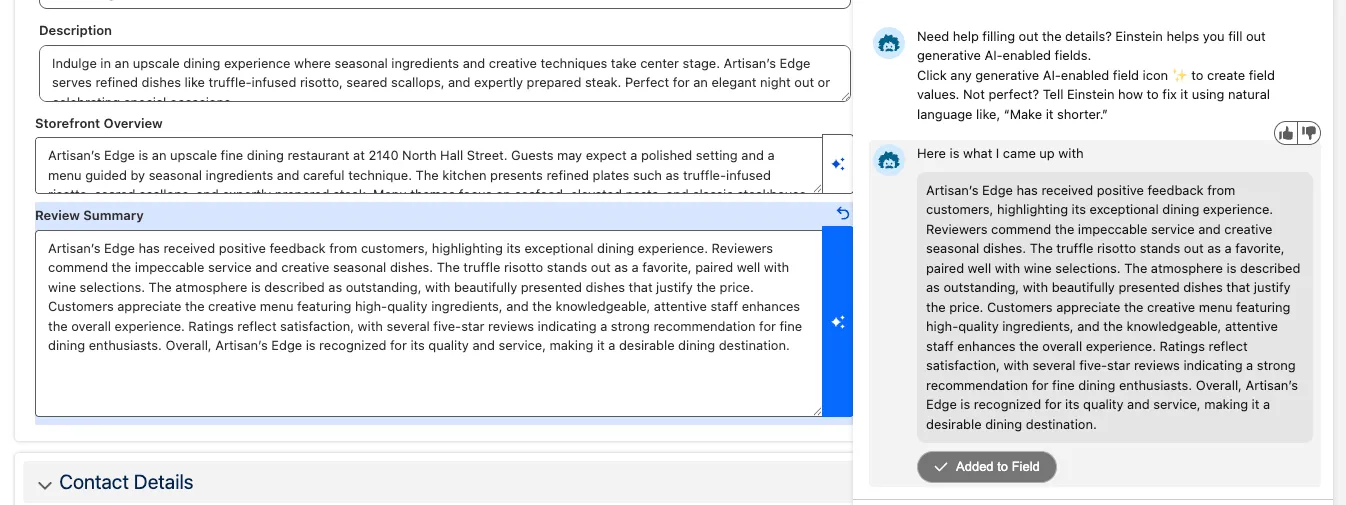
Click Save to save the record.
Summary
In this exercise, you created and activated a Field Generation prompt template that summarizes a storefront’s reviews using related Review__c records. You then bound the template to the Review Summary field so users can generate an on-brand review summary directly on a Storefront record.