


Health Cloud Administration
 j
jConfigure the Unified Health Scoring Components
| Available in: Enterprise and Unlimited Editions with Health Cloud and the Unified Health Scoring Add-On license |
- Score Details for Unified Health Scoring
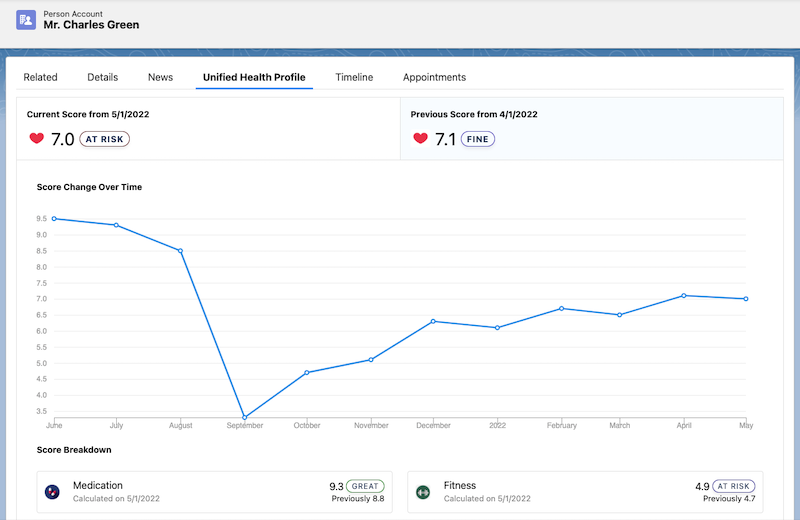
- Current score and its date
- Previous score and its date
- A graph that shows score change over time (up to the last 12 scores)
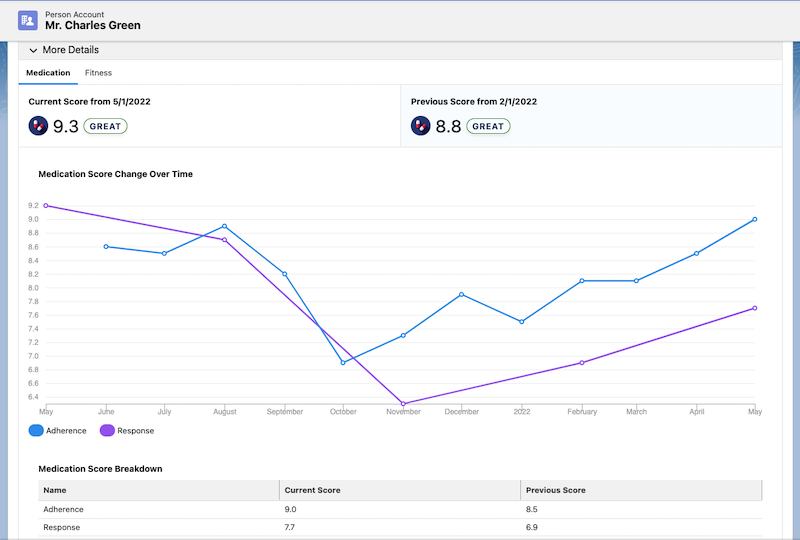
- Current score, its date, previous score, and its date for up to three subcategories
- A graph that shows the score change over time for sub-subcategories.
You can place this component on Account, Contact, and Lead record pages.
- Score List for Unified Health Scoring
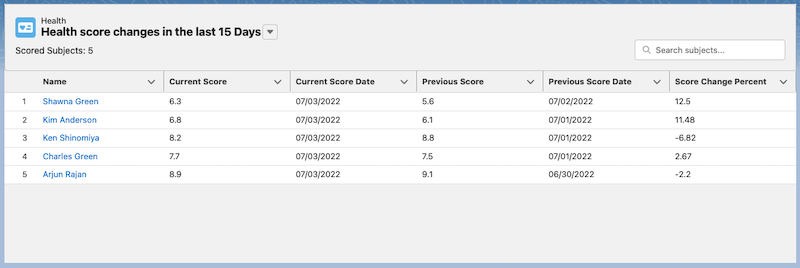
- Name
- Current Score
- Current Date
- Previous Score
- Previous Score Date
- Score Change Percent
You can place this component on home and app pages.
- Dynamic Actions for Unified Health Scoring
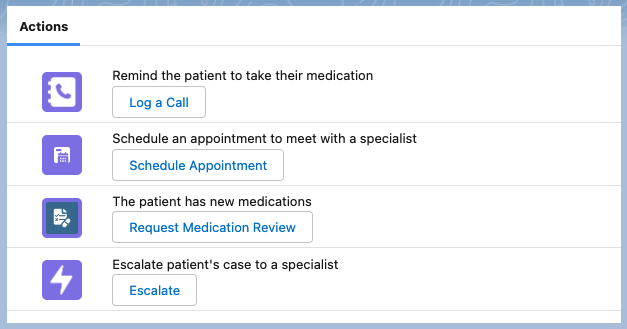
This component suggests contextual actions to your users when certain conditions are met for their patients or related records. It’s up to you to decide what actions your users see under what conditions on this component. You can use the default actions available for the record page you place this component on, or you can define your own custom quick actions. The descriptions for those actions are displayed as the captions for prompts, so word those descriptions thoughtfully. Actions triggered from this component are logged in the Health Score Action Log object.
You can place this component on Account, Contact, or Lead record pages. You can also use information in related records to define your visibility rules. Add a custom lookup on Account, Contact, or Lead that references the Action Visibility object. Then, add custom lookups on Action Visibility that references the objects with the related information you need. However, with this approach, you might have to add a large number of lookups for certain types of information. For instance, if you’re configuring visibility based on a patient’s observation values, you need a large number of lookups to Care Observation on Action Visibility. A cleaner, but more sophisticated approach is to add a single data field on Action Visibility for a type of information, and have a data processing system determine its value. Whichever approach you choose, you can set up triggers and processes in your org to automatically create the required Action Visibility records and relate them to the appropriate patient records.