


Health Cloud Administration
 j
jCreate a Flow Using the Verify Customer Identity V2 Flow Template
Create a custom identity verification process
configuration using the Verify Customer Identity V2 flow template. Specify the names of the
relevant Identity Verification Process Definition and Identity Verification Process Detail
records as the values of the IdVerfProcessDefinition and
the IdVerfProcessDetail constants.
To verify a caller who is pre-identified, set the value of the IdVerfProcessDetail constant. IdVerfProcessDetail refers to the relevant
Identity Verification Process Detail record name. Set this value to indicate to the flow the
process detail record to be used to verify a pre-identified caller. You must set the IdVerfProcessDetail value even if there’s only one process
detail record for a process definition record.
When using the Verify Customer Identity V2 flow template to create a flow for identity verification, use Salesforce Open CTI to integrate third-party computer-telephony integration (CTI) systems with Salesforce. When your user accepts a call from the customer, the user creates an Engagement Interaction record to store details of the interaction. If the call is from a registered number, the InitiatingAttendee field in the record is auto-populated with the name associated with the number.
- In the Identity Verification admin setup assistant, click Create Flow.
- Click New Flow.
- In the New Flow window, on the All + Templates tab, select Verify Customer Identity V2 and click Create.
- Click Save.
- Enter the flow label and API name, and save the flow.
-
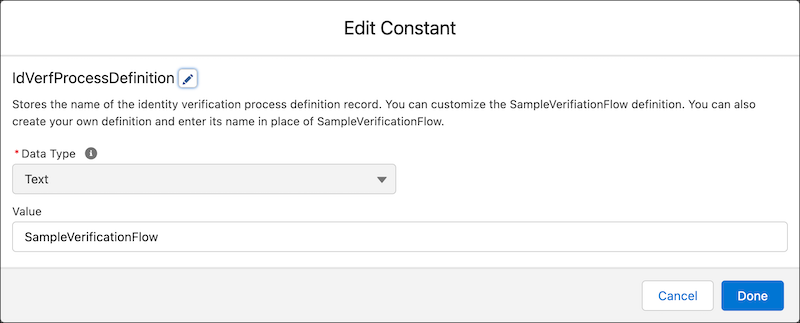
In Resources, edit IdVerfProcessDefinition and
enter the relevant Identity Verification Process Definition record name as the
value.
-
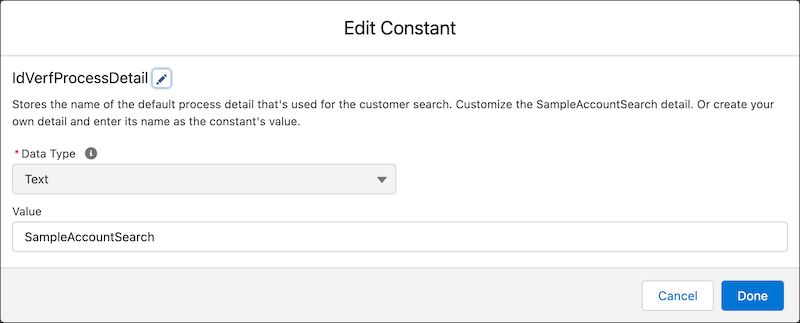
In Resources, edit IdVerfProcessDetail and enter
the relevant Identity Verification Process Detail record name as the value.
- Click Done.
- Save and activate the flow.