


Health Cloud Administration
 j
jCreate a Flow Using the Verify Caller Identity Flow Template
To use your custom identity verification process configuration, use the Verify Caller
Identity flow template to create a flow and specify the Identity Verification Process Definition
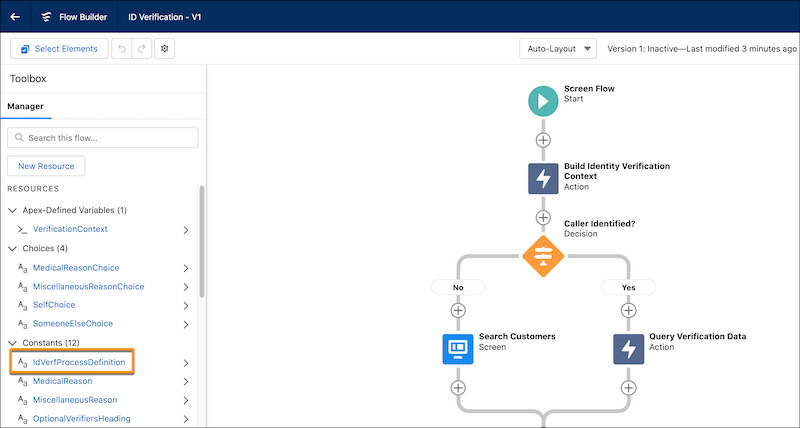
record name as the value of the IdVerfProcessDefinition
constant.
- In the Identity Verification admin setup assistant, click Create Flow.
- Click New Flow.
- In the New Flow window, on the All + Templates tab, select Verify Caller Identity and click Create.
- Click Save.
- Enter the flow label and API name, and save the flow.
-
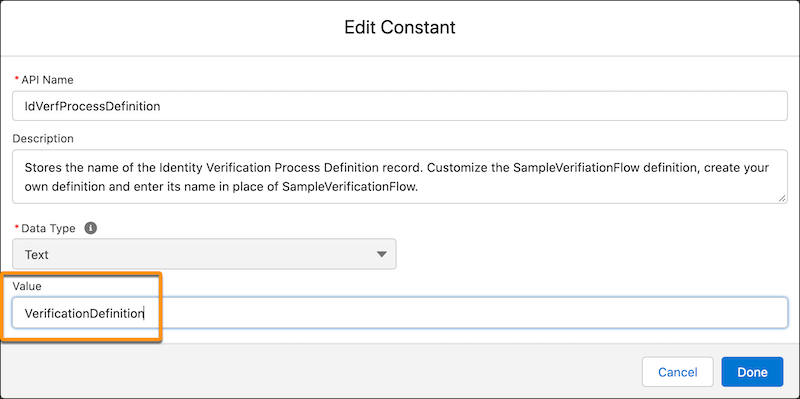
In Resources, edit IdVerfProcessDefinition and enter the relevant
Identity Verification Process Definition record name as the value.
- Click Done.
- Save and activate the flow.