Health Cloud Administration
 j
jCare Plan Tasks for Health Cloud Empower
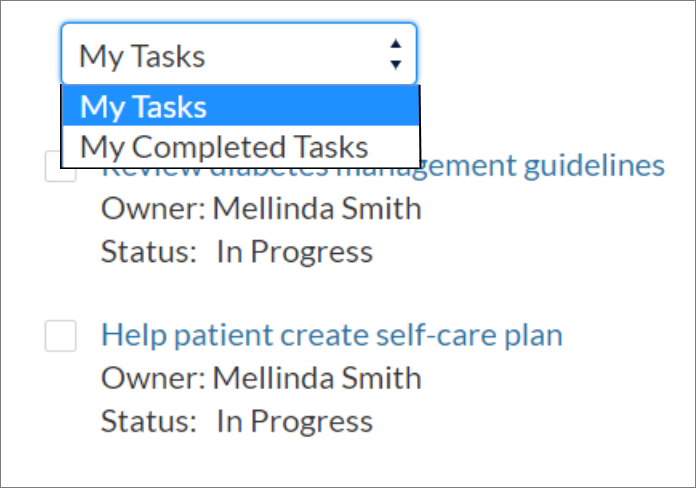
The Care Plan Tasks for Health Cloud Empower component helps Experience
Cloud users see tasks associated with a care plan. Members can choose to see either their
incomplete or complete tasks.
|
Available in: Lightning Experience Available in: Enterprise and Unlimited Editions with Health Cloud |
- In your Experience Cloud site’s workspace, select Builder.
-
On the top-left corner of the page, click
 .
.
- Under Custom Components, select and drag the Care Plan Tasks for Health Cloud Empower component onto an editable area of the page.
-
In the property editor, configure properties for the component:
- Field Set Name
- Enter the name of the field set that contains the fields you want to display for tasks. The default is HcCarePlanTaskFields. Since this field set is part of the Health Cloud managed package, you have limited editing options. You can change the order of fields in the field set or remove fields. To add fields, you must create a different field set and use it in place of the delivered field set.
- Show labels
- Select to show labels for the fields that appear in the task list.
- Show all tasks
- This setting is currently unavailable. Enabling it doesn't do anything.
Example
Sample Care Plan Tasks for Health Cloud Empower component: