


Health Cloud Administration
 j
jUse Flow Builder to Convert Leads to Patients
Enable care coordinators to convert leads to patient records within Health Cloud by
setting up a simple conversion process in Flow Builder.
|
Available in: Lightning Experience Available in: Enterprise and Unlimited Editions with Health Cloud |
| User Permissions Needed | |
|---|---|
| To open, edit, or create a flow in Flow Builder: | Manage Flow |
To use this flow in a Health Cloud org with person accounts enabled, you must configure a default mapping record to create patients or members. See Map Person Accounts in Health Cloud.
- From Setup, in the Quick Find box, enter Flows, and then select Flows
- Click New Flow.
- Click Record-Triggered Flow.
-
Configure the Start element.
Field Description Select Object Lead Configure Trigger Trigger the flow when A record is created or updated Set Entry Conditions Condition Requirements: All Conditions are Met (AND) - IsConverted Equals False
- HC4a__IsMarkedForPatientConversion__c Equals True
When to Run the Flow for Updated Records Every time a record is updated and meets the condition requirements Optimize the Flow for Actions and Related Records 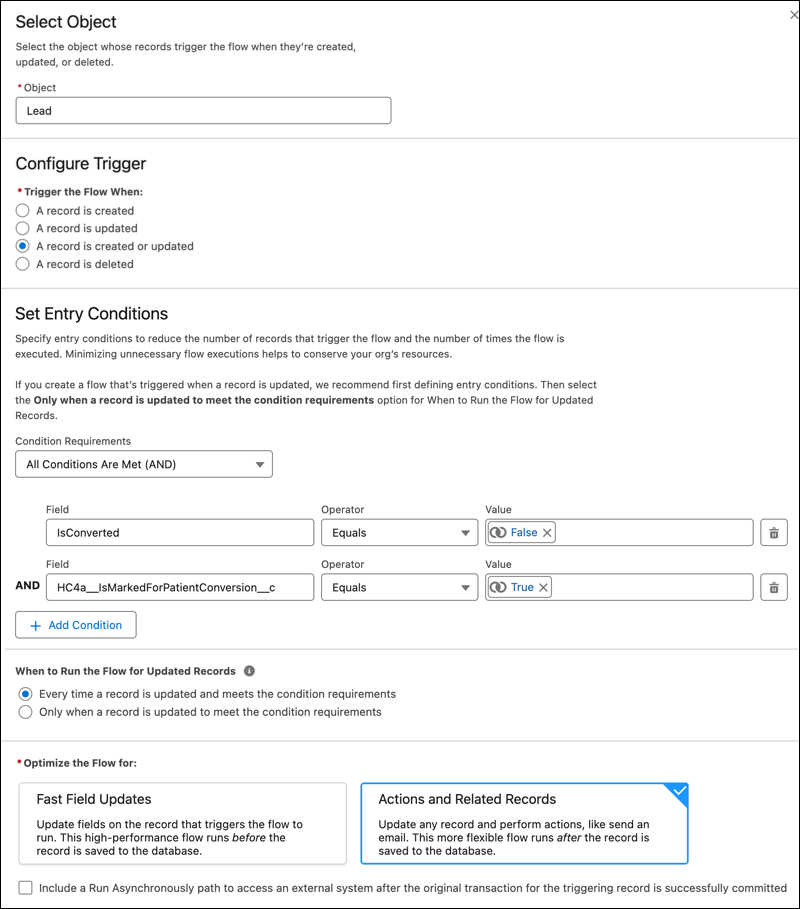
-
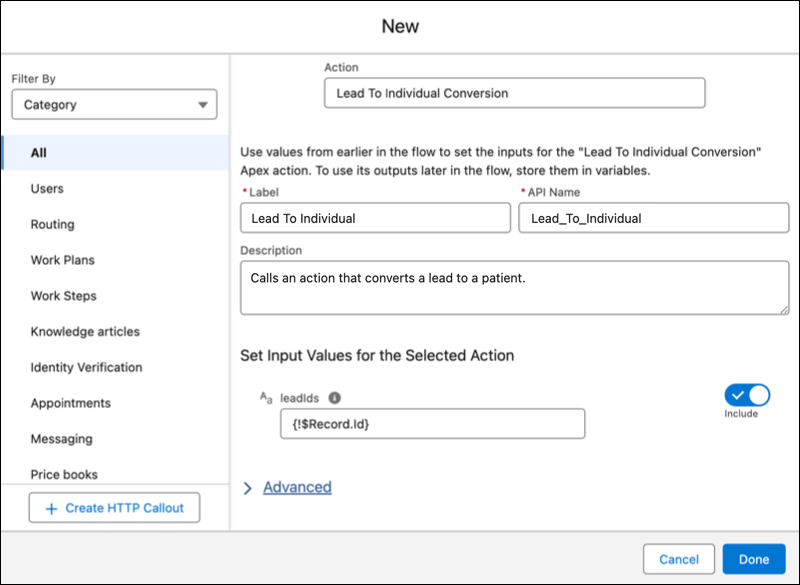
Add an Apex action that converts leads to patients.
Field Description Action Lead to Individual Conversion Label Lead to Individual Conversion or another descriptive label API Name Accept the default value. Set Input Values for the Selected Action Include leadIds. For the leadIds input, enter {!Record.Id}.
-
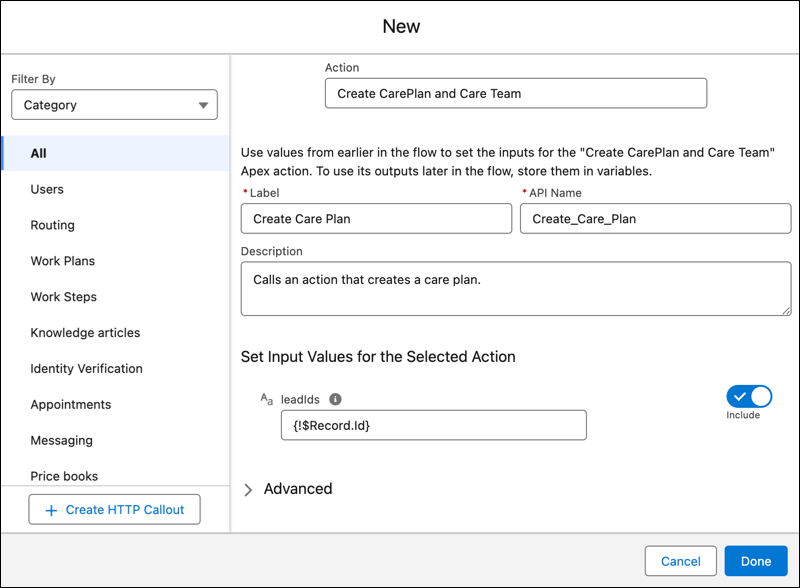
Add an Apex action that creates care plans.
Field Description Action Create CarePlan and Care Team Label Create Care Plan or another descriptive label API Name Accept the default value. Set Input Values for the Selected Action Include leadIds. For the leadIds input, enter {!Record.Id}.
- Activate the flow.