


Health Cloud Administration
 j
jExamine Attendance Insights and Predictions
Examine the insights and predictions that Einstein Discovery offers based on your Health
Cloud dataset.
|
Available in: Lightning Experience Available in: Enterprise and Unlimited Editions with Health Cloud |
| User Permissions Needed | |
|---|---|
| To use Einstein Discovery | CRM Analytics for Healthcare |
- In CRM Analytics, select your app from the Suggested For You or Your Analytics section.
-
In the new tab, open STORIES, and then select the story for your
app.
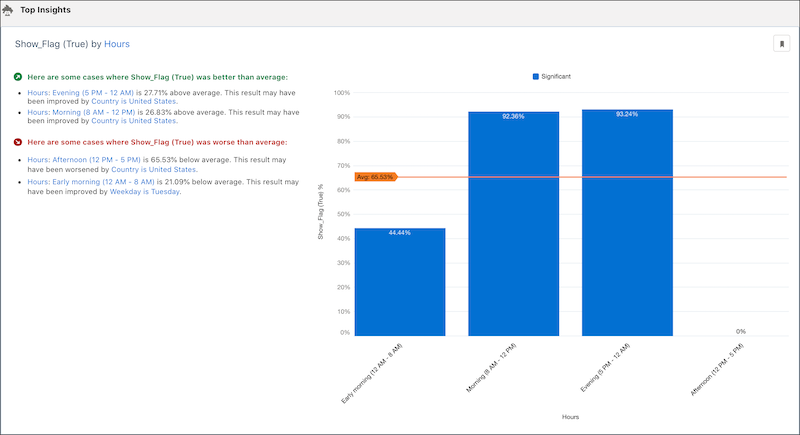
A story visually represents a prediction model. The goal or outcome of the story is displayed at the top of the screen, followed by various insights that correlate to the different variables used in the analysis.
-
Examine the insights, predictions, and model using the Insights, Predictions, and Model
tabs.
-
If necessary, customize the story, and then redeploy the model:
- Click Edit Story on the top-right corner of the screen.
- Make necessary changes to the story settings.
- Click Update Story.
- Add extra details for the story update, and then click Update.