Health Cloud Administration
 j
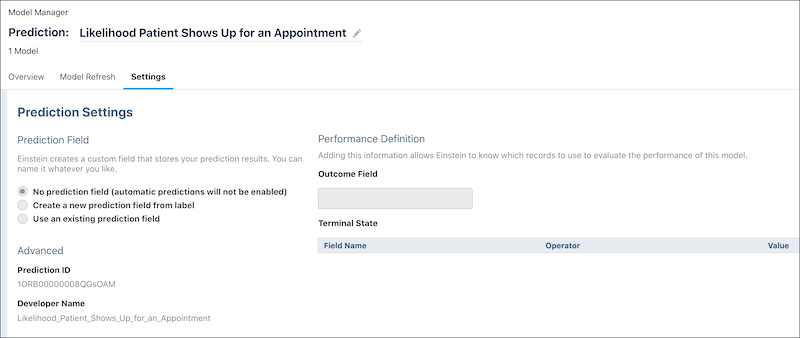
jIdentify the Prediction ID
Identify the prediction ID that’s used in configuring Intelligent Appointment
Management.
|
Available in: Lightning Experience Available in: Enterprise and Unlimited Editions with Health Cloud |
| User Permissions Needed | |
|---|---|
| To use Einstein Discovery | CRM Analytics for Healthcare |
- In CRM Analytics Studio, click Model Manager.
- In the Prediction Name column, select the prediction that was built for the app.
- In the new tab, open Settings.
-
Make a note of the prediction ID.