
Appearance
Exercise 2: Use Agentforce Coworker
In this exercise, you'll use Agentforce Coworker from within the Merchant Management app to get grounded answers across your Pronto account data.
Step 1: Ask Agentforce in the app
Open the App Launcher and go to the Merchant Management app.
Click the Ask Agentforce button next to the search bar.
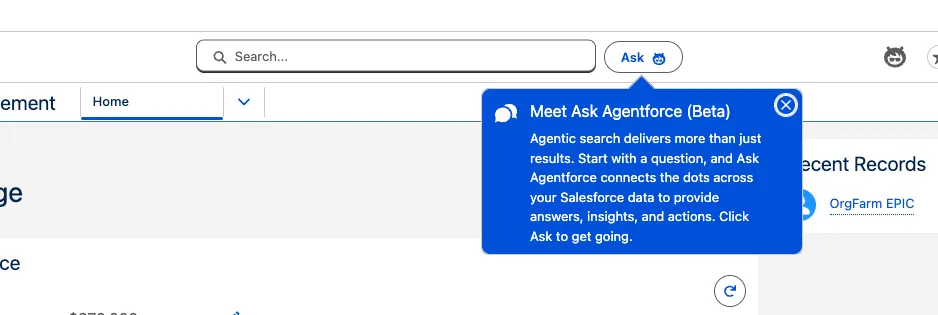
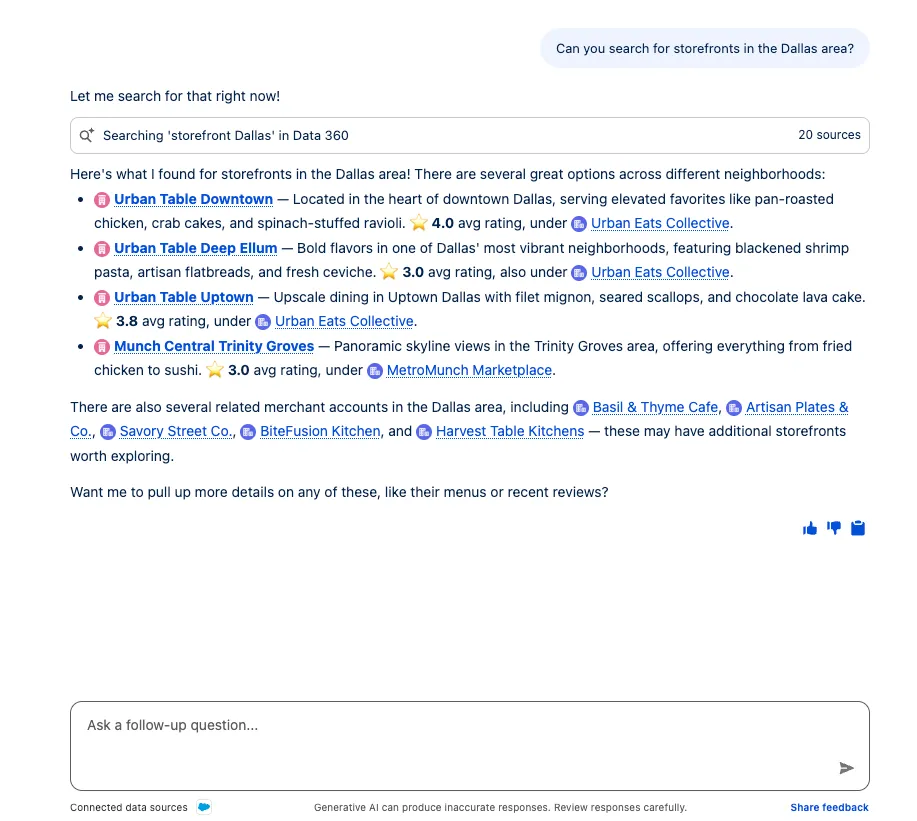
Ask it the following question:
txtCan you search for storefronts in the Dallas area?Review the grounded response Ask Agentforce returns.
Step 2: Agentforce Agents
Ask Agentforce is the front door, but it doesn't answer merchant questions on its own. When you ask a question like "search for storefronts in the Dallas area" or "give me a health check on Harvest Table Kitchens", Ask Agentforce:
Interprets your request and decides which connected source can best answer it.
Delegates to your Agentforce Employee Agent (the Merchant Account Manager Agent you built in the Employee Agent chapter). The agent's Agent Router classifies the request and hands it to the right topic, such as Account Health Overview or Review & Sentiment Analysis.
Runs the topic's actions (standard actions, Flow actions, and so on) to query and assemble the answer from live CRM and Data 360 data.
Returns the grounded response back to the Ask Agentforce panel, where you see it inline next to the search bar.
TIP
Because Ask Agentforce reuses your existing Employee Agent, anything you add to the Merchant Account Manager Agent (new topics, actions, or data) automatically becomes available here, no separate configuration required.
Ask a follow-up question to see the Employee Agent's analytical topics in action:
txt
Give me a health check on Harvest Table Kitchens.Step 3: Data 360
Because you added Data 360 as a data source during setup, Ask Agentforce can answer questions from unified data that lives outside core CRM, such as order history brought together in Data 360. It retrieves this data directly, without you having to build a separate action.
Ask it to surface Data 360 data:
txt
Show the latest orders for Urban Table Downtown from Data 360.The response is grounded in the unified order data you ingested and unified in the Data 360 chapter.
Summary
You used Agentforce Coworker from within the Merchant Management app. Your Merchant Account Manager Agent now works alongside your team as a coworker, grounded in unified Data 360 data.
And that's it, it really is that simple. If you already have Salesforce and Data 360 set up, you don't have to build anything new for Agentforce Coworker, you just turn it on and your agents and data come along for the ride.