


Health Cloud Administration
 j
jEnable Users to Copy Provider Search Results
Enable the action bar in Lightning App Builder so that your users can copy and share up
to 50 provider search result records.
|
Available in: Lightning Experience Available in: Enterprise and Unlimited Editions with Health Cloud |
-
From the Provider Search page, click the
 icon and select
Edit page.
icon and select
Edit page.
- In the configuration column of Lightning App Builder, select Show action bar.
- Save your changes.
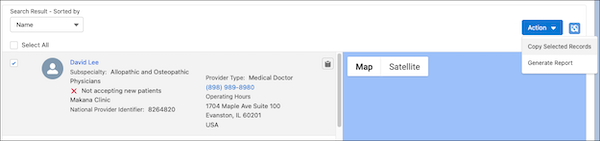
The Action drop-down includes a Copy Selected
Records option for sharing multiple provider search results. A Copy button
( ) also appears
for each provider search record.
) also appears
for each provider search record.
) also appears
for each provider search record.