Health Cloud Administration
 j
jCreate a Service Resource for Providers
Create service resource records to represent providers. You can then associate those
providers with territories and visit types.
|
Available in: Lightning Experience Available in: Enterprise and Unlimited Editions with Health Cloud |
| User Permissions Needed | |
|---|---|
| To use Salesforce Scheduler |
Schedulable resource add-on AND Salesforce Platform Starter license |
Although providers are already represented as Contacts or Person Accounts for Intelligent
Appointment Management, they must be represented as Service Resources for Salesforce
Scheduler.
-
From the App Launcher, find and select Salesforce Scheduler
Setup.
This app opens up multiple object tabs, including Service Territories, Service Resources, Operating Hours, and more.
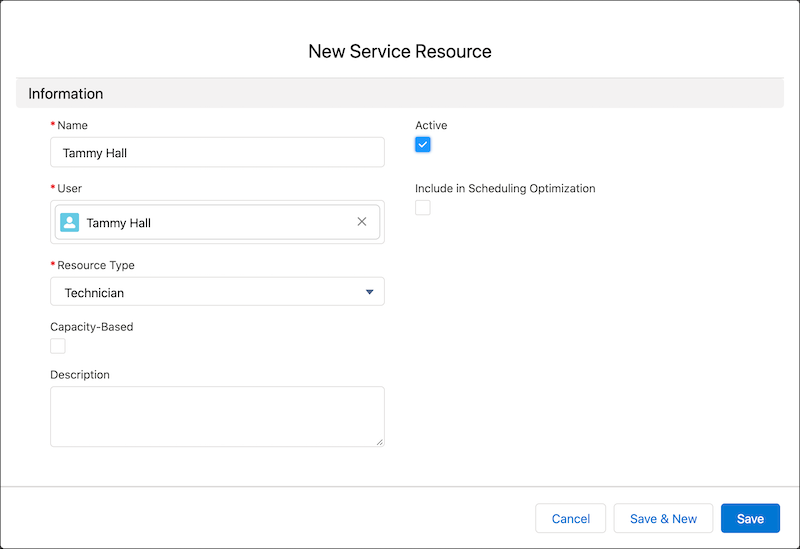
- Go to the Service Resources tab.
- Click New.
- Select a provider user and enter a resource name—typically, the user's name.
- Select Active to be able to assign the resource to appointments.
- Set resource type to Technician.
- Save your changes.