


Health Cloud Administration
 j
jAdd National Provider Identifiers
Intelligent Appointment Management uses a numeric ID to specify a practitioner or
facility. In the US, this ID is the National Provider Identifier (NPI), but you can substitute the
ID used in your country or region. To record a provider’s ID, create a Healthcare Provider NPI
record.
|
Available in: Lightning Experience Available in: Enterprise and Unlimited Editions with Health Cloud |
| User Permissions Needed | |
|---|---|
| To use Health Cloud | Health Cloud Foundation permission set |
- From the App Launcher, find and select Healthcare Provider NPIs.
- Click New.
- Enter a name for the record.
- For the NPI Type field, specify that the record is for an individual (practitioner).
- Specify the name of the practitioner.
- Enter the NPI number.
-
Select Active.
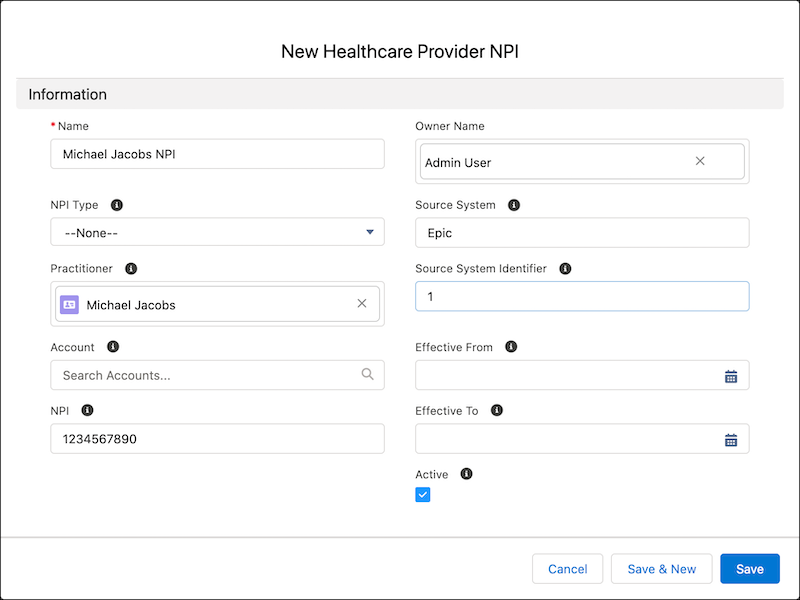
- Fill out other fields as required, and save your changes.
Sync data for Provider Search to confirm that the Healthcare Provider NPI data is shown in the Care Provider Searchable Field object.