Health Cloud Administration
 j
jEnable Intelligent Appointment Management
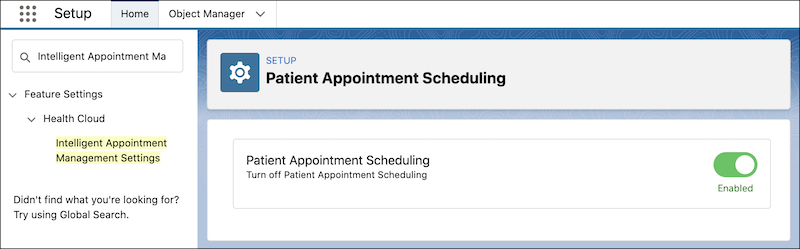
To get started with Intelligent Appointment Management, first make Patient Appointment
Scheduling available in your org. When you enable Patient Appointment Scheduling, care
coordinators and call center agents can set up patient appointments seamlessly.
|
Available in: Lightning Experience Available in: Enterprise and Unlimited Editions with Health Cloud |
| User Permissions Needed | |
|---|---|
| To use Health Cloud | Health Cloud Foundation permission set |
- From Setup, in the Quick Find box, enter Intelligent Appointment Management Settings, and then select Intelligent Appointment Management Settings.
-
Turn on Patient Appointment Scheduling.